
Tez888 · Aviator app review
Tez888 Aviator App Download for Android and iOS, 2026 Version
The Tez888 app is an easy way to run Aviator: on our screenshots it works as a web app saved to the home screen on both Android and iOS, and Tez888’s site also links an Android file. Bets and cash-outs sit in a clear layout, and you can switch to casino games, slots and sports betting. New players can get up to $780 over 5 deposits. The catch: Tez888 states a Curaçao license without a number, and we couldn’t find it in the Curaçao register.
- Aviator by Spribe
- Yes
- Official site and Official Game badge
- Android
- Web app
- An APK is also linked on the site
- iOS
- Web app
- Saved from Safari
- License
- Not verified
- No number stated
Tez888 App Key Information
Before you use the app, look at the core settings like payments, limits and features. Our team saved the Tez888 web app to the home screen, registered, deposited and played Aviator at Tez888 in April 2026; the screenshots on this page come from that session.
| Company established | 2023 |
|---|---|
| License | States a Curaçao license without a number; not found in the Curaçao register |
| Price | Free |
| Operating system | Android (web app; APK linked on the site), iOS (web app) |
| Latest version | Web-based latest version |
| Application size | No fixed size (browser-based) |
| Casino | Available |
| Sports | Available |
| Welcome bonus | Up to $780 over 5 deposits |
| Supported languages | English, Hindi (partial) |
| Currencies | INR |
| Min deposit | $5 |
| Max deposit | Depends on the method |
| Support | Live chat, email, Telegram, social media |
Deposits and currency as listed in April 2026. Bonuses as listed by each casino in April 2026, converted from Indian rupees at about ₹96 = $1 and rounded. Casinos credit bonuses in your account currency, and terms vary by country and change often, so check the casino’s site before you sign up. 18+
Pros
- Spribe’s Aviator in the lobby, with the Official Game badge on the loading screen.
- Fast deposits through UPI, wallets and QR payments.
- OTP login by mobile number, without a long wait.
- Casino, slots and live games in one account.
- The home-screen web app needs no download and no change to security settings.
- Support via chat, email and Telegram.
Cons
- Curaçao license claimed without a number; we didn’t find it in the Curaçao register.
- Built for India, where online money games are banned since May 1, 2026.
- Several “Aviator” tiles and look-alikes in the crash section.
- Fewer withdrawal methods than deposit methods; bank payouts may take 24–72 hours.
- KYC required before the first withdrawal.
- 16 complaints and a “Very low” safety index on Casino.guru.
Interface Review of the Tez888 Aviator App
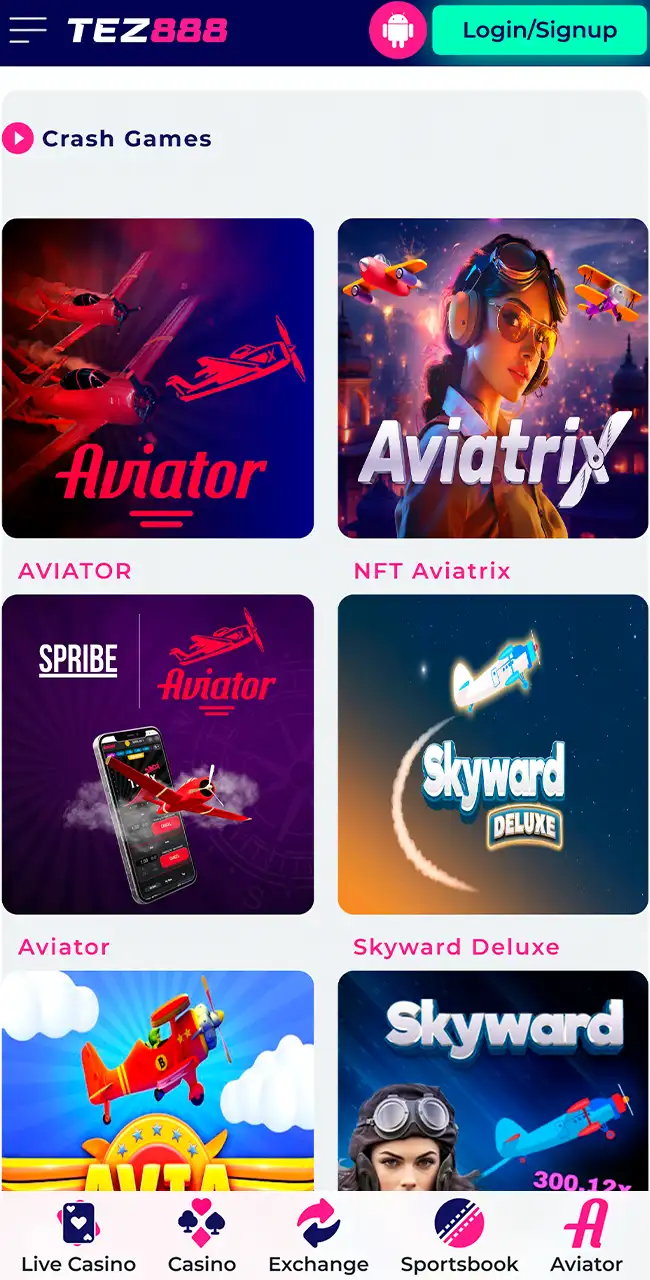
The top menu shows the main sections: sportsbook, exchange, live casino and casino. Games appear through banners and category lists on the main screen, and there’s an Aviator shortcut in the bottom bar. Each category opens on its own page.
Crash Games lobby 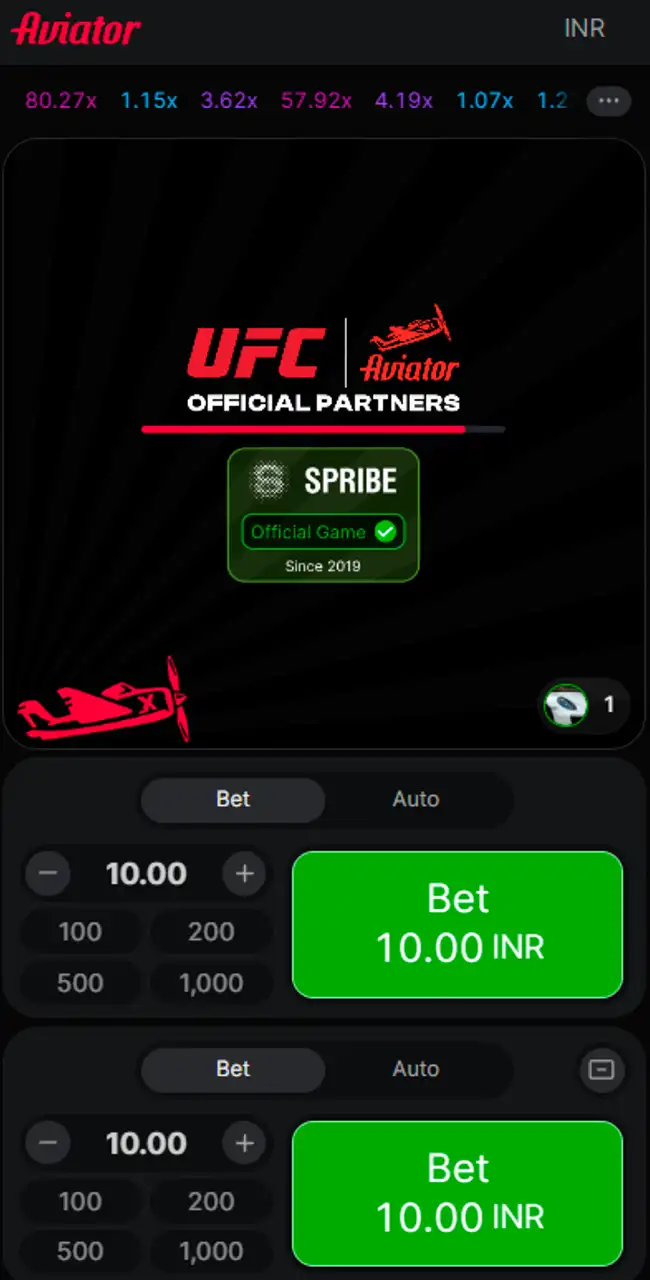
Loading screen 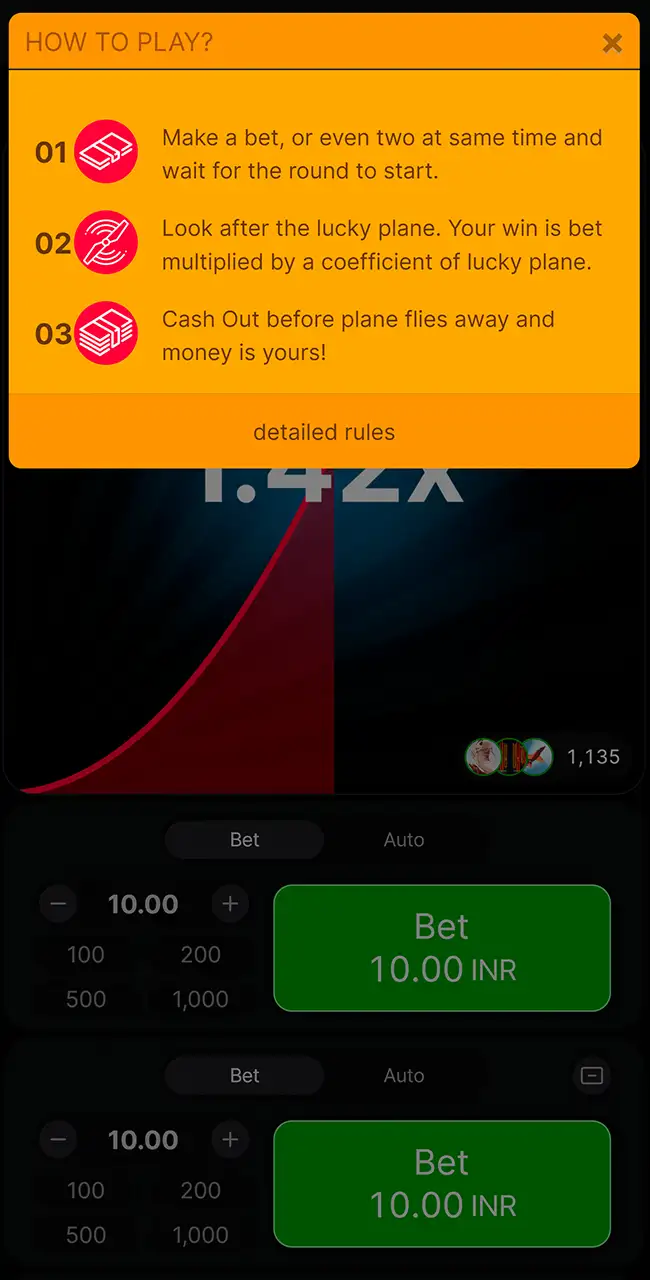
How to Play 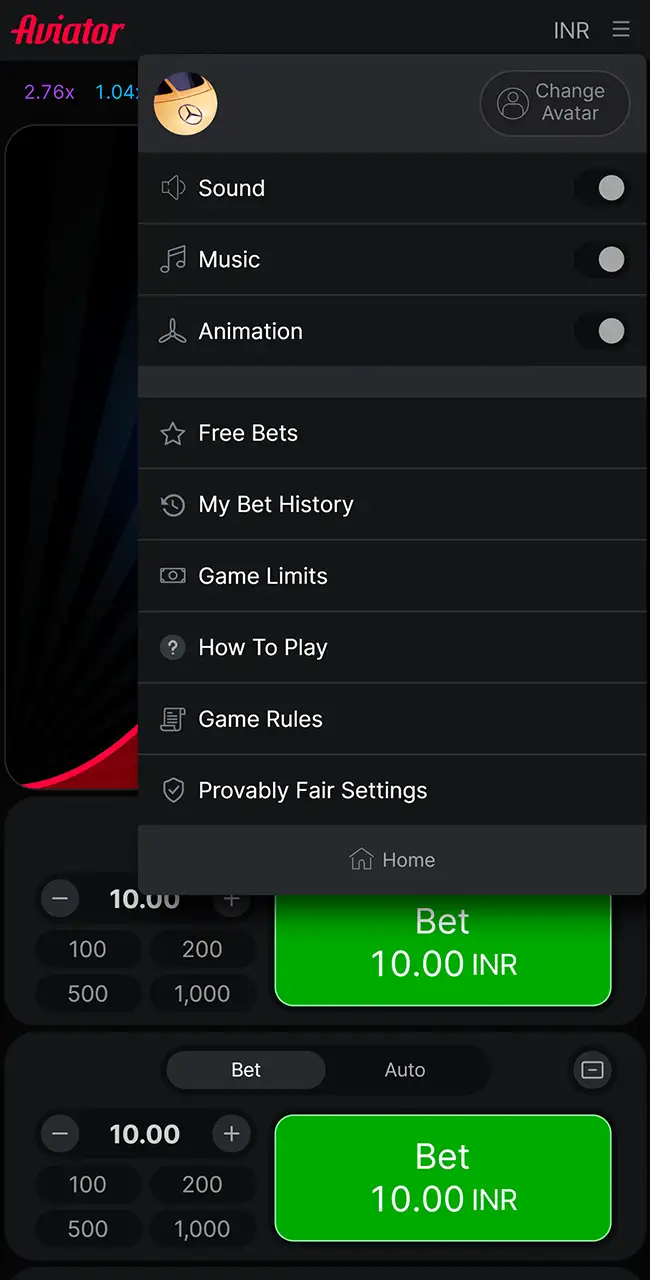
Game menu 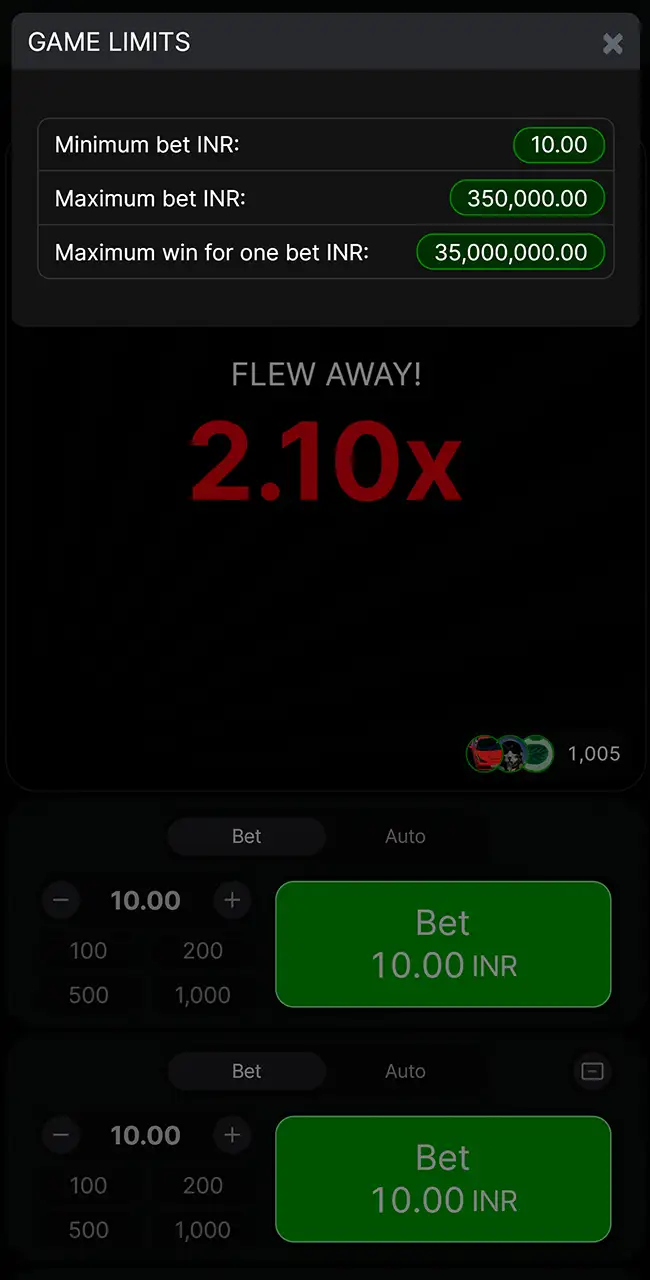
Game Limits
Tez888’s official site lists a Spribe Aviator tile, and the game shows Spribe’s “Official Game, Since 2019” badge while a round loads. The Crash Games section, though, has more than one tile with “Aviator” in the name, plus look-alikes such as Aviatrix and Skyward. Open the tile marked Spribe and check the provider name inside the game before you bet. Our guide to the original game lists the signs of the real thing.
The How to Play, Game Limits and menu windows are standard Spribe screens, and the same files appear on our pages for other casinos. Don’t read the limits on that screenshot as Tez888’s own; open Game Limits in your account to see what the casino sets for you.
Tez888 Aviator Android App Review & Specs
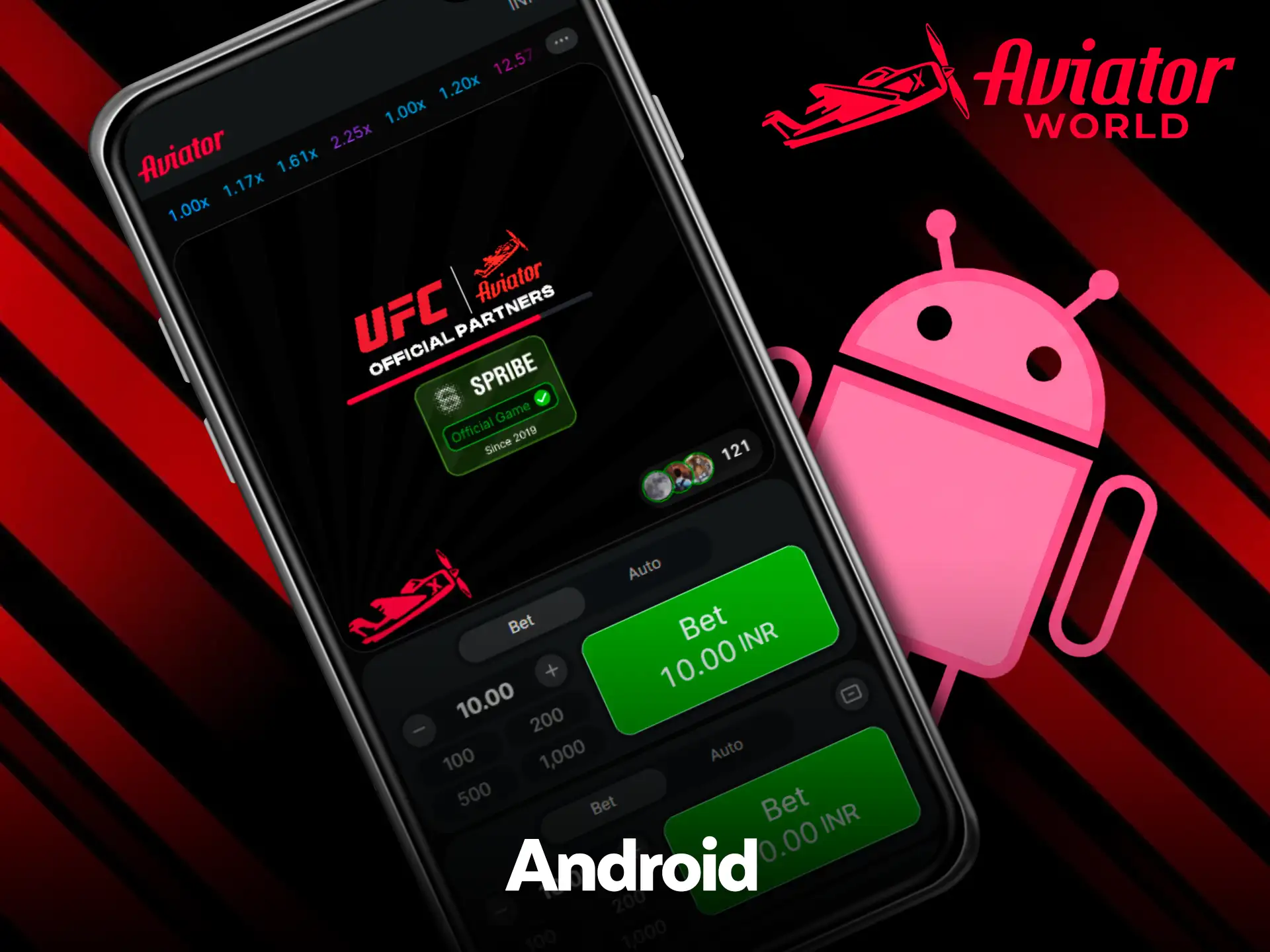
On our screenshots, Aviator on Android runs in a web app saved from Chrome, so no full install is needed. Tez888’s site also links an Android installation file from its own domain, and the mobile header shows an Android icon. Either way you get the same account. Controls respond quickly during rounds, which helps with timing bets and cash-outs. The details below cover devices, limits and setup.
Compatible Devices
Recent Android smartphones run the web app without critical issues, for example:
- Samsung Galaxy S23, S24, S24 Ultra;
- Xiaomi 13, 14, 14 Pro;
- OnePlus 11, 12, 12R;
- Vivo X90, X100 series;
- Oppo Find X6, X7 models;
- Realme GT5, GT6 series;
- Google Pixel 7, 8, 9.
Performance depends on updates and free memory.
System Requirements
| App version | Web-based latest version |
|---|---|
| Last update | Automatic via the browser |
| Minimum RAM | 2 GB |
| APK size | Not needed for the web app |
| Required space | About 50–100 MB of cache |
| Android version | 6.0 and higher |
How to Update the Tez888 Aviator App on Android Devices
The saved web app updates through the browser.
- Launch the browser and open the official website.
- Refresh the page to load the latest version.
- Clear the cache if the old version still appears.
- Delete the old shortcut from the home screen.
- Add the app again from the browser menu.
- Open the new shortcut to use the updated version.
An installed Android file is different: remove it in Settings, then Apps, and download updates only from Tez888’s own site.
How to Download and Play Aviator via the Tez888 App on Android
On Android you save the site to the home screen from Chrome. It opens full screen with direct entry to the games.
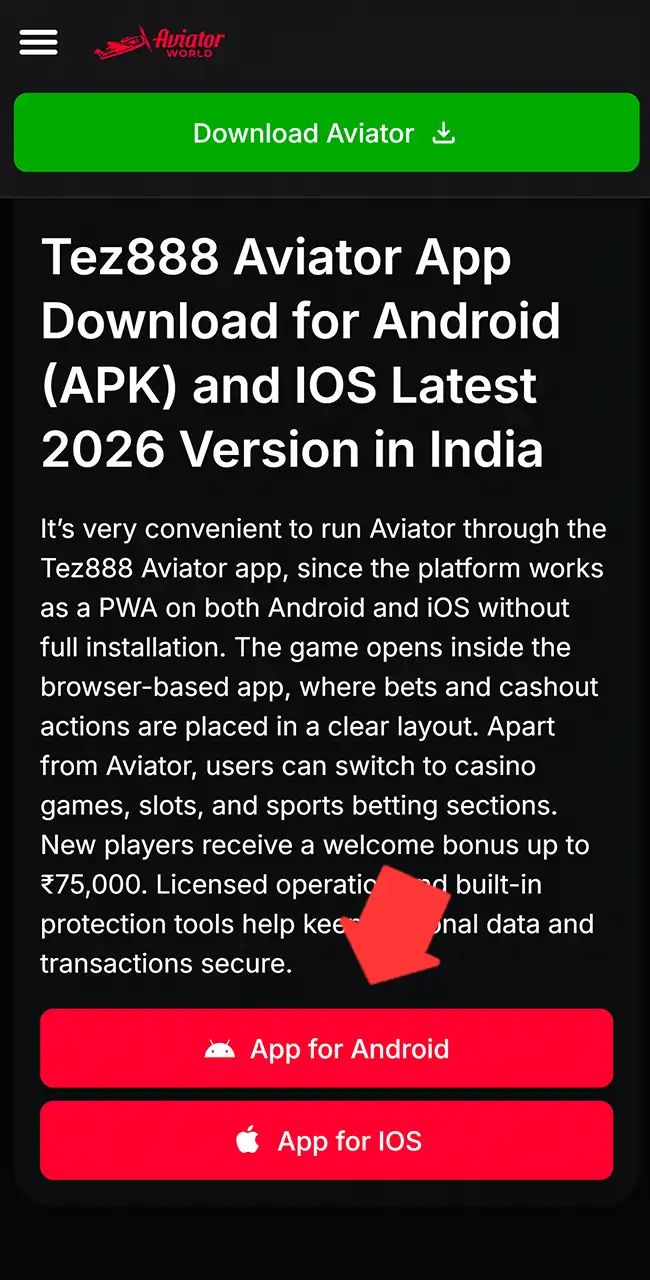
Tap the Button and Visit the Tez888 Website
Use the Android button on this page to open Tez888’s official site.
Register or Log In
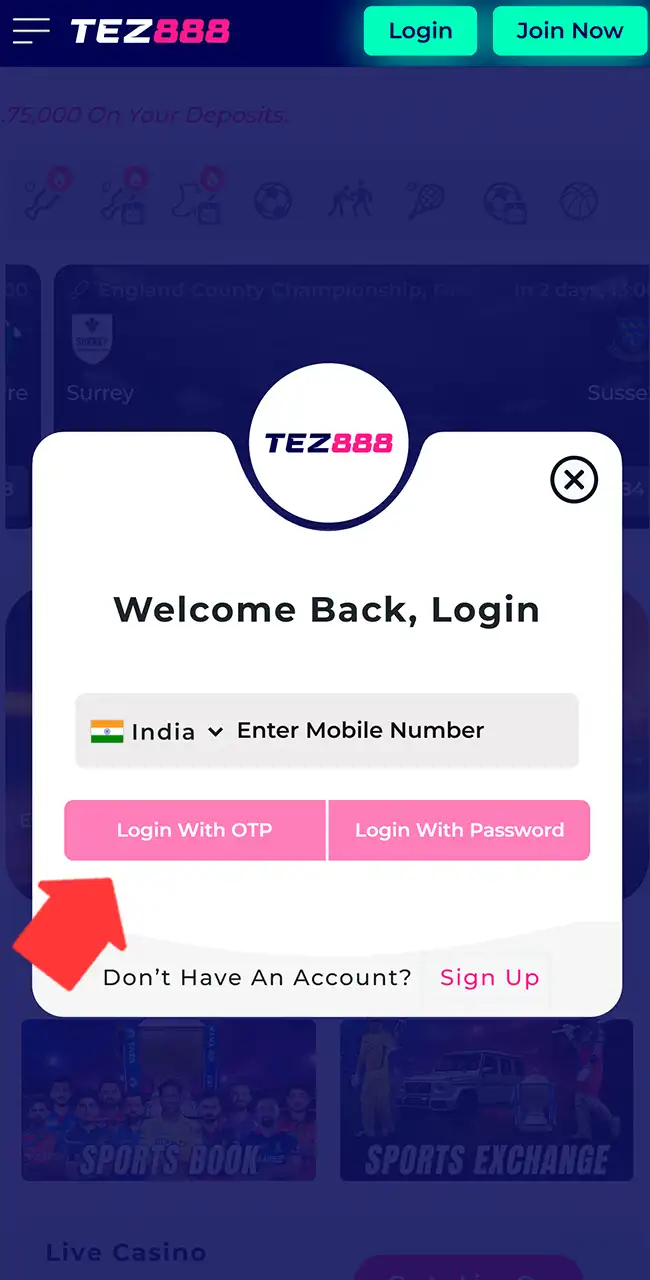
Log in with your mobile number and a one-time code (OTP) or a password, or create a new profile.
Add the App to the Home Screen
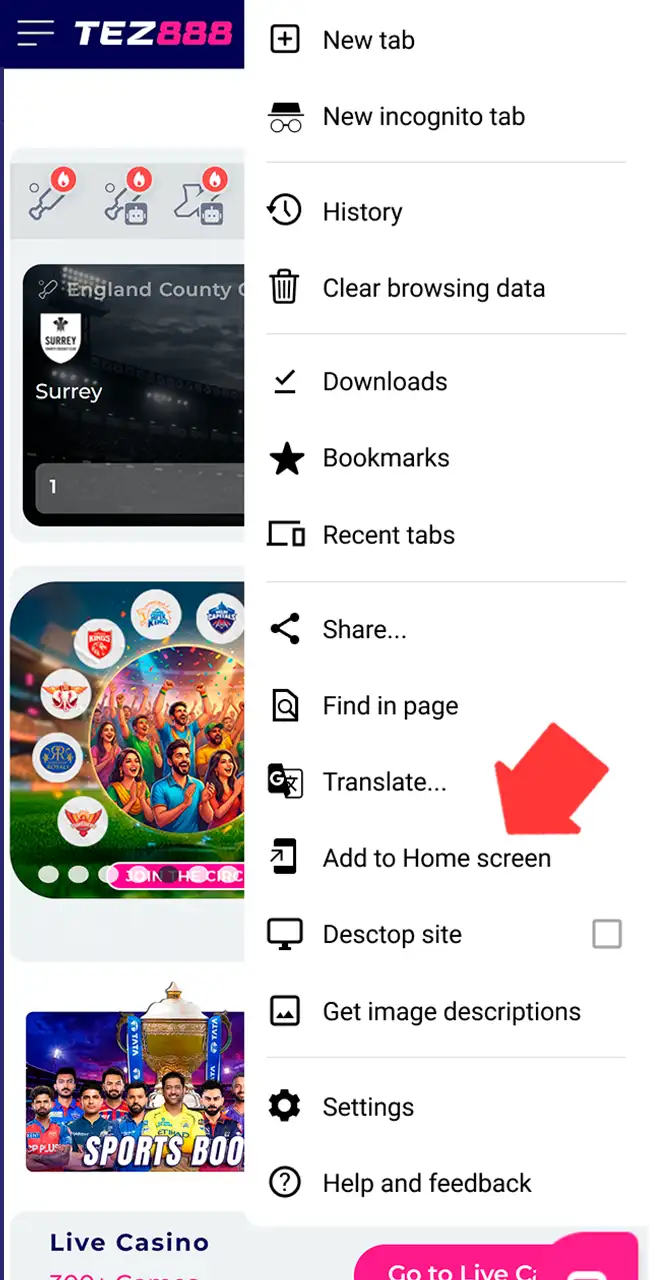
Open Chrome’s menu with the three dots and tap Add to Home screen.
Open the Saved App
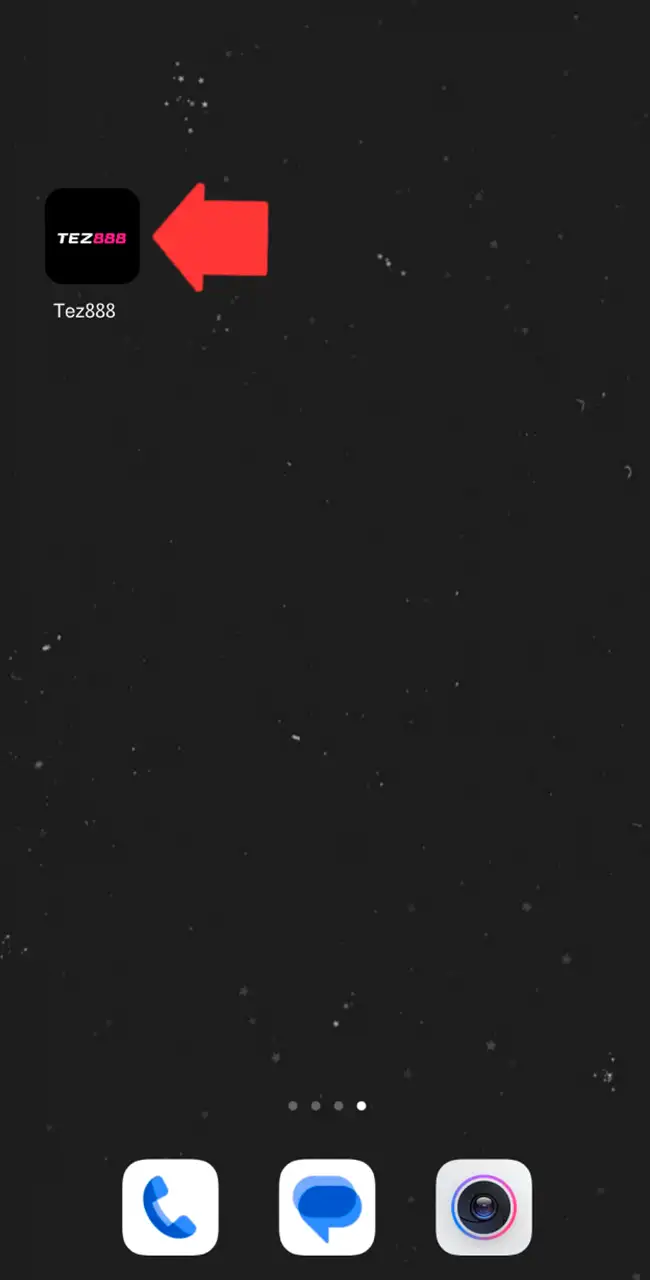
Tap the Tez888 icon to launch the site full screen, without the browser bar.
Find Aviator and Start Playing
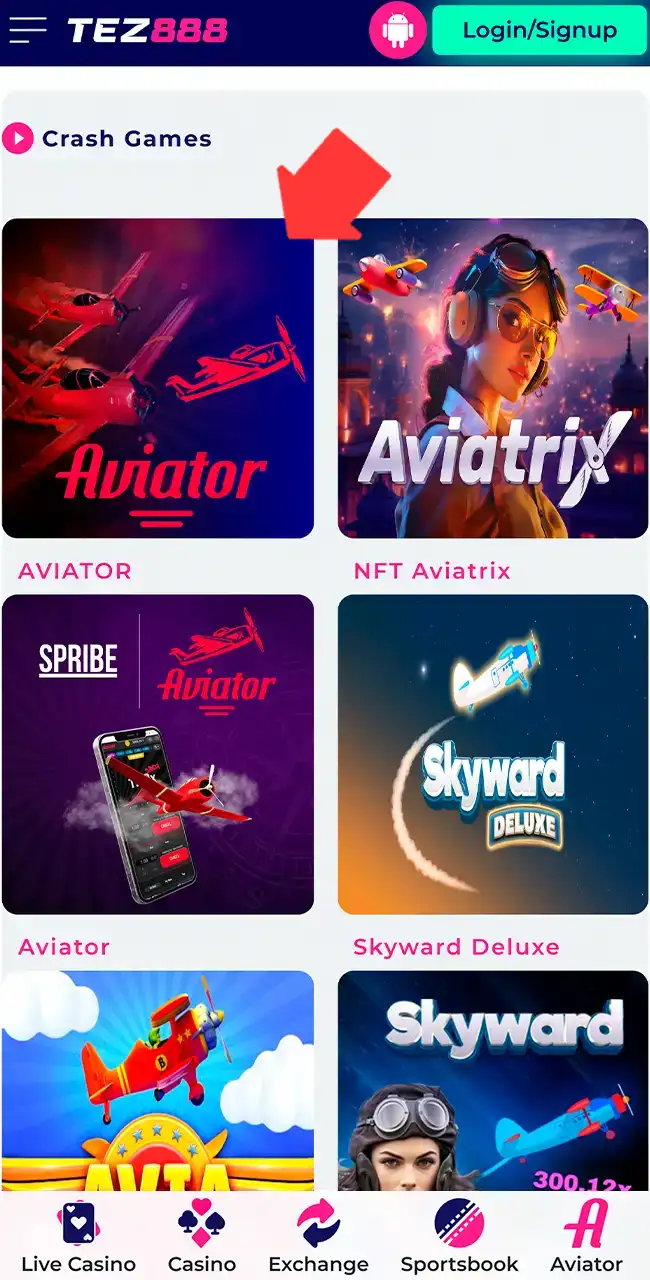
Go to Casino, then Crash Games, and open the Aviator tile marked Spribe.
Tez888 Aviator iOS App Review & Specs
We found no Tez888 app in the App Store. On iOS, Aviator runs through the browser version, which Safari saves to the home screen and opens like a standard app. Game controls are clear on iPhone screens, and taps register quickly during bets and cash-outs. The details below cover devices, limits and setup.
Compatible Devices
Recent Apple models run the web app without serious problems:
- iPhone 13, 14, 15, 16, 17;
- iPhone 13 Pro, 14 Pro, 15 Pro, 16 Pro, 17 Pro;
- iPhone 13 Pro Max, 14 Pro Max, 15 Pro Max, 16 Pro Max, 17 Pro Max;
- iPad (10th, 11th generation);
- iPad Air (5th, 6th generation);
- iPad Pro (M2, M3, M4 models).
Compatibility depends on the iOS version and free memory.
System Requirements
| App version | Web app (latest version) |
|---|---|
| Last update | Automatic via the browser |
| Minimum RAM | 2 GB |
| App size | No fixed size, uses cache |
| Required space | About 50–120 MB |
| iOS version | iOS 13 and higher |
How to Update the Tez888 Aviator App on iOS Devices
The saved web app loads the current site each time, so updates come through Safari.
- Launch Safari and open the official website.
- Refresh the page to load the newest version.
- Clear the cache if the old version still appears.
- Delete the old shortcut from the home screen.
- Add the app again through the Share menu.
- Open the updated version from the new icon.
Your account is the same everywhere: one login, one balance and one bet history.
How to Download and Play Aviator via the Tez888 App on iOS
On iOS you use Safari: the site is saved to the home screen and runs full screen with direct entry to Aviator.
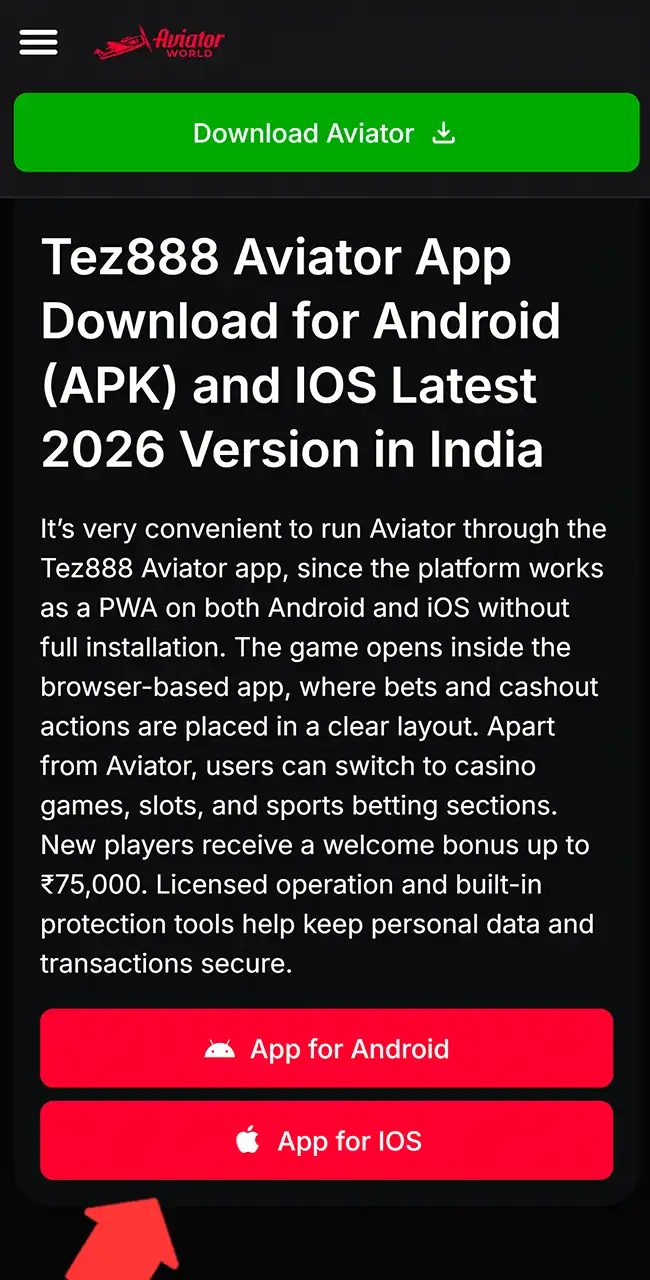
Open Safari and Go to the Website
Use the iOS button on this page and wait until the Tez888 site loads fully.
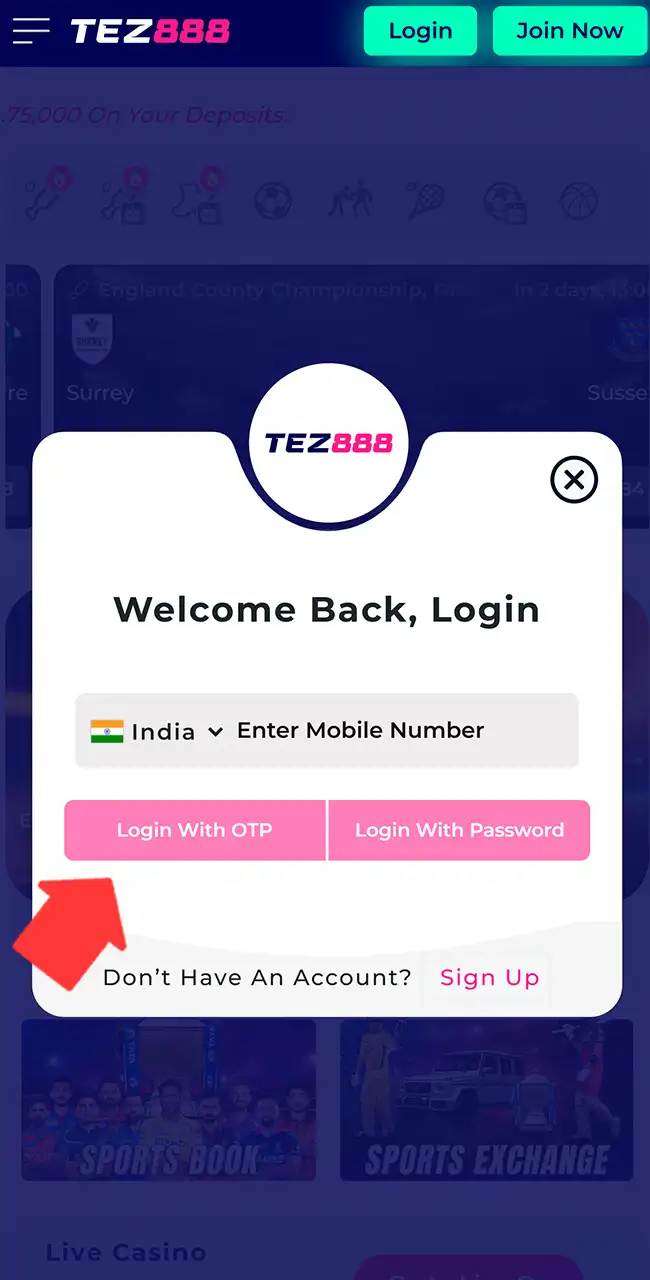
Log In or Register an Account
Use the same mobile number and code or password as on any other device.
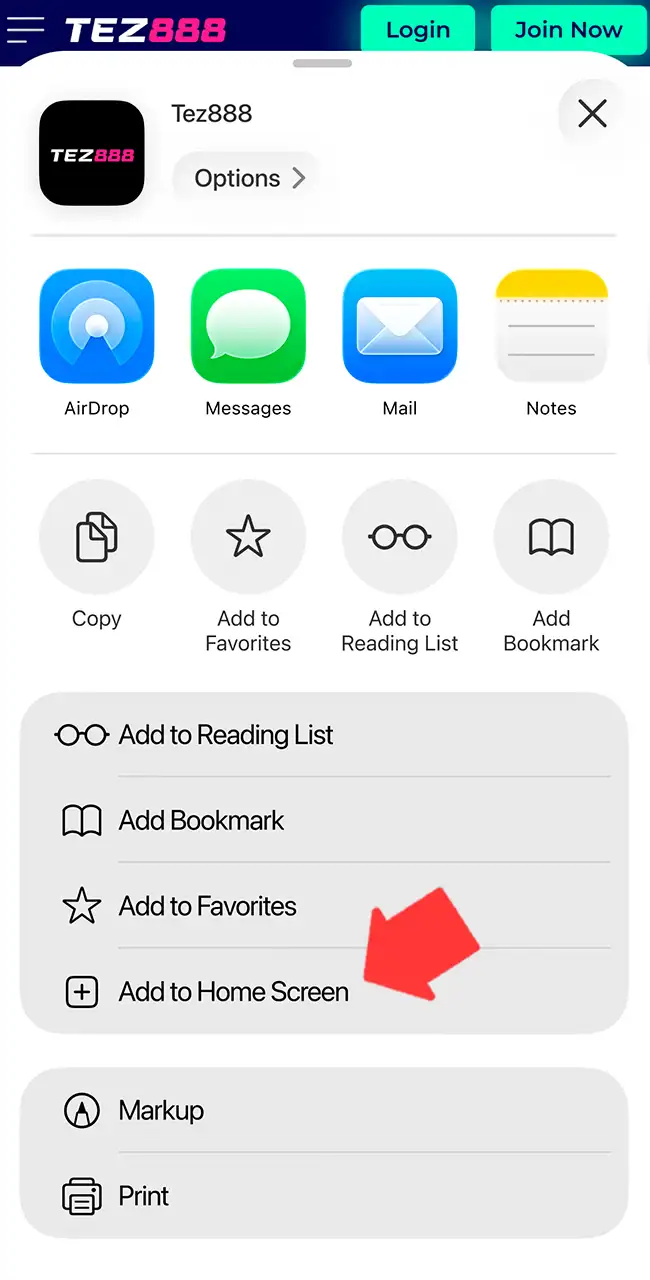
Save the App to the Home Screen
Tap Share, then Add to Home Screen, and confirm the name.
Launch the Saved Web App
Open the icon from the home screen to run Tez888 without the browser interface.
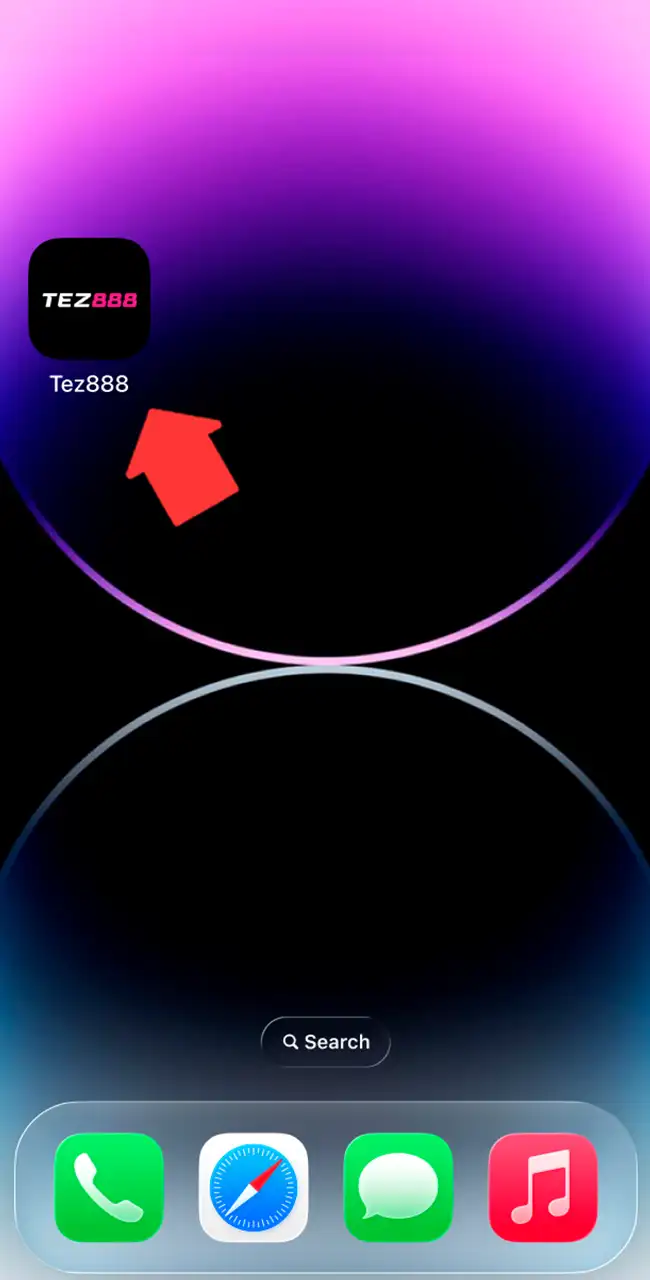
Find Aviator and Start the Game
Open the casino, find Aviator and look for Spribe’s Official Game badge on the loading screen.
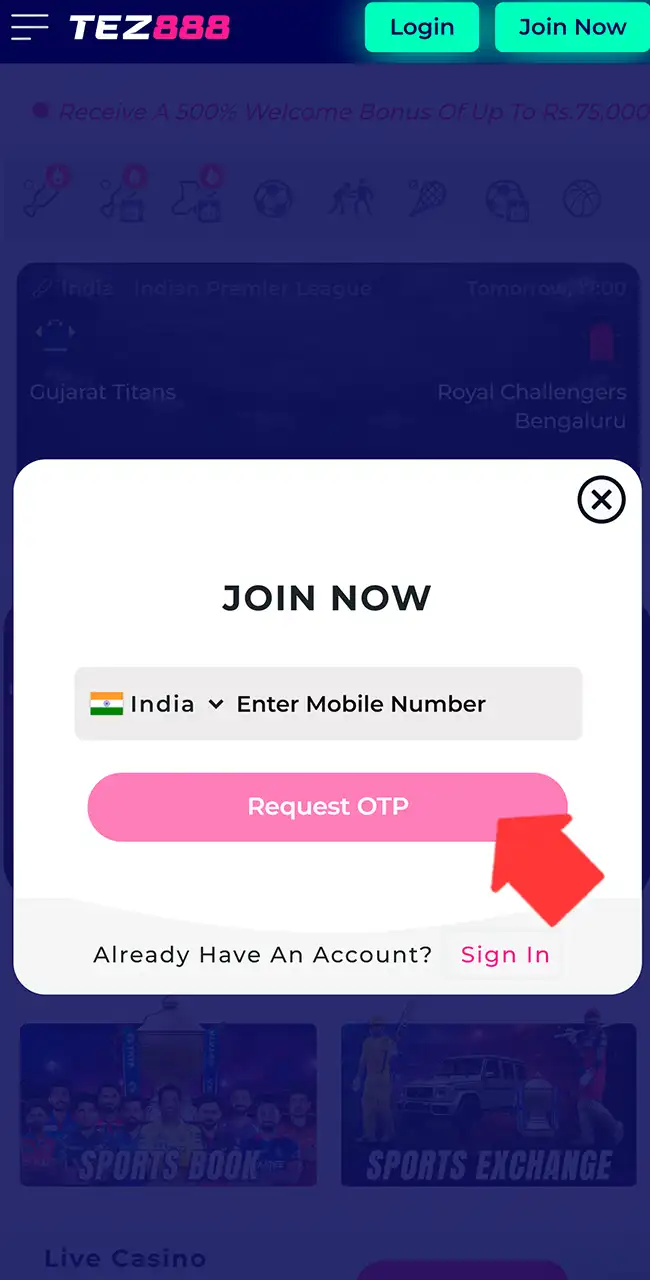
Registration & Login on Tez888 via the App
An account starts with a mobile number, which becomes your login.
- Open the app or website and tap Join Now.
- Enter an active mobile number.
- Wait for the one-time code (OTP) sent by SMS.
- Type the code to confirm and activate the account.
- After confirmation, the account is ready to use.
Logging in after that takes only basic details.
- Open the app and choose Login.
- Enter your registered mobile number.
- Request an OTP, or enter your password if you set one.
- Confirm to open your account.
Tez888 may ask for ID before a withdrawal; per its site, KYC uses Aadhaar or PAN. Our registration guide covers the usual checks.
How to Play Aviator via the Tez888 App
Starting a round of Aviator takes a few actions in the app.
Register or Log In
Open the app, enter your mobile number and confirm the OTP, or log in to your account.
Make a Deposit
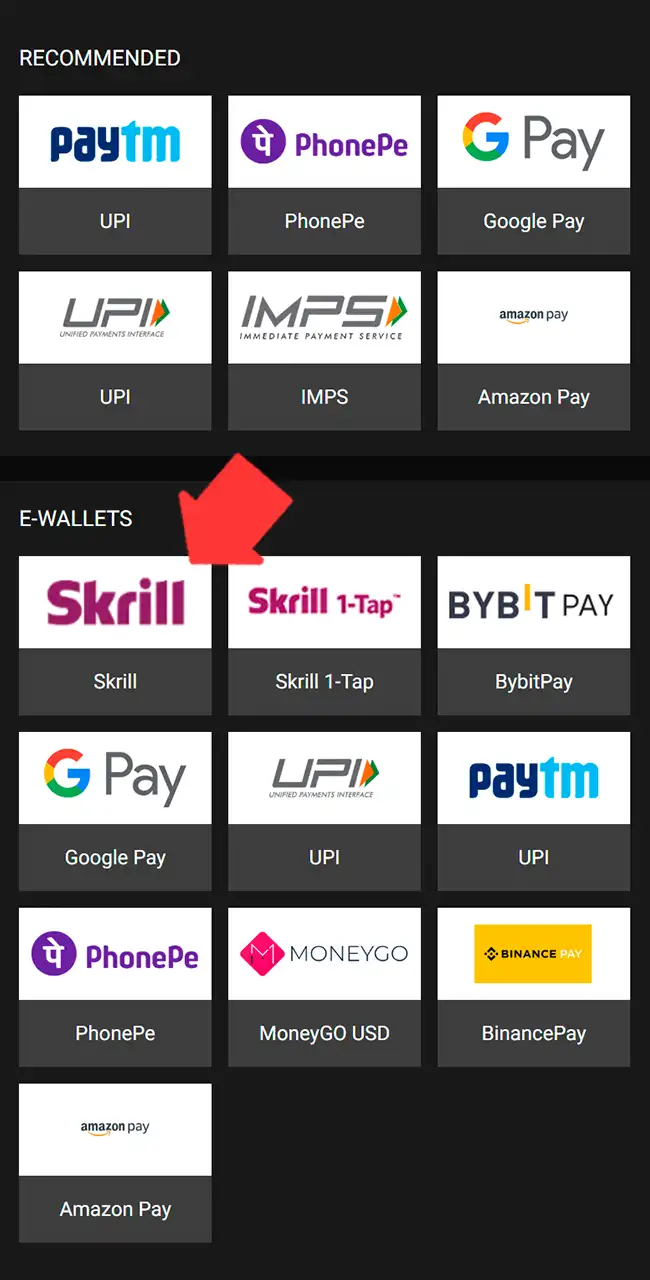
Open the wallet, choose UPI or a bank transfer and add at least $5. Read our deposit guide before you send money to any offshore site.
Find Aviator in the Game Sections
Open the casino and check Crash Games or Hot Games for the Aviator tile marked Spribe.
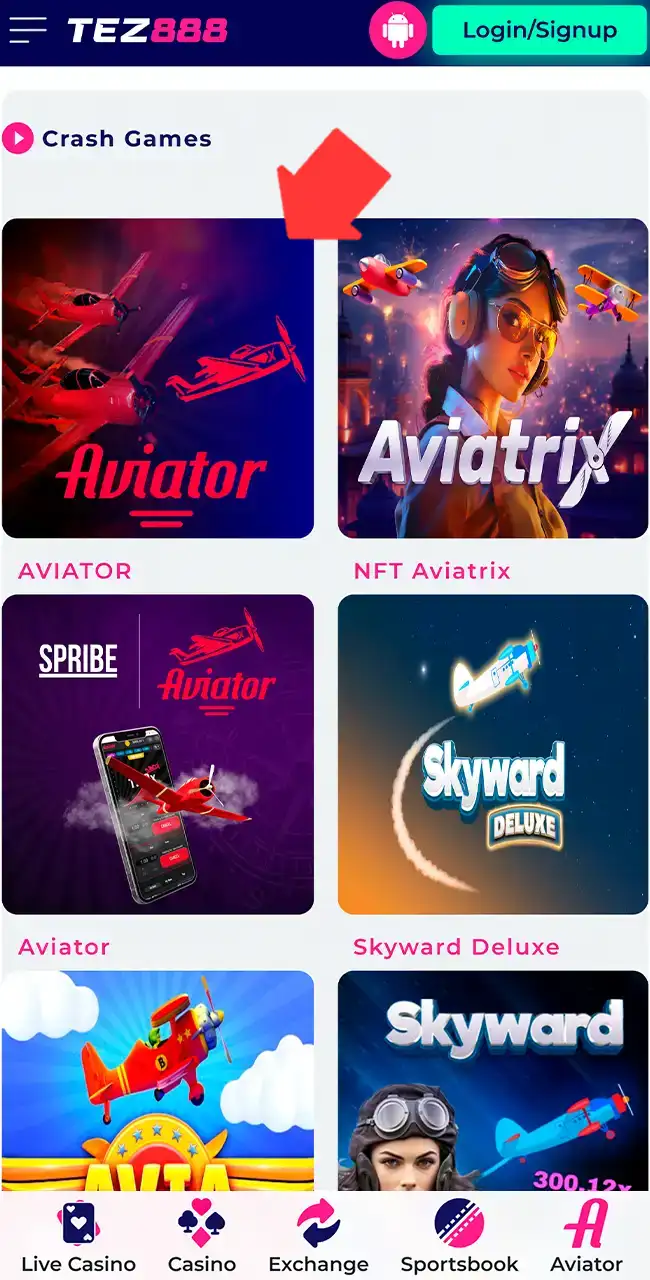
Place a Bet
Set the stake before the round starts and watch the multiplier grow. A $1 bet cashed out at 2.00x returns $2.
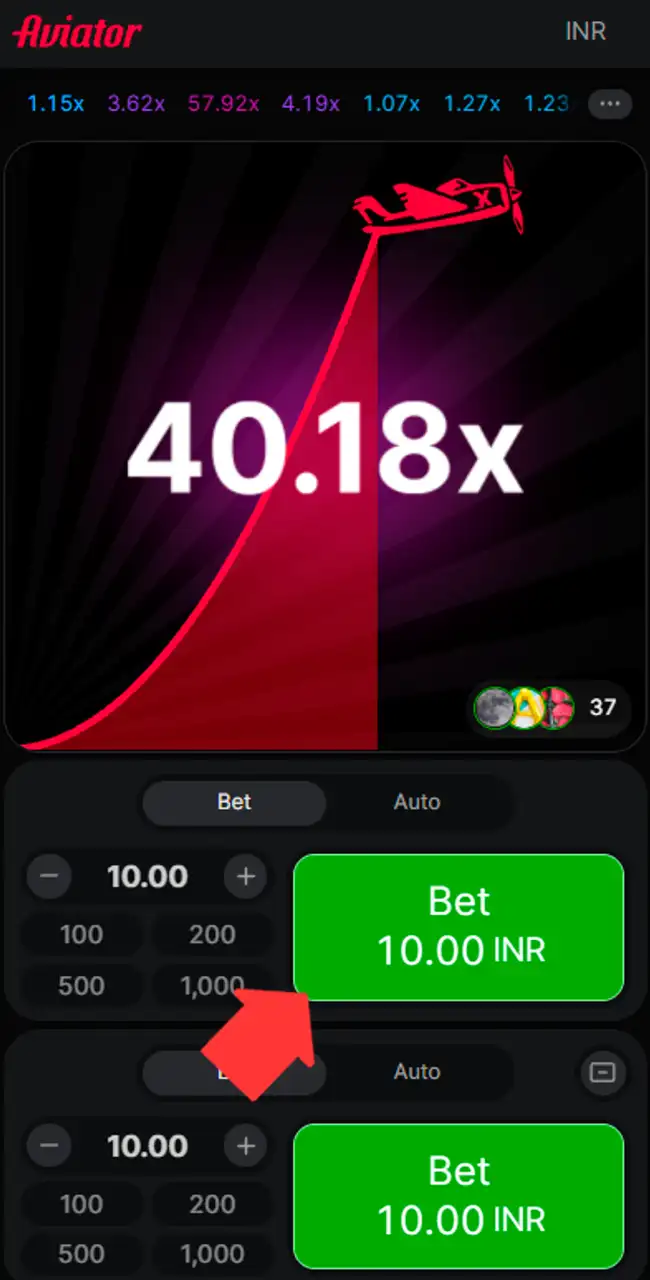
Cash Out on Time
Tap Cash Out before the plane flies away. If it leaves first, the bet is lost. The Auto tab sets Auto Bet and Auto Cash Out.
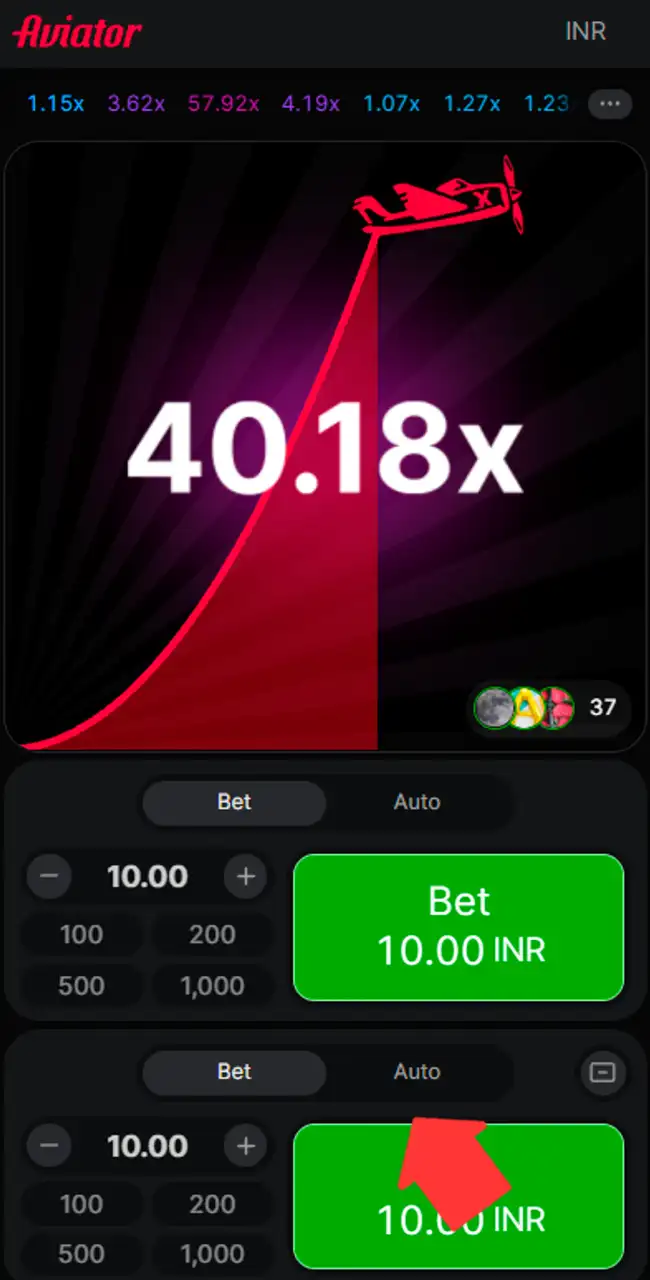
No timing or pattern beats the game. Each result comes from a server seed combined with the first three bets of the round (Provably Fair), as our how-to-play guide explains.
Play the Aviator Demo via the Mobile App
Per the previous version of this page, a demo becomes available after registration: you switch to it in the game window and get a virtual balance for test rounds. We couldn’t confirm it on our April 2026 screenshots, which show only real-money rounds in rupees.
Whichever demo you use, it’s good for learning how the multiplier grows and how cash-out timing works. Demo rounds are random, so they don’t predict real results. Spribe’s official demo is free on spribe.co; see our Aviator demo page.
Tez888 Aviator Bonuses
Several offers are tied to deposits, activity and Aviator play. Each has wagering rules and time limits, so read the terms before you opt in.
Bonuses as listed by each casino in April 2026, converted from Indian rupees at about ₹96 = $1 and rounded. Casinos credit bonuses in your account currency, and terms vary by country and change often, so check the casino’s site before you sign up. 18+
Welcome Bonus up to $780
New users get a bonus of up to $780 across 5 deposits. Each deposit gets a 100% match: up to $50 on the first, up to $100 on the second and up to $210 on each of the next three. The bonus splits into locked and earned parts: every 150 units you wager unlock 1 unit of bonus. Locked funds expire in 7 days. Before a withdrawal, the casino requires x3 wagering of your total deposits, and sports x1.

3.5% Daily Cashback
Daily cashback returns up to 3.5% of net losses across Aviator, live casino and the sportsbook, up to $100 a day. It’s paid after sessions that end in a loss. Some games, like blackjack and baccarat, are excluded. Cashback returns a small share of losses; it doesn’t cover them.

Aviator Miles Reward
A separate program tracks your Aviator activity and converts it into weekly rewards. You collect points as you play, with conversion of up to 100% depending on activity, and a leaderboard ranks players. To qualify, you need a deposit of at least $100 and wagering of at least $1,040. That’s a lot of play for a reward, so set your budget first.

Available Payment Methods in the Tez888 App
Payment options focus on quick deposits with methods used in India, since Tez888 works in rupees.
| Payment method | Processing time | Minimum deposit | Maximum deposit |
|---|---|---|---|
| QR-UPI | Instant | $5 | $520 |
| Wallet transfer | Instant | $5 | $520 |
| Bank transfer | 1–3 days | $5 | Not fixed |
As listed in April 2026, converted from Indian rupees at about ₹96 = $1 and rounded.
UPI and wallet deposits usually show up at once, while bank transfers take longer. Withdrawals may need verification first, and timing ranges from a few hours to 72 hours. The deposit screen on our screenshot also listed e-wallets such as Skrill, BybitPay, MoneyGO and Binance Pay. We found no official limits or payout times, and payout delays are the most common complaint about offshore casinos.
Our deposit guide and withdrawal guide cover KYC, payout problems and how to lower the risk.
How to Uninstall the App
Removing the web app is simple, since nothing is installed in the usual sense.
- Find the saved Tez888 icon on your home screen.
- Press and hold the icon until options appear.
- Choose Remove or Delete.
- Confirm to delete the shortcut.
- Open the browser settings if you also want to clear the cache.
- Clear the stored site data to free space.
On Android and iOS, deleting the shortcut removes the app access. If you installed the Android file, remove it in Settings, then Apps.
Tez888 Customer Support
The app has several contact options, with response times that depend on the channel.
- Live chat: built into the platform and handles most account or payment requests; replies usually arrive within 1–3 minutes.
- Email: the support address listed on the site, for verification, payment issues and account checks; replies take 6 to 12 hours.
- Social media: Telegram, Instagram and Facebook; replies often come within 10–30 minutes.
Response speed depends on workload, and urgent issues go faster through live chat.
Reviews on Tez888 Aviator
Our team saved the Tez888 web app to the home screen, registered, deposited and played Aviator at Tez888 in April 2026. Login by mobile number and OTP worked, the shortcut opened full screen, and the Aviator tile marked Spribe led to the original game with the Official Game badge.
The app is the easy part. The license we couldn’t verify, the India-only setup and the complaints on Casino.guru and Trustpilot are the reasons to be careful with Tez888. Read the terms and check the footer before you deposit.
Play responsibly
Every Aviator round is random, and no app or pattern can predict when the plane flies away. Set a budget before you start, use your casino’s deposit and time limits, and never chase losses.
Tez888 Aviator App FAQ
Is there an official Tez888 Aviator app?
Aviator runs inside Tez888’s platform. On our screenshots it’s a web app saved to the home screen on Android and iOS, and Tez888’s site also links an Android file. Spribe itself has no standalone Aviator app.
Is the Tez888 Aviator app free to download?
Yes. The app is free; you only need a deposit to play for real money.
How do I withdraw money from Tez888 Aviator?
Open your account, go to the wallet or withdrawal section, choose a method, enter the amount and confirm. KYC and wagering rules may apply before approval.
How do I download the latest version of the Tez888 app?
The web app always loads the current site, so there’s nothing to update. If you prefer the Android file, take the latest one only from Tez888’s own site, never from a third-party “Aviator APK” page.
Can I use my existing Tez888 account?
Yes. One account works across the mobile and browser versions with the same login.
Do I need an internet connection to play Aviator?
Yes. Aviator runs online and needs a stable connection to load rounds and place bets.
Is Tez888 licensed?
It’s not verified. The site claims a Curaçao license without a number, and we didn’t find it in the Curaçao register of July 29, 2026.