
1win · Android APK · iOS web app
1win Aviator App Download for Android (APK) and iOS, 2026 Version
The 1win app lets you play Spribe’s Aviator on your phone, along with slots and sports betting. It is 1win’s casino app with the web game inside, not a separate Aviator app. New players can get a welcome package of up to 500% with 500 free spins. 1win holds a Curaçao license that is up for renewal, and it doesn’t accept players from the UK or the US.
- Aviator by Spribe
- Yes
- Seen in the lobby, April 2026
- Android
- APK
- From 1win’s own site
- iPhone
- Web app
- Saved from Safari
- License
- Curaçao
- Renewal in progress
1win App Key Information
The table below shows the main facts about the app: the license, the money options and the current version of the software. Our team installed the app, registered, deposited and played Aviator at 1win in April 2026.
| Founded | 2018 |
|---|---|
| License | Curaçao (OGL/2024/587/0621), renewal in progress |
| Aviator by Spribe | Yes, seen in the lobby in April 2026 |
| Price | Free |
| Phones | Android APK, iOS web app |
| Latest version | 1.45.0 (March 2026) |
| Application size | 30–40 MB |
| Casino | 12,000+ games, per 1win |
| Sports | 35+ disciplines, per 1win |
| Welcome bonus | Up to 500% + 500 FS (up to 600% for crypto) |
| Languages | English, Hindi and 20+ more |
| Currencies | USD, EUR, INR and others |
| Min deposit (India site) | $3 |
| Max deposit (India site) | $730 |
| Support | 24/7 live chat, email |
| Blocked in | Kazakhstan, Russia, Sri Lanka |
License number from the Curaçao license register of July 29, 2026. The status column of that file is hard to read, so treat the renewal status as unconfirmed. Bonuses as listed by each casino in April 2026, converted from Indian rupees at about ₹96 = $1 and rounded. Casinos credit bonuses in your account currency, and terms vary by country and change often, so check the casino’s site before you sign up. 18+
Pros
- The APK comes from 1win’s own Install app window in a few taps.
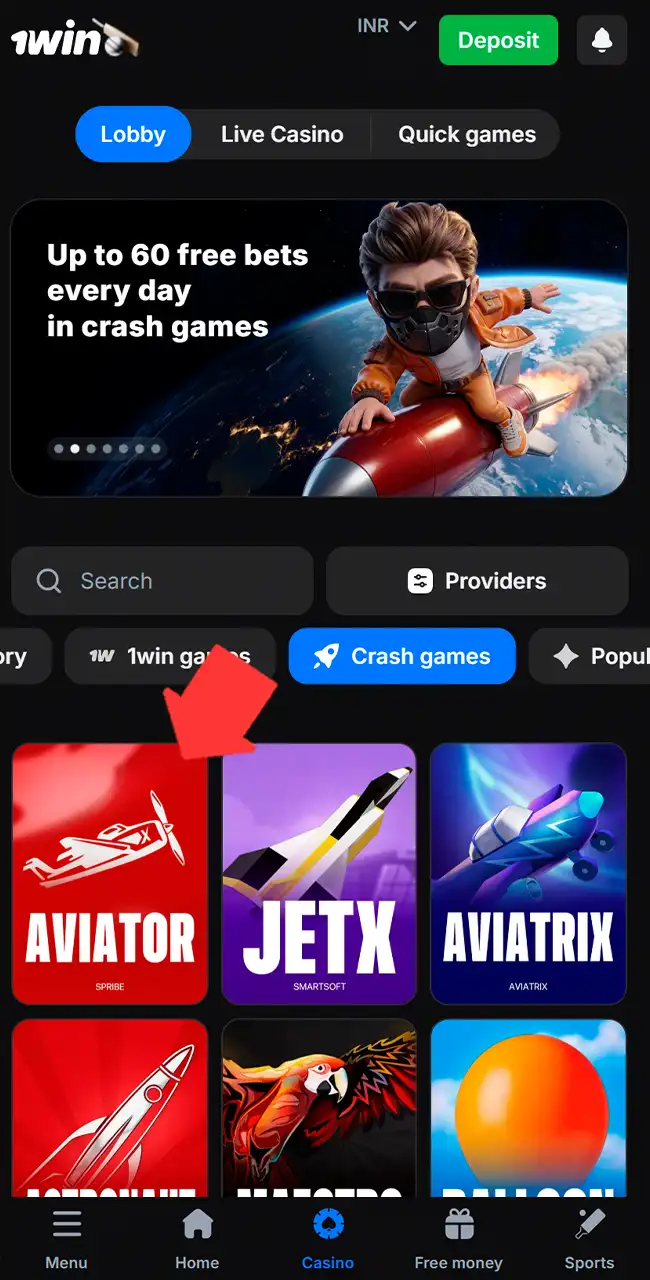
- Spribe’s Aviator sits first in the Crash games tab, labeled Spribe.
- Registration is quick for new users.
- Push notifications for new bonuses.
- Demo mode is available for free play.
- On iPhone, the web app needs no download at all.
- Local payment methods like UPI and Paytm on the India site.
Cons
- Live games need a fast, stable connection.
- App updates sometimes need manual steps.
- The large game list takes time to load.
- The APK installs outside Google Play and needs the unknown-sources permission.
- Offshore Curaçao license with the renewal in progress; not available in the UK, US, France or Spain.
Interface Review of the 1win Aviator App
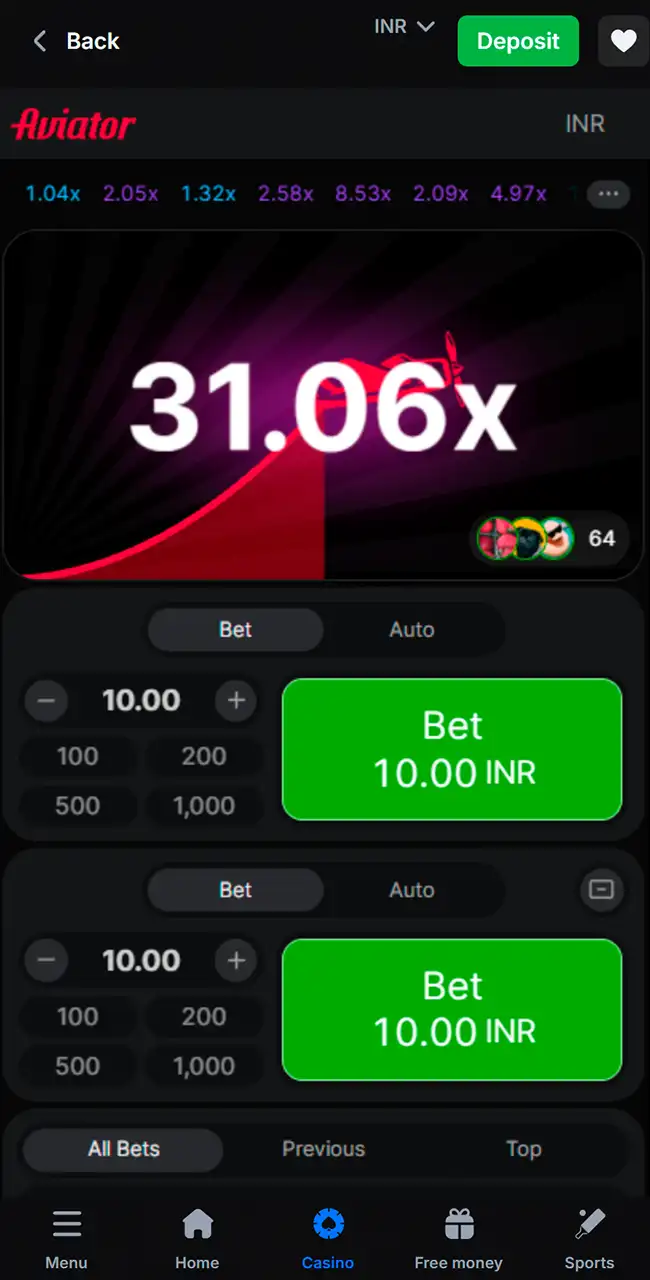
The app has a simple dark design that is easy on the eyes at night. The main sections sit in the bottom bar, and Aviator is first in the Crash games tab. Inside the game you get Spribe’s standard layout, wrapped in 1win’s bar with Back, the currency and a Deposit button.
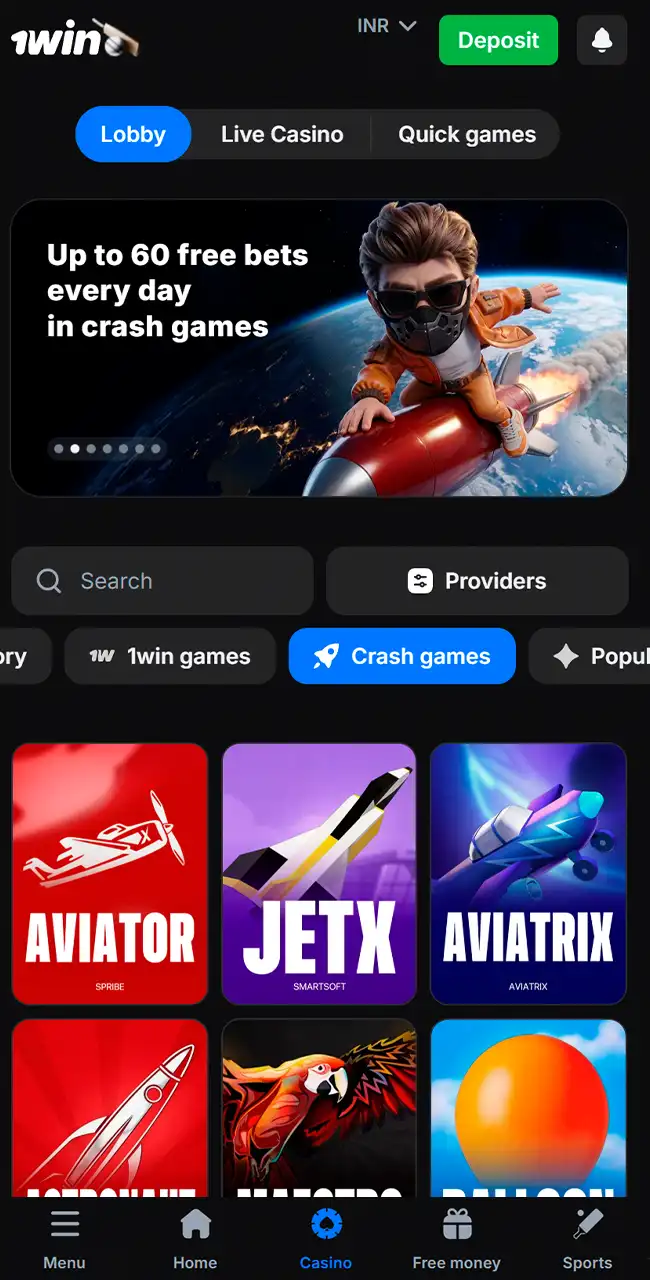
Crash games tab 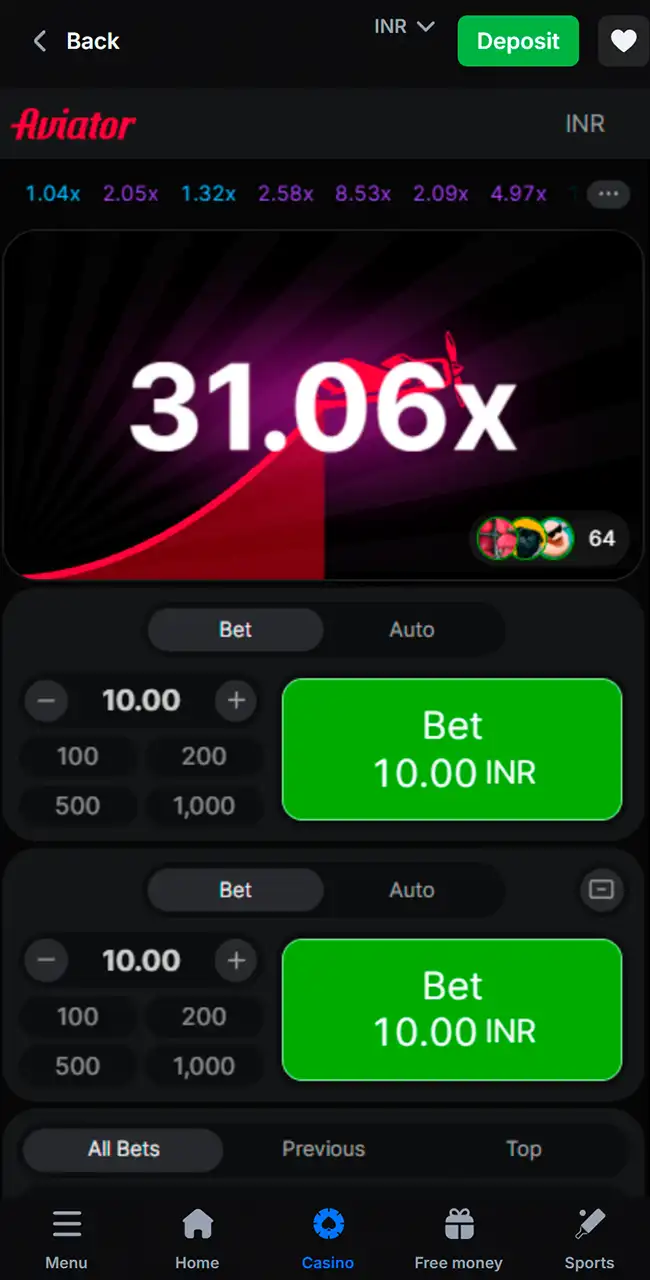
A round in flight 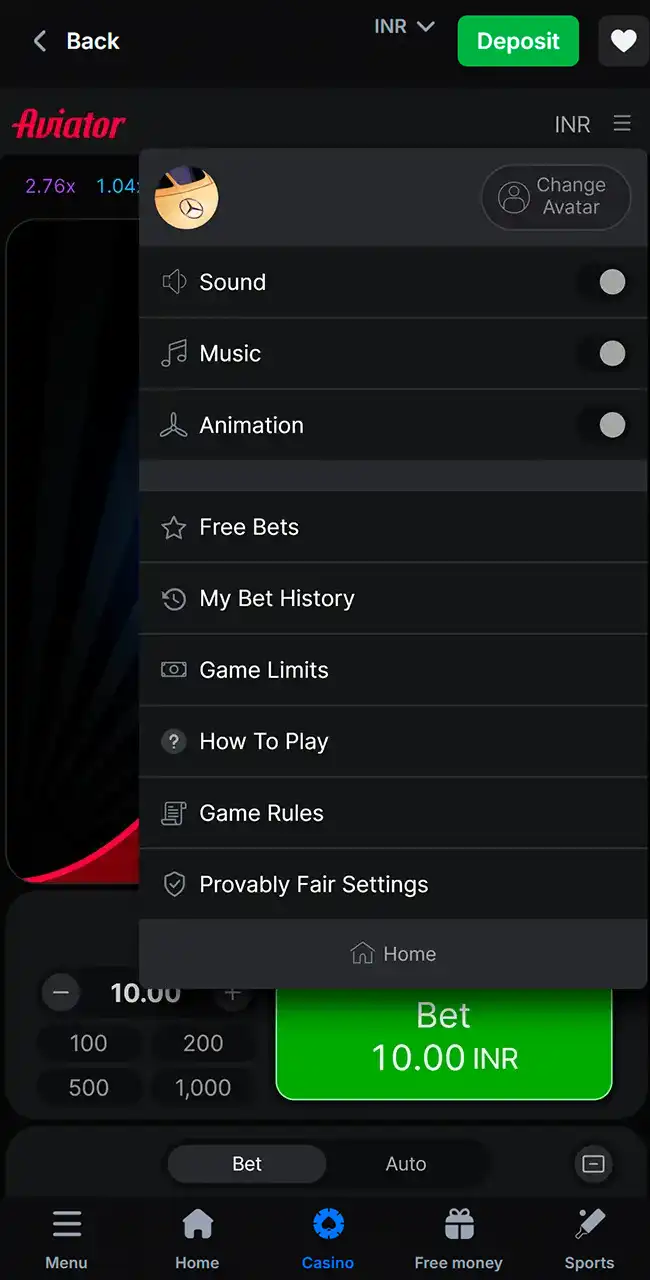
Game menu 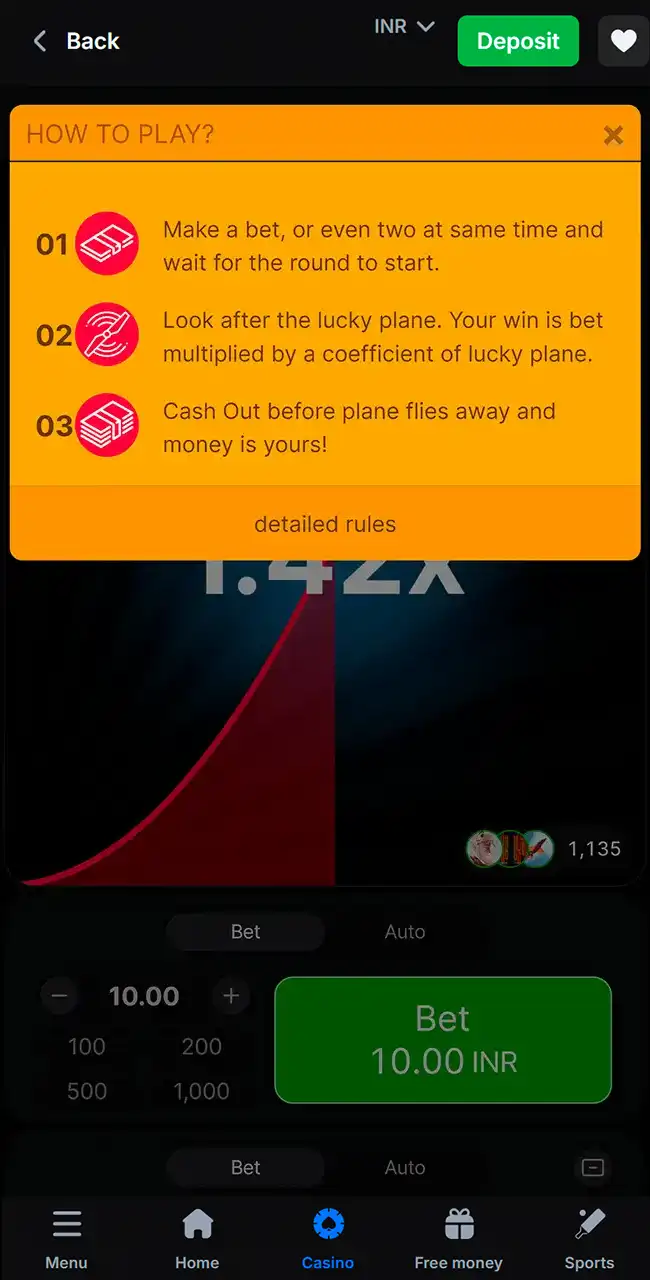
How to Play window 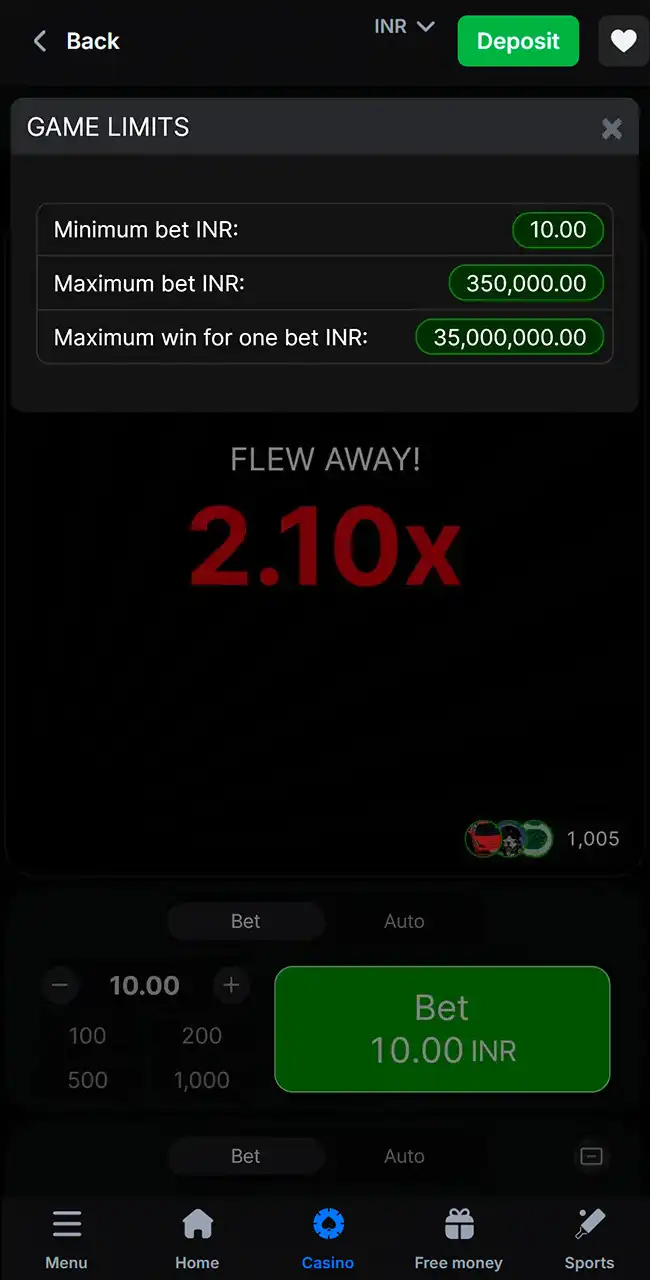
Game Limits
In 1win’s Game Limits window from April 2026, the maximum win for one bet was exactly 100 times the maximum bet. The cap is a money limit per bet, set by the casino, not a multiplier. Check it in your own currency before you play.
1win Aviator Android App Review and Specs
You can download the 1win app for any modern Android phone. It works fast and lets you place bets in a few taps. The app has the same features as the website, and it is handier on the go. All you need is a stable internet connection.
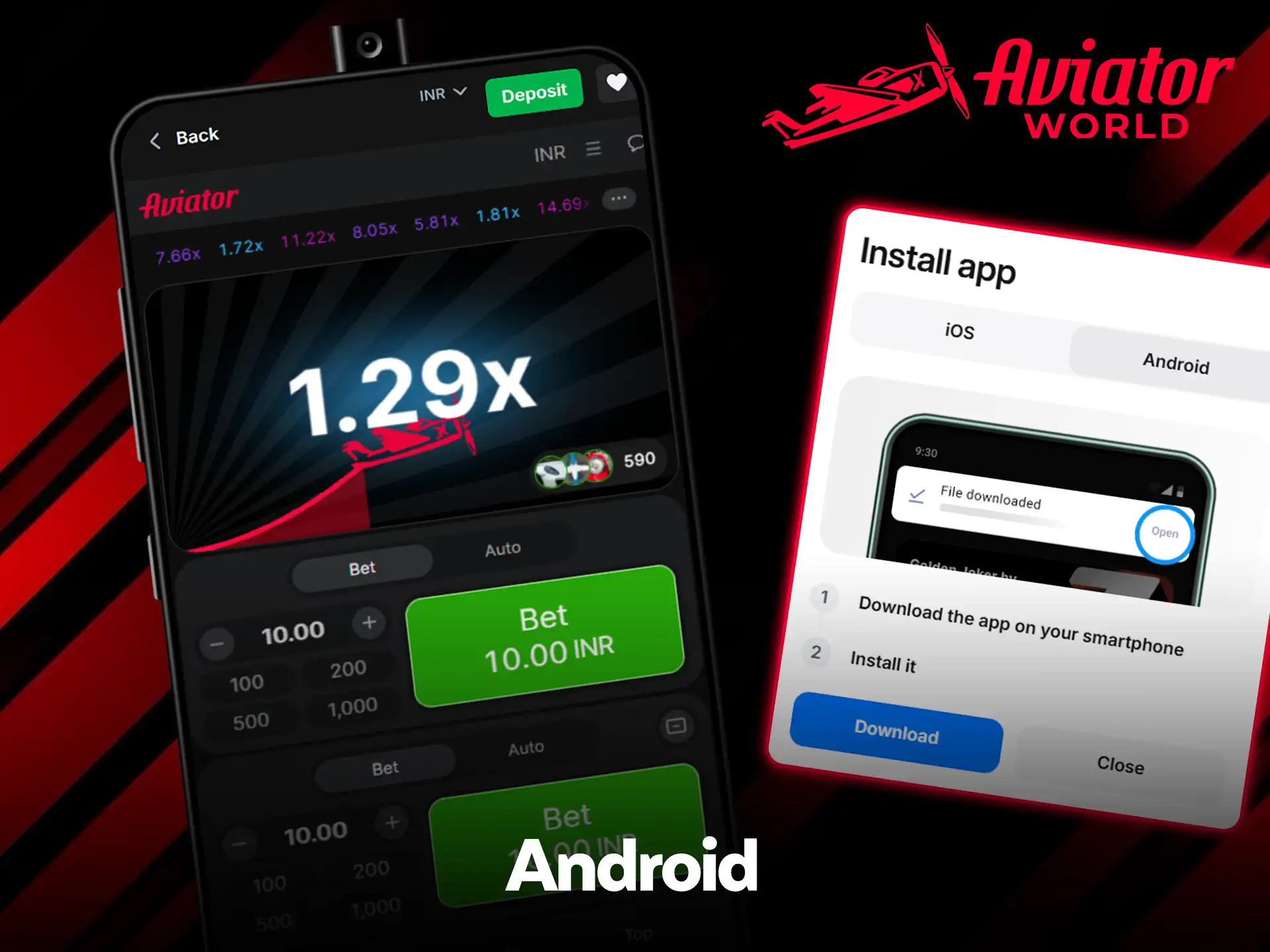
1win’s site code includes an Android APK mode, so the APK comes from 1win itself, not from Google Play. A file called “1win Aviator APK” on any other site is not 1win’s app. Check the details below to see if your phone can run it.
Compatible devices
Many Android phones run the 1win app without technical problems or lag, for example:
- Samsung Galaxy M31 and S21;
- Xiaomi Redmi Note 10;
- Google Pixel 6;
- Realme 8 Pro;
- OnePlus 9R;
- Oppo Reno 6;
- Vivo V21.
System requirements
Check these specs to make sure the app runs well on your Android phone.
| Characteristic | Requirement |
|---|---|
| App version | 1.45.0 |
| Last update | March 2026 |
| Minimum RAM | 1 GB |
| APK size | 30 MB |
| Required space | 100 MB |
| Android version | 5.0 or higher |
Version and sizes from our earlier review in 2026; they change with every update.
How to update the 1win app on Android
You need the latest version to keep the game running without bugs. Follow these steps:
- Open the app on your phone.
- Wait for the message about a new version.
- Tap the update button in the pop-up window.
- Wait for the file to download and install.
If no prompt appears, download the current APK from 1win’s official site and install it over the old one.
How to Download and Play Aviator via the 1win App on Android
The process is quick and needs no special skills. You start on 1win’s site, and the steps follow screenshots from April 2026.
Visit the site
Open 1win’s official site in your phone’s browser, from the button on this page or by typing the address.
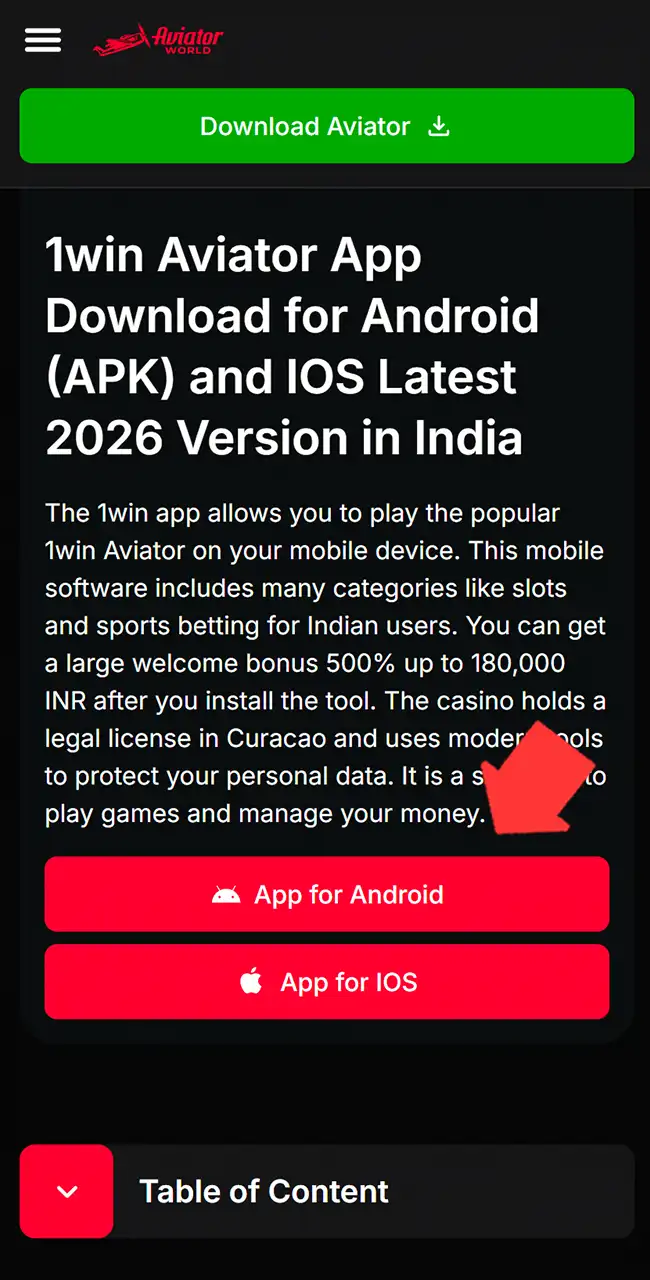
Find the file
Open the app link at the bottom of the site or in the side menu, and choose the Android tab.
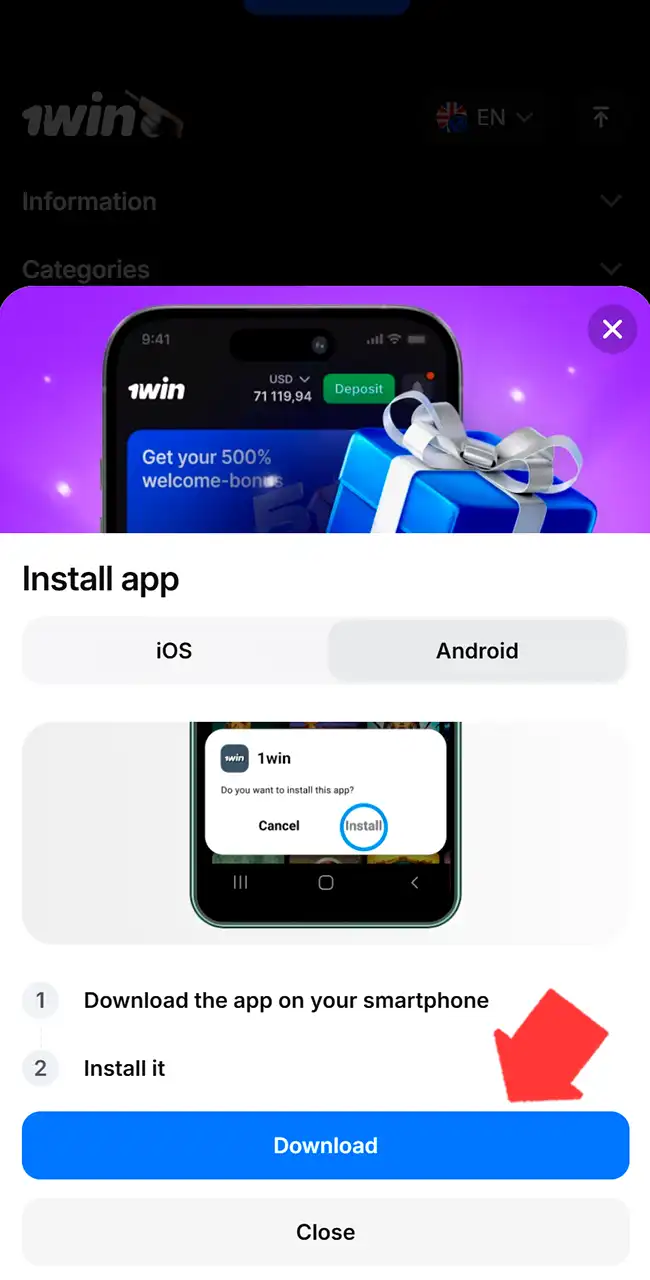
Start the download
Tap Download. Your browser warns that this type of file may harm your phone; that warning appears for every APK. Continue only if the download started on 1win’s own site.
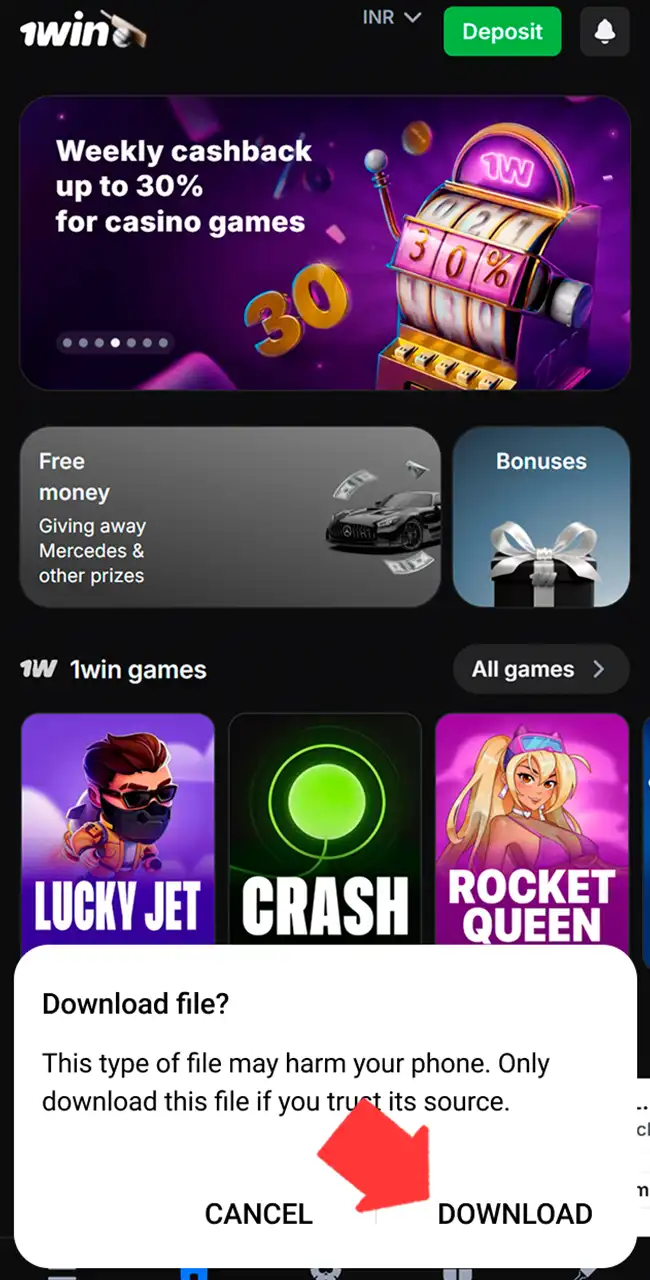
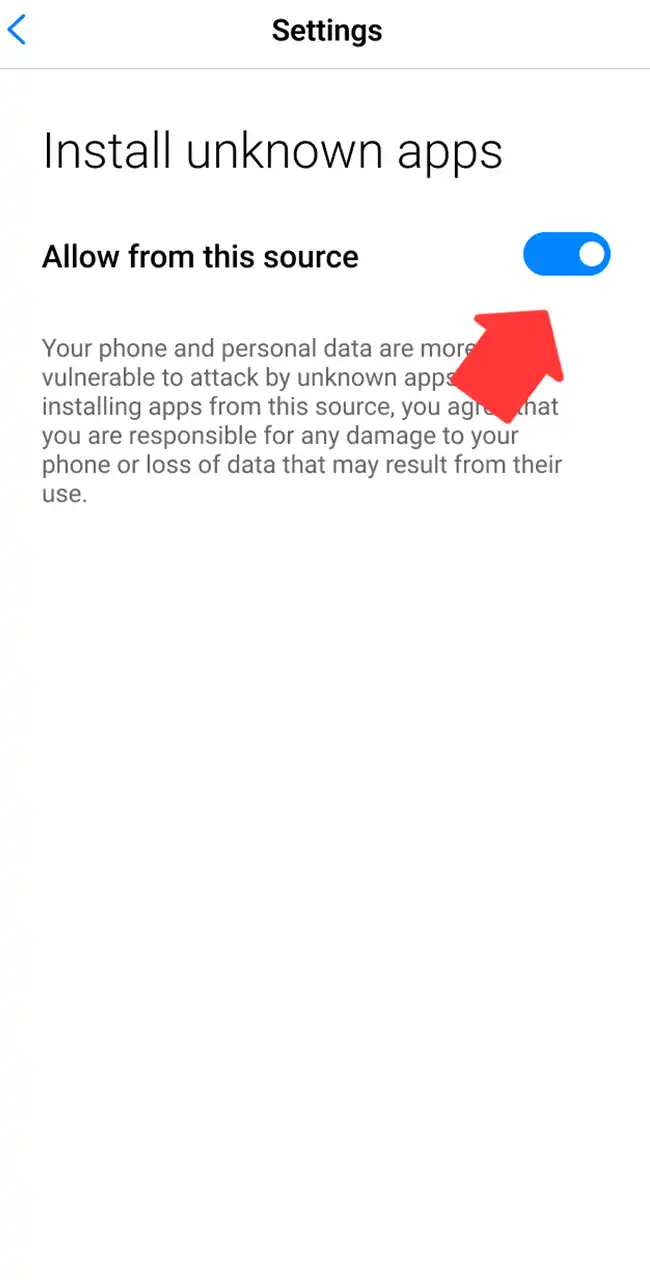
Change the settings
Allow installs from unknown sources for your browser. Switch it back off after the app is in place.
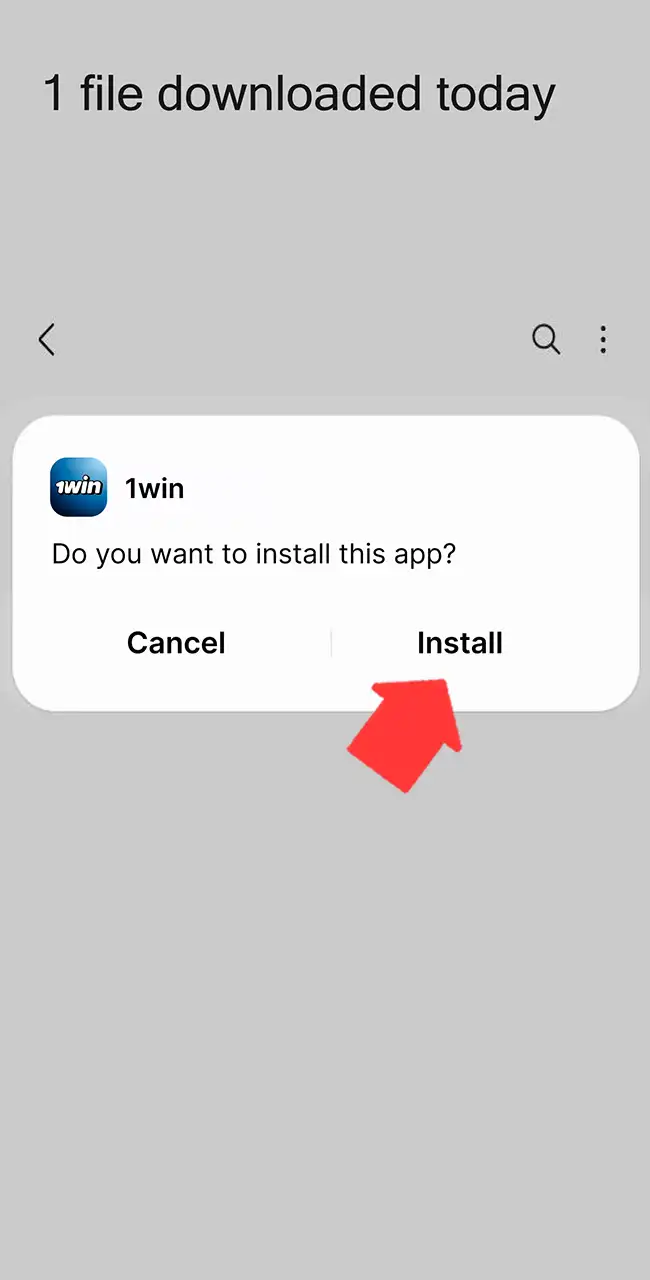
Install the APK
Open the downloaded file and tap Install. The prompt should name 1win.
1win Aviator iOS App Review and Specs
On iPhone and iPad, 1win runs as a web app. 1win’s site code includes a PWA mode for iOS: you open the site in Safari and save it to the home screen, where it looks and opens like a real app. It takes little space, the game loads quickly, and you get all the casino’s features.
Nothing is downloaded, so there is no file to check.
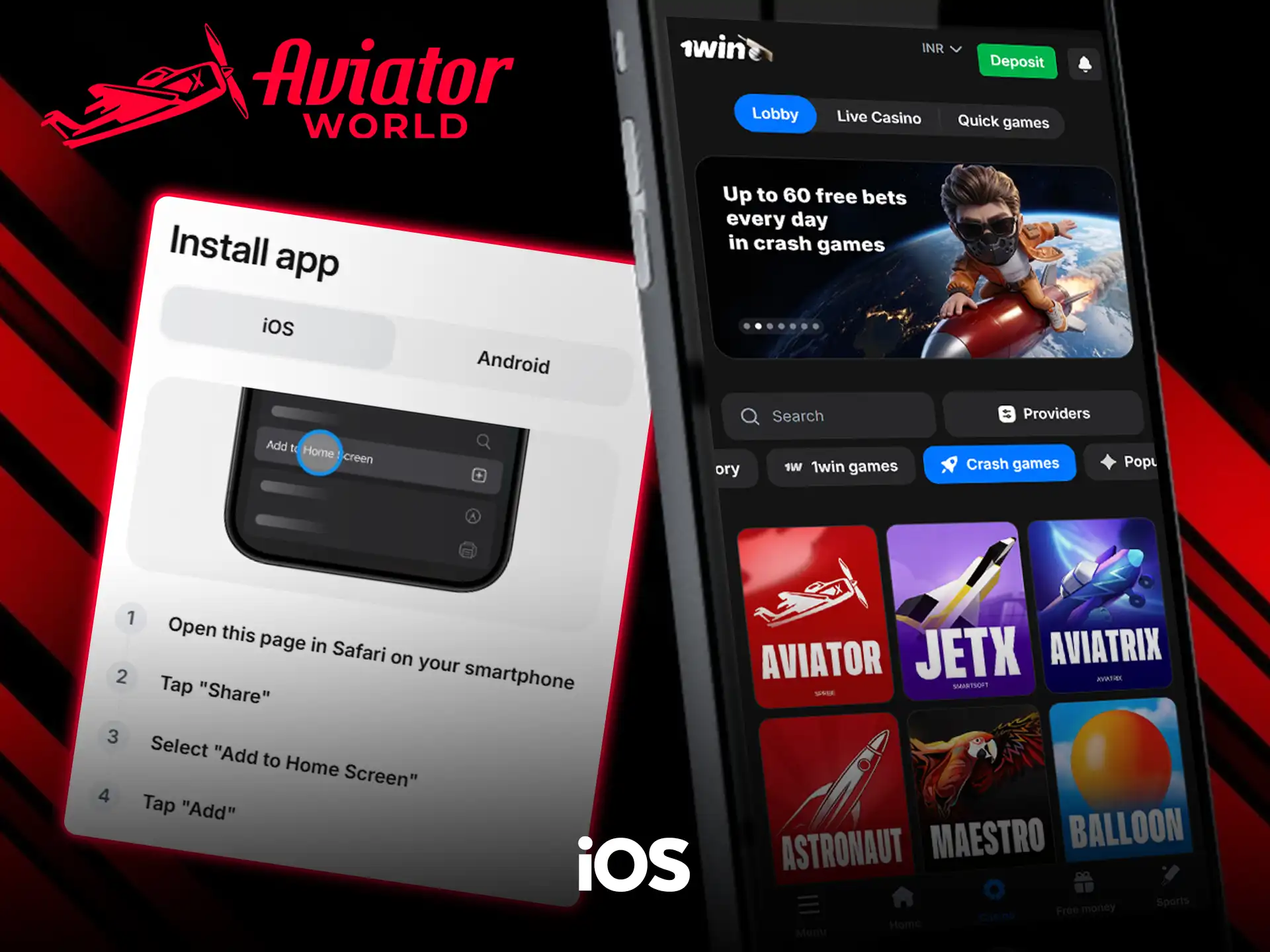
Compatible devices
The web app works on most Apple devices that run Safari smoothly:
- iPhone 8 and 8 Plus;
- iPhone X, XS, XR;
- iPhone 11 and 12 Pro;
- iPhone 13, 14, 15, 16, 17;
- iPad Air 2;
- iPad Pro (all generations).
System requirements
The requirements are low because the app is a web shortcut on your device.
| Characteristic | Requirement |
|---|---|
| App version | Web app, updates with the site |
| Minimum RAM | 1 GB |
| App size | 5 MB |
| Required space | 20 MB |
| iOS version | 11.0 or higher |
How to update the 1win app on iOS
The web app usually updates itself. You can also refresh it by hand:
- Open Safari on your iPhone.
- Go to 1win’s official website.
- Refresh the page to load the new version.
- If the site has changed, delete the old icon and add a new one.
How to Download and Play Aviator via the 1win App on iOS
You don’t need the App Store. The browser method takes four steps.
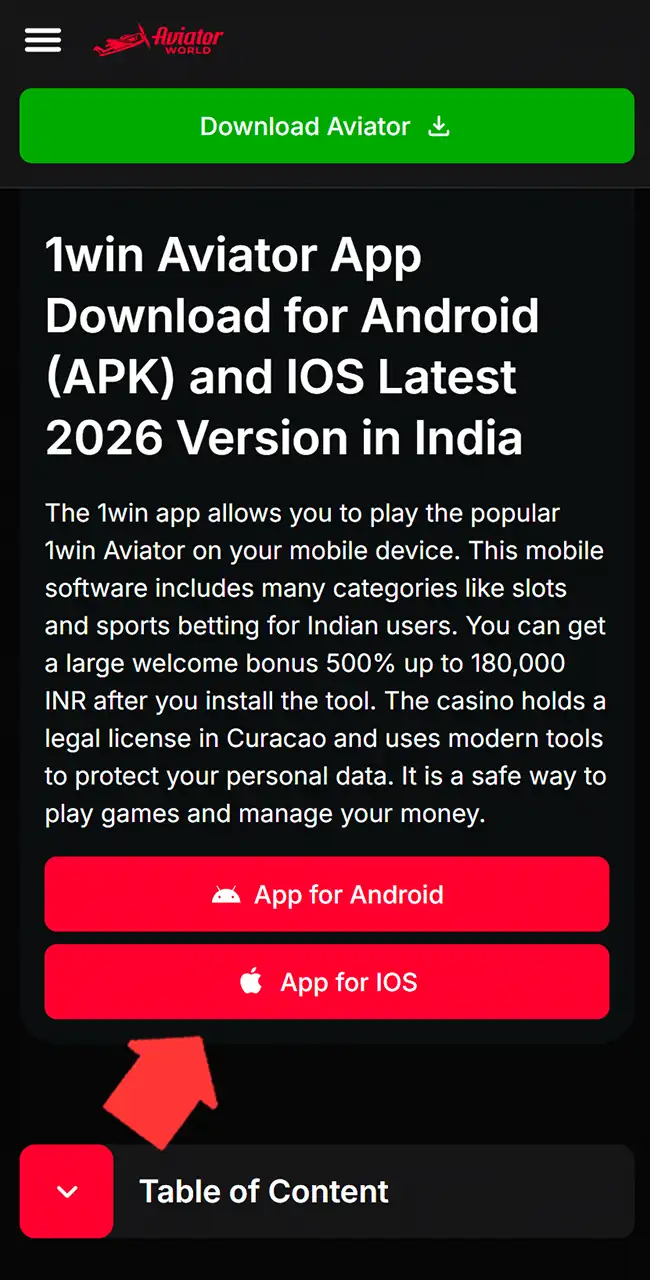
Open Safari
Open 1win’s site in Safari, from the button on this page or by typing the address.
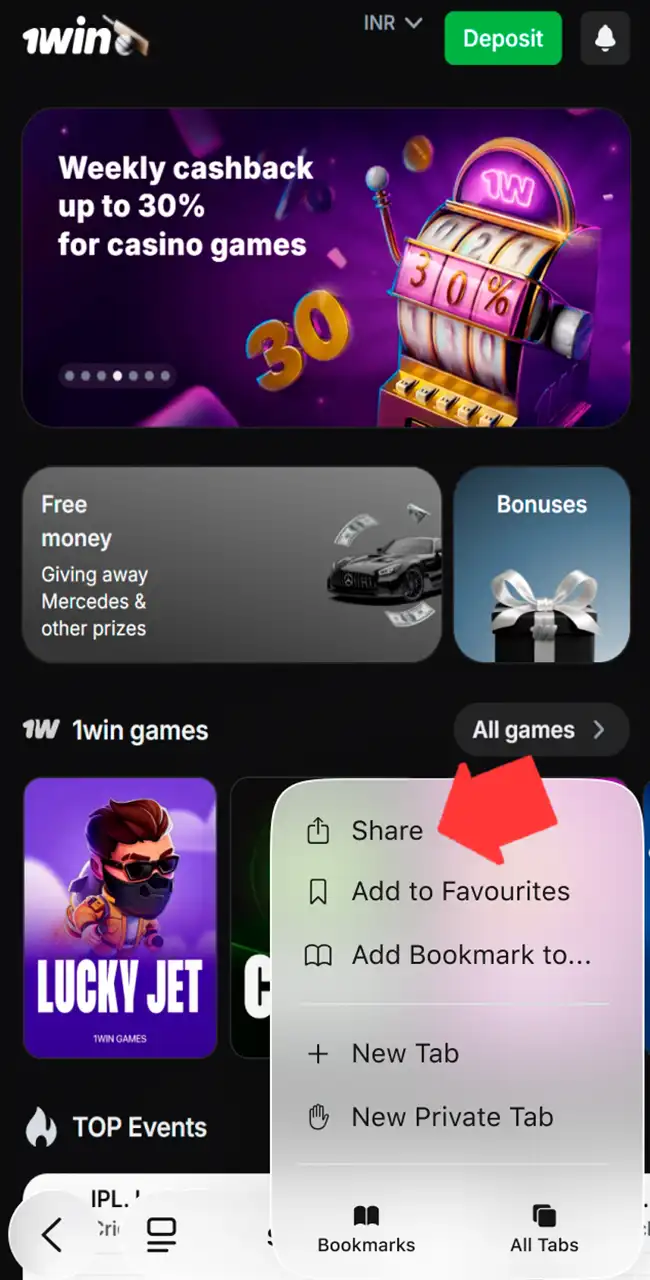
Use the Share menu
Tap Share in the toolbar or in the page menu.
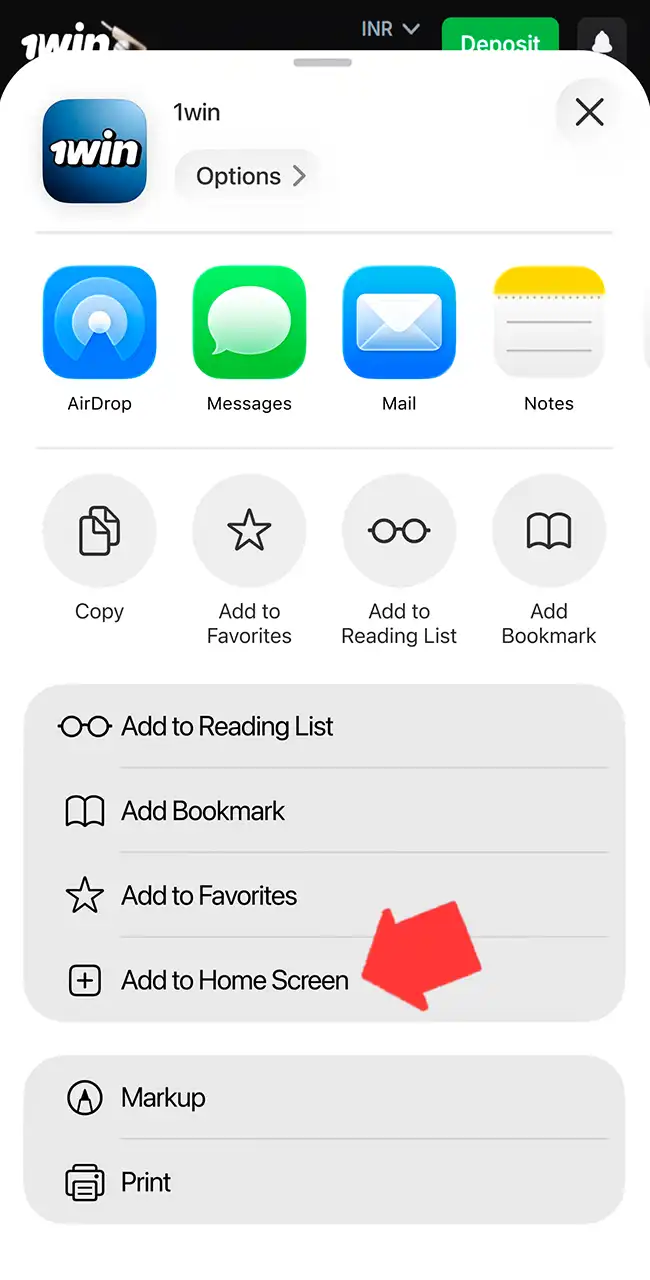
Add to Home Screen
Scroll down the share sheet and tap Add to Home Screen.
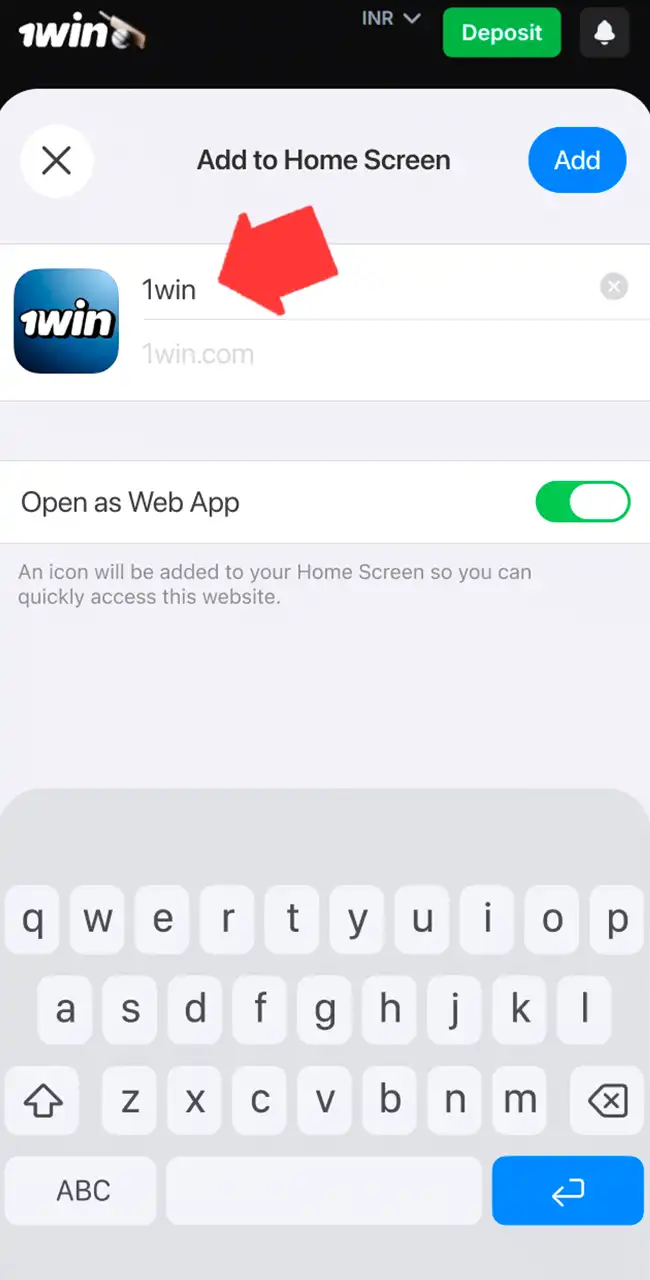
Name the app
Keep the name 1win, leave “Open as Web App” on and tap Add. The icon opens 1win full screen.
Registration and Login on 1win via the App
You need an account to play Aviator for real money. Registration takes a few minutes:
- Open the app and tap the green registration button.
- Choose the quick form or a social media account.
- Enter your phone number or email and set a password.
- Choose your account currency, so local payments work without conversion.
- Enter a promo code if you have one.
- Accept the terms, confirm that you are 18 or older, and finish.
After that, log in with your details at any time. 1win asks for identity verification, usually a photo of your ID, before withdrawals. Verify early so your first payout isn’t held up. Our registration guide covers the details.
How to Play Aviator via the 1win Application
Once the app is on your phone, a round takes four steps.
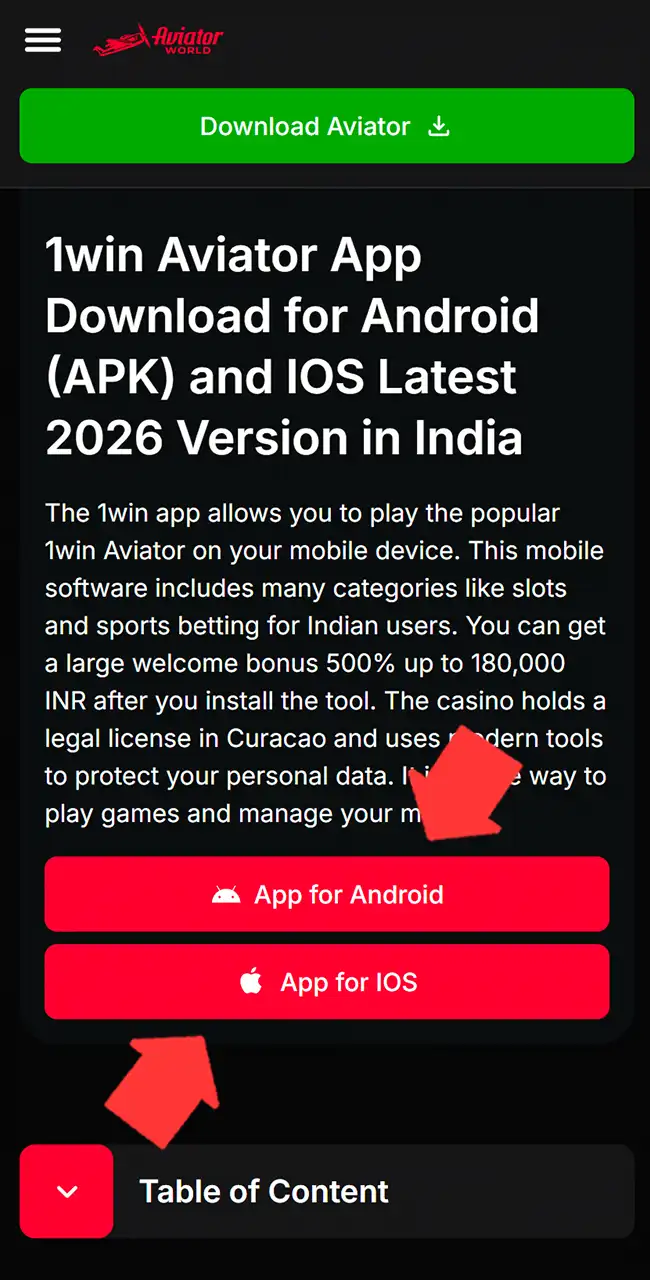
Open 1win
Launch the app from its icon, or open 1win from the buttons on this page.
Find Aviator
Open Casino, then the Crash games tab, or type “Aviator” in Search. Pick the tile marked Spribe.
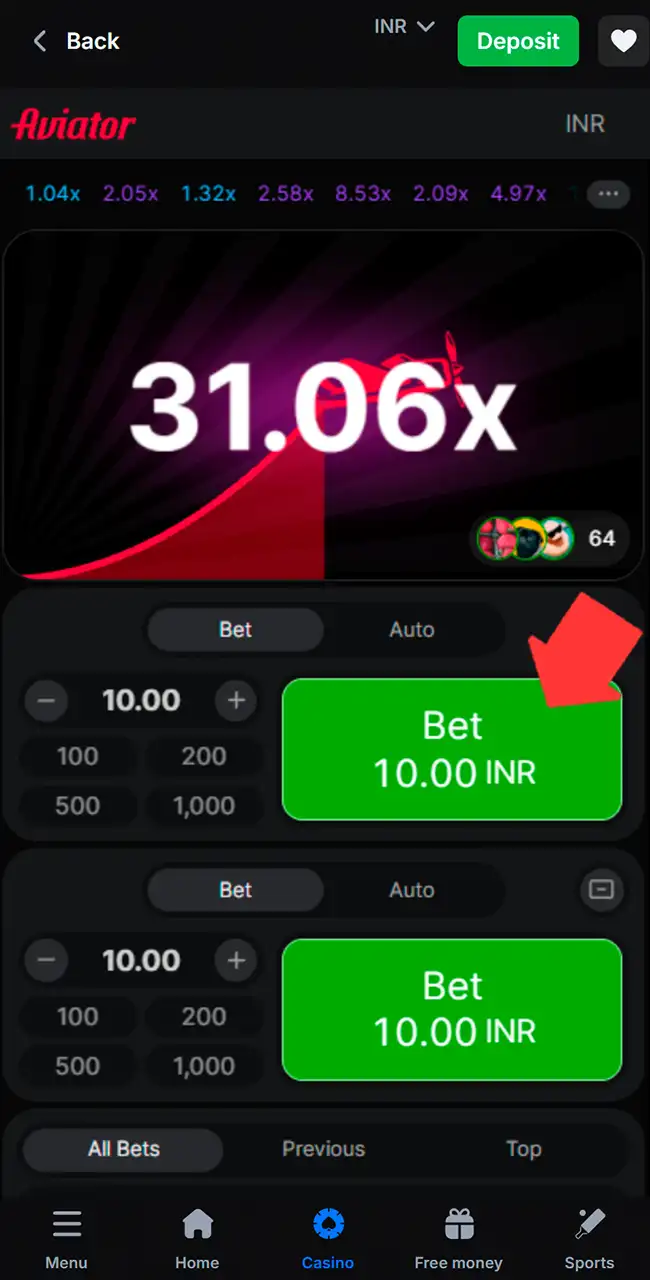
Place a bet
Set the amount with plus and minus or a preset, then tap Bet before the plane takes off. The second panel lets you place a second bet.
Cash out
Tap Cash Out before the plane flies away. A $1 bet cashed out at 2.00x pays $2; if the plane leaves first, the bet is lost. See how to play Aviator for Auto Cash Out.
Play the Aviator Demo via the Mobile App
1win has a Demo mode switch next to Aviator, so you can play with virtual coins instead of your own money. It shows how the plane moves and when to tap Cash Out, without any risk. You can switch to real money at any time.
Demo results say nothing about a real-money session: every round is random. Spribe’s own demo on spribe.co needs no account at all. More in our Aviator demo guide.
1win Aviator Bonuses
1win offers bonuses for new and regular players. They add to your balance, but each has wagering rules, so read the terms before you activate one.
Welcome bonus for crypto and fiat
New players get a bonus on their first four deposits. The size depends on the account currency you choose: up to 500% in total for a regular account, up to 600% for a crypto account, plus 500 free spins.
| Deposit | Crypto account (+500 FS) | Fiat account (+500 FS) | Wagering |
|---|---|---|---|
| 1st deposit | 130% | 100% | x40 |
| 2nd deposit | 140% | 120% | x40 |
| 3rd deposit | 160% | 130% | x40 |
| 4th deposit | 170% | 150% | x40 |
| Total | 600% | 500% | x40 |
Bonuses as listed by each casino in April 2026, converted from Indian rupees at about ₹96 = $1 and rounded. Casinos credit bonuses in your account currency, and terms vary by country and change often, so check the casino’s site before you sign up. 18+
Cashback bonus
1win returns up to 30% of your casino losses for the week. It is paid on Saturdays straight to your real balance, with no wagering before you withdraw it.
App install bonus
1win gives a one-time reward for installing the app: 200 coins after you download it and log in. You can later exchange the coins for money in your balance. Of the casinos on this site, 1win was the only one with an install reward in April 2026.
Available Payment Methods on the 1win App (India Site)
The app uses the same cashier as 1win’s website. These are the methods and limits of the India site, where our team played in April 2026. Methods differ in other countries.
| Method | Processing time | Min deposit | Max deposit |
|---|---|---|---|
| UPI | Instant | $3 | $520 |
| PhonePe | Instant | $3 | $520 |
| Paytm | Instant | $3 | $520 |
| Bank transfer | Instant | $5 | $1,040 |
| Crypto | 15 minutes | Varies | No limit |
Limits converted from Indian rupees at about 96 rupees to $1 and rounded.
A withdrawal usually takes 1 to 24 hours, depending on the method, and can take longer when the bank is busy. Withdraw with the method you used to deposit. Our deposit guide has step-by-step help.
How to Uninstall the App
Removing the app takes less than a minute:
- Find the 1win icon on your screen.
- Press and hold it for a few seconds.
- Choose Delete or Uninstall.
- Confirm.
Your account and balance stay on 1win’s servers. You can install the app again later and log in with the same details.
1win Customer Support
The support team helps with the app, payments and bonuses, every day of the week:
- Live chat inside the app, for the fastest answers;
- Email for complex issues, usually answered within 24 hours;
- Telegram for news and quick help.
Our Review of 1win Aviator
Our team installed the app, registered, deposited and played Aviator at 1win in April 2026. Spribe’s game was in the lobby, labeled Spribe, next to JetX and Aviatrix. The Android APK came from 1win’s own Install app window, and the iPhone web app needed no download.
The paperwork is the weak spot. 1win holds an offshore Curaçao license, OGL/2024/587/0621, listed in the register with a renewal in progress. Curaçao’s regulator doesn’t settle individual player disputes the way a court would. 1win’s site has been blocked in Kazakhstan and Russia, and in August 2026 Sri Lanka’s new gambling regulator put it on a list of 24 blocked sites.
1win’s terms list 102 restricted countries, per one independent review, including the United States, the UK, France and Spain. India bans online money games, Aviator included, from May 1, 2026. If the casino isn’t legal where you live, don’t install the app.
One more thing to know. In 2024, a security report described a fake download that opened a 1win-branded login page on an unrelated domain. The report didn’t link it to the operator, but it shows why the download source matters.
Play responsibly
Every Aviator round is random, and no app or pattern can predict when the plane flies away. Set a budget before you start, use your casino’s deposit and time limits, and never chase losses.
1win Aviator App FAQ
Is there an official 1win Aviator app?
It’s 1win’s casino app, with Spribe’s Aviator inside. There is no separate Aviator app from 1win or Spribe. Android gets an APK from 1win’s site, iPhone a web app saved from Safari.
Is the 1win app free to download?
Yes. The file on 1win’s official website costs nothing for any user.
How do I withdraw money from 1win?
Open the menu in the app and tap Withdraw. Choose a method, enter the amount and wait for the transfer. Verify your identity first to avoid delays.
How do I get the latest version of the 1win app?
Go to 1win’s official site and tap the mobile app link. The site always gives you the current file.
Can I use my existing 1win account?
Yes. Log in with your usual details; the app and the website share one account and balance.
Do I need an internet connection to play Aviator?
Yes. Rounds run live with other players, so you need a stable connection to place bets and cash out.
Does a 1win Aviator predictor work?
No. The result of each round is hidden behind a hash until takeoff, so no app can see it in advance. Read our Aviator Predictor guide.