
Pin-Up · Aviator app review
Pin-Up Aviator App Download for Android (APK) and iOS, 2026 Version
Pin-Up gives you one more way to play Aviator on a phone: an APK on Android or a browser version on iOS. Along with Aviator, the platform has casino games, live dealers, slots and sports betting in one account. The welcome offer reaches up to $4,690 + 250 FS on the first deposit. Pin-Up has operated since 2016 and holds a Curaçao license, but the people and companies behind the brand face sanctions in Ukraine, and it isn’t open to players in the UK or US.
- Aviator by Spribe
- Yes
- Official site and lobby screenshot
- Android
- APK
- Button in the site footer
- iOS
- Web shortcut
- No App Store page found
- License
- Curaçao
- OGL/2024/580/0570
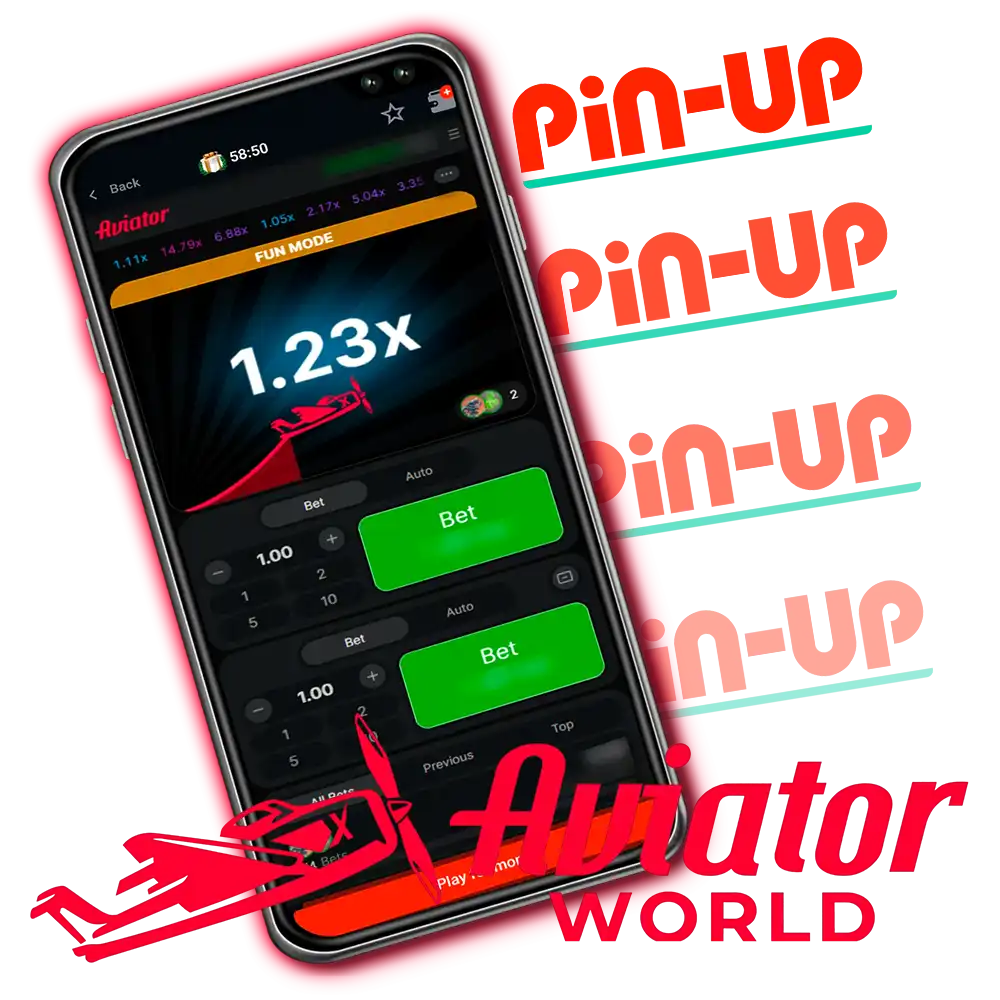
Pin-Up App Key Information
Basic platform data shows the limits, payments and features before you play for real money. Our team installed the app, registered, deposited and played Aviator at Pin-Up in April 2026; the screenshots on this page come from that session on the India site.
| Company established | 2016 |
|---|---|
| License | Curaçao (OGL/2024/580/0570) |
| Price | Free |
| Operating system | Android (APK), iOS (browser version) |
| Latest version | Latest available on Pin-Up’s site |
| Application size | About 50 MB |
| Casino | Available |
| Sports | Available |
| Welcome bonus | Up to $4,690 + 250 FS |
| Supported languages | English, Hindi, Russian, Azerbaijani, Kazakh, Uzbek, Spanish |
| Currencies | INR, NGN, crypto |
| Min deposit | $3 |
| Max deposit | $4,170 |
| Support | Live chat, email, Telegram |
Deposits and currencies as listed on the India site in April 2026; site languages from Pin-Up’s official sitemap. Bonuses as listed by each casino in April 2026, converted from Indian rupees at about ₹96 = $1 and rounded. Casinos credit bonuses in your account currency, and terms vary by country and change often, so check the casino’s site before you sign up. 18+
Pros
- Spribe’s Aviator with the Official Game badge, plus a Fun Mode for practice.
- Provably Fair Settings in the game menu, so you can check rounds.
- The Hindi language is available in the interface.
- Wide choice of casino and sports sections.
- APK in the footer of Pin-Up’s own site, no third-party store involved.
- Works on iOS through the browser version.
- Several payment methods, including UPI and crypto on the India site.
- Live chat and Telegram support.
Cons
- Withdrawals may take 24–72 hours.
- Verification is required before payouts.
- No App Store listing; iPhone users rely on a Safari shortcut.
- Android install needs the unknown-sources permission.
- Ukrainian sanctions against the people and companies behind the brand.
- Not open to players in the UK or US, and not legal in France.
Interface Review of the Pin-Up Aviator App
A dark theme with clear sections makes it quick to move between the sportsbook, the casino and live games. The main menu shows the categories, while your balance, profile and quick actions stay at the top during play.
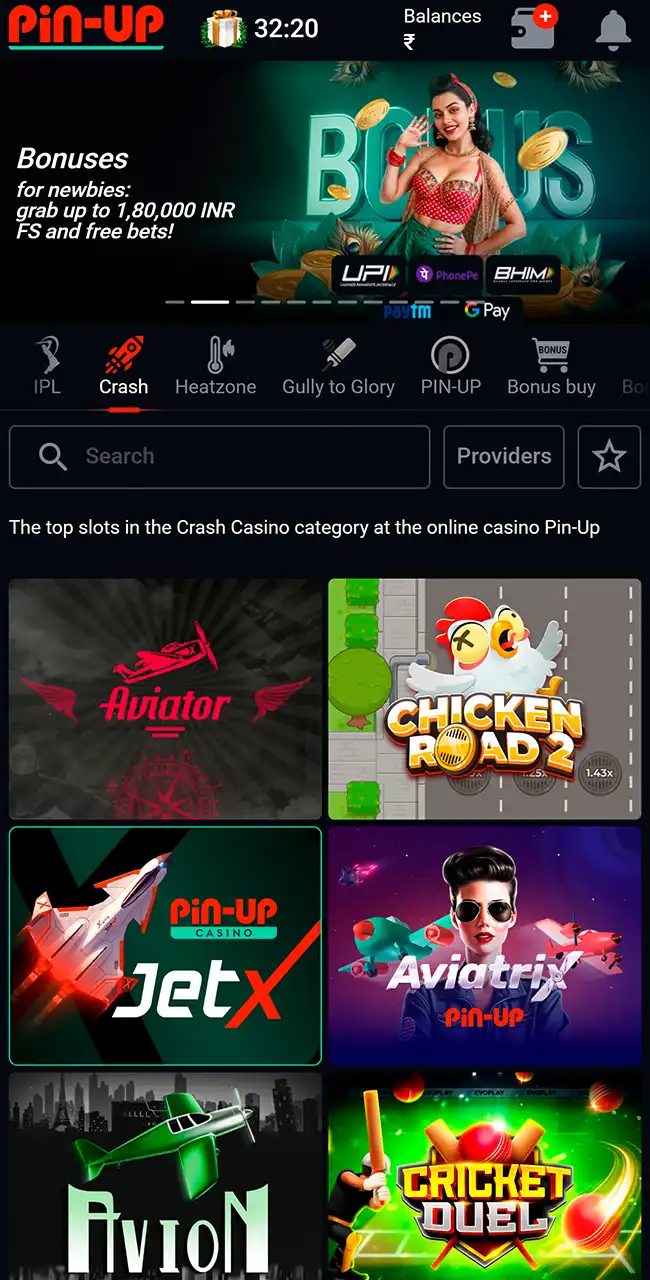
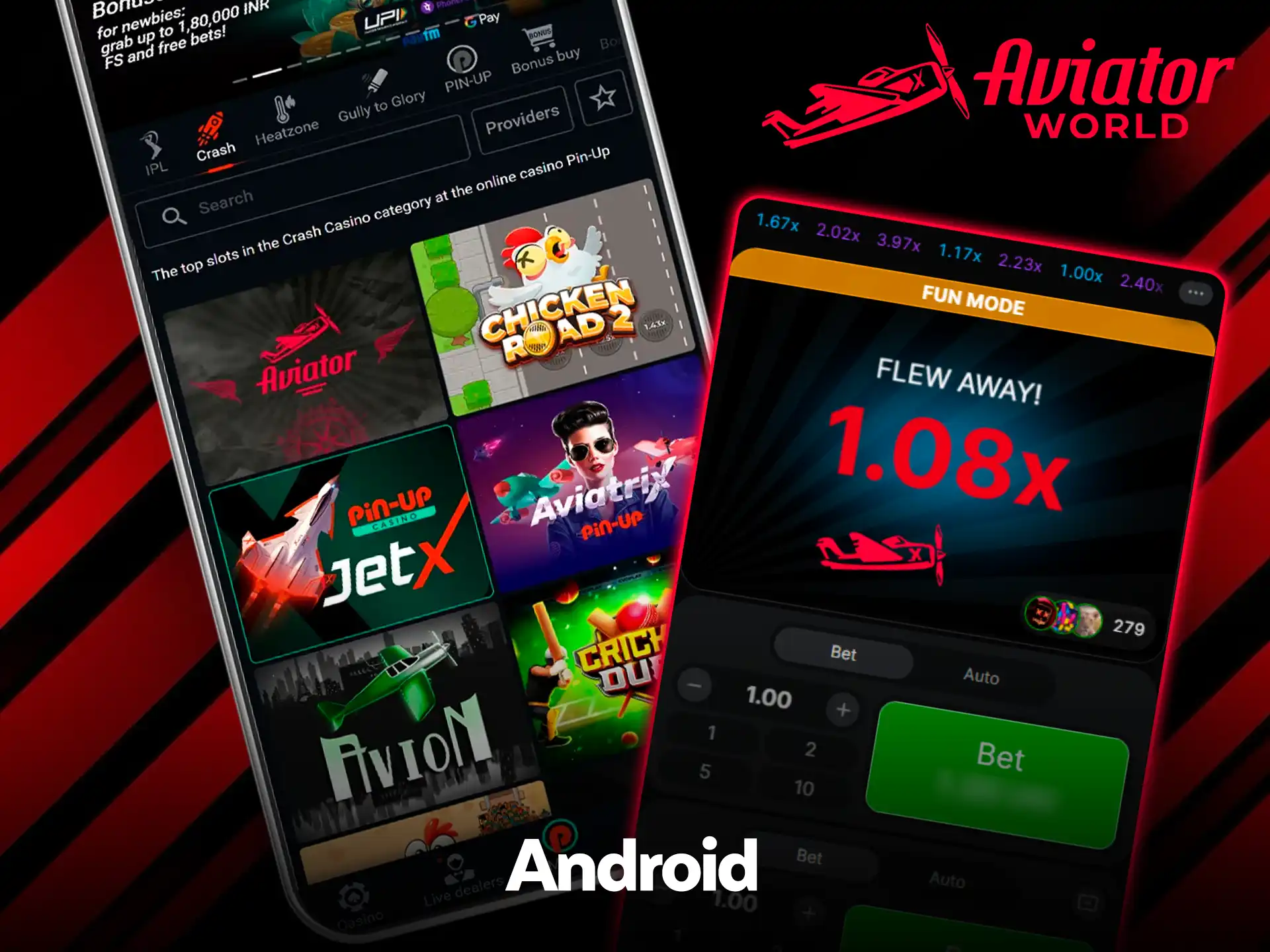
Crash games lobby 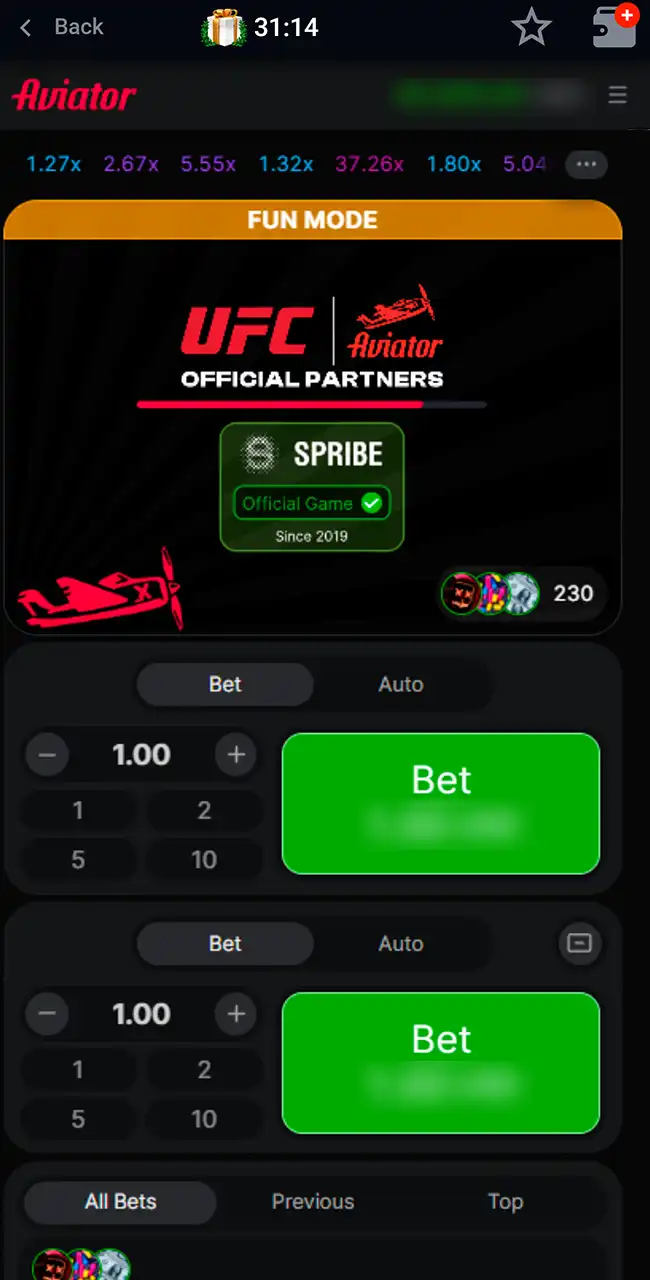
Loading screen in Fun Mode 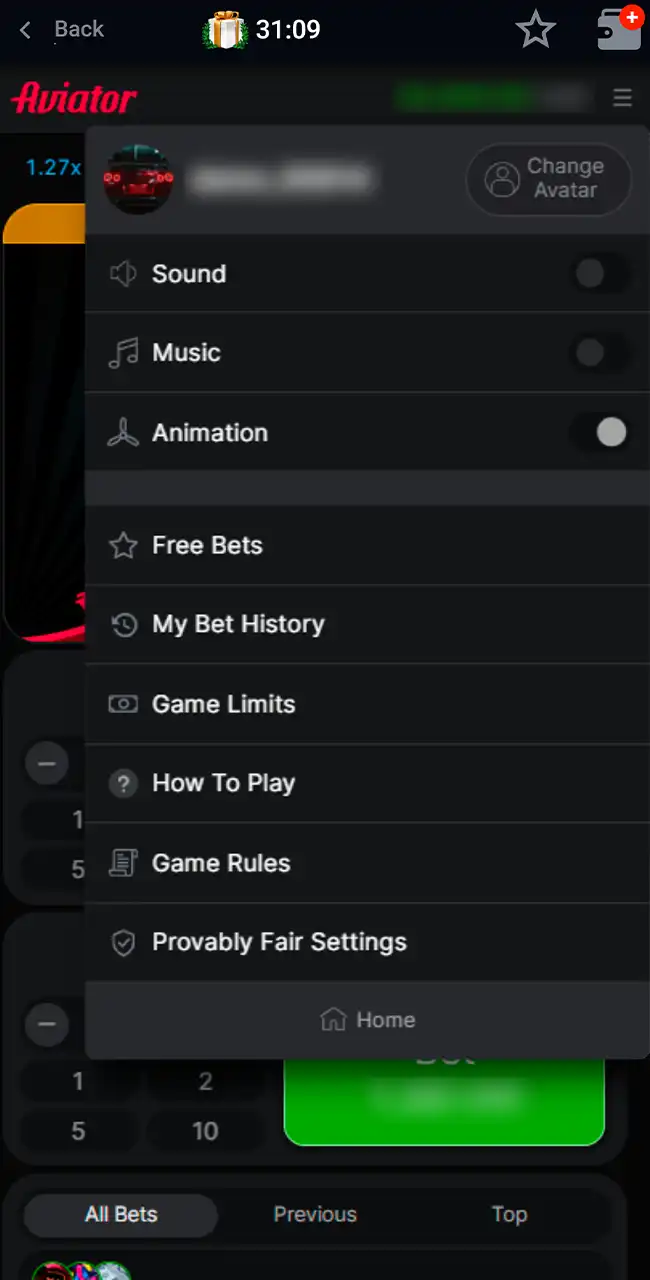
Game menu 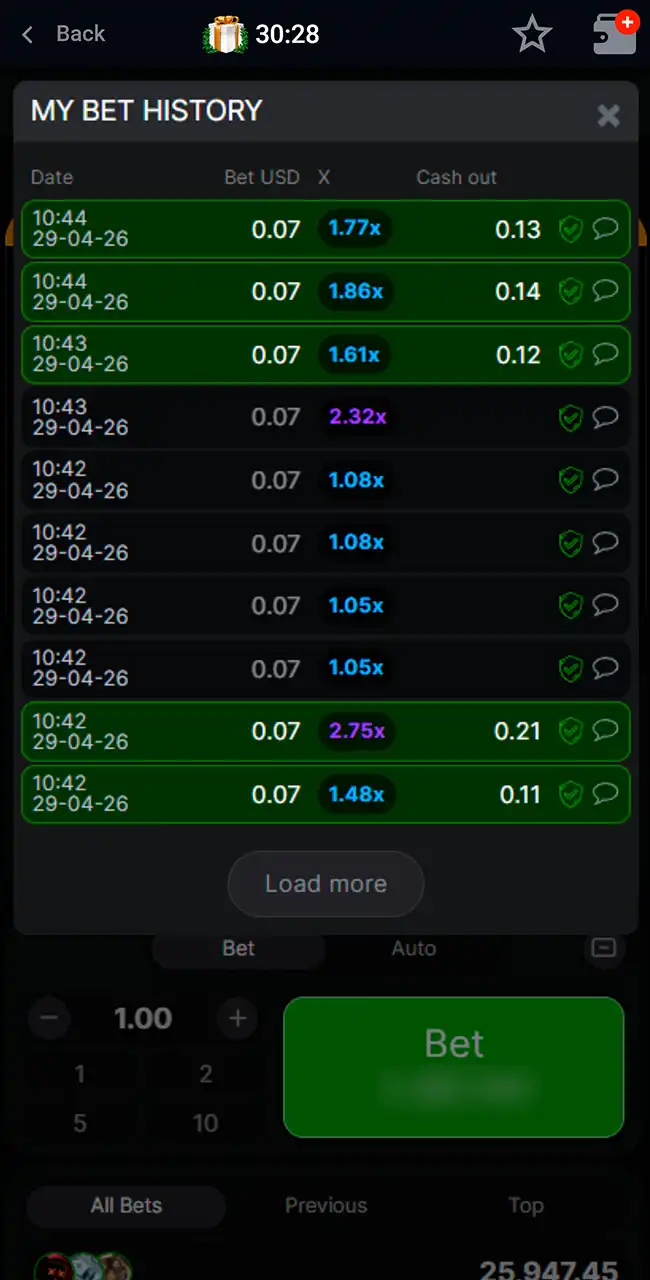
My Bet History 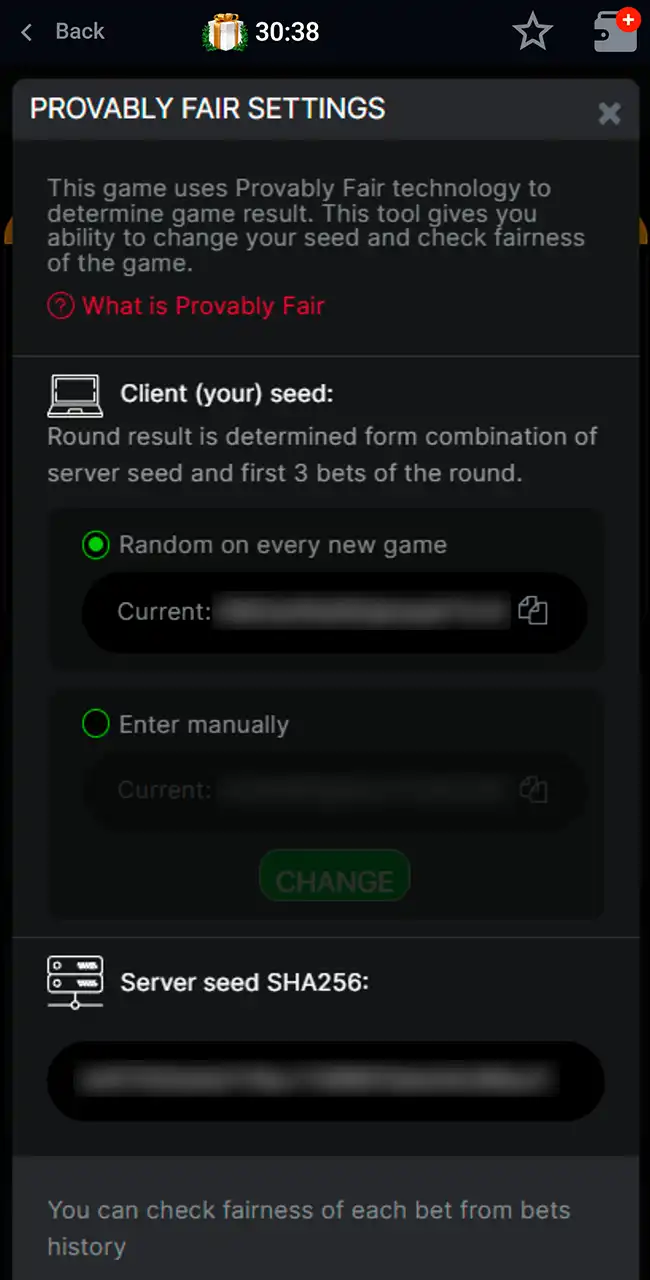
Provably Fair Settings
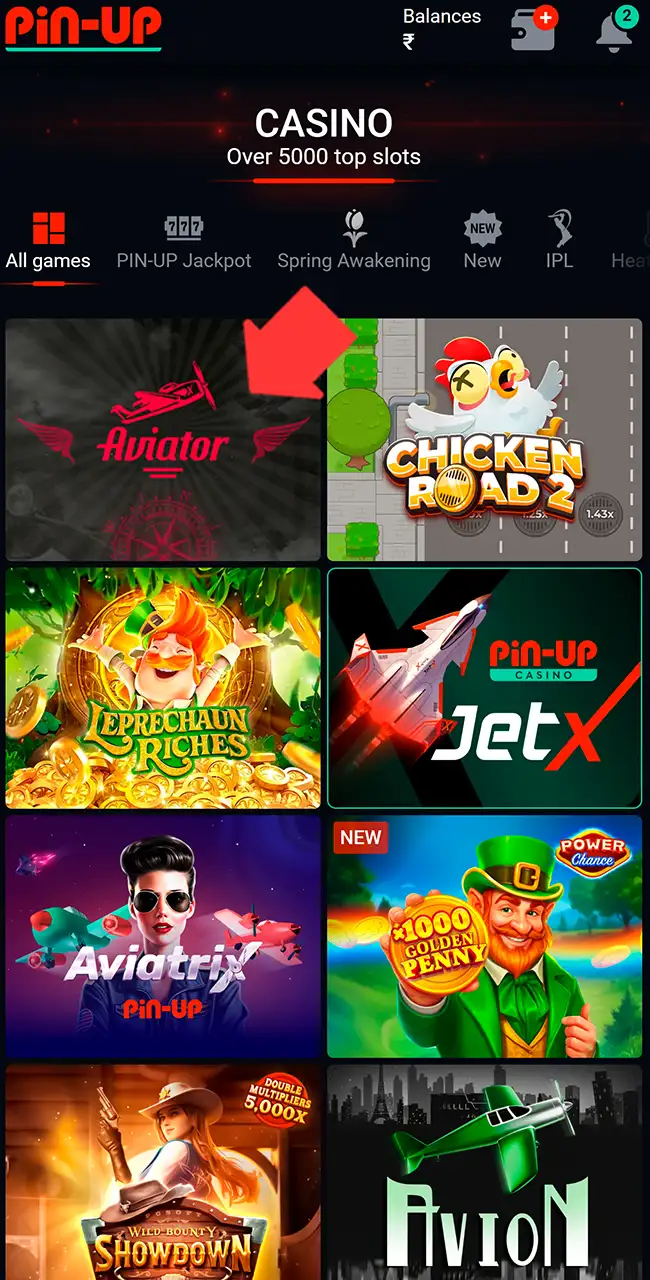
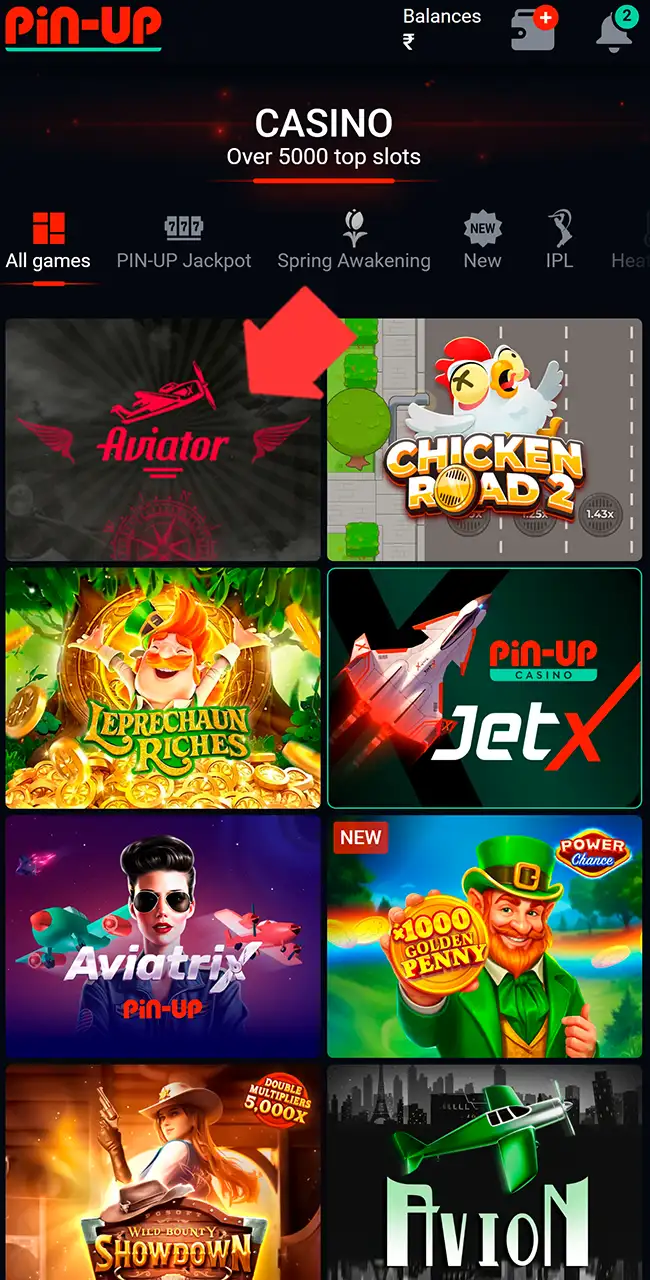
Pin-Up’s official site lists Aviator under the Spribe provider section, and the game in the lobby carries Spribe’s “Official Game, Since 2019” badge on its loading screen. The lobby also lists other plane games, such as Aviatrix, JetX and Avion. Pick the tile named Aviator and check the Spribe badge when it loads.
In the Provably Fair Settings window, the text says the round result comes from the server seed and the first three bets of the round. It shows the server seed as a SHA-256 hash and lets you set your own client seed. You can check any past bet from your bet history.
Pin-Up Aviator Android App Review & Specs
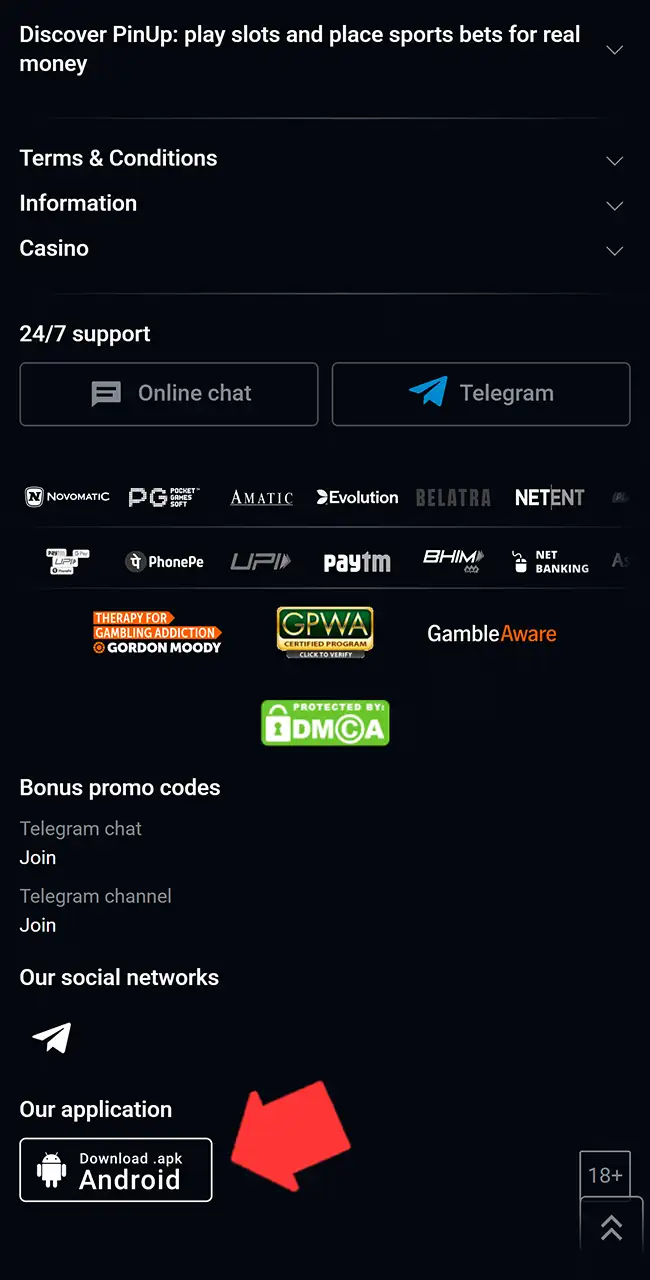
Playing Aviator on mobile gets easier with the Android version, since the app opens the betting and casino sections directly. In our test, Aviator loaded fast, bets went through right away and switching between sections felt natural. The app isn’t in Google Play: the APK comes from a “Download .apk Android” button in the footer of Pin-Up’s mobile site. Check the specs below to avoid device issues.
Compatible Devices
Android smartphones from recent years run the app without lag or crashes, for example:
- Samsung Galaxy S23, S24, S25 series;
- Samsung Galaxy A54, A55, A73;
- Xiaomi Redmi Note 12, 13, 14 series;
- Xiaomi 13, 14 flagship models;
- Realme 11, 12, GT Neo series;
- Vivo V27, V29, V30 series;
- Oppo Reno 10, 11, 12 series;
- OnePlus 11, 12, Nord CE 3.
System Requirements
| App version | Latest APK version |
|---|---|
| Last update | Recent release |
| Minimum RAM | 2 GB |
| APK size | About 50 MB |
| Required space | 100 MB |
| Android version | 5.0 and higher |
How to Update the Pin-Up Aviator App on Android Devices
New versions fix errors and improve stability, so check for updates from time to time.
- Open Pin-Up’s official website in your mobile browser.
- Scroll to the bottom, where the APK button sits.
- Check whether a newer version is available than the one you have.
- Download the updated installation file to your device.
- Open the file and confirm installation over the previous version.
The new file installs over the old one without losing your data.
How to Download and Play Aviator via the Pin-Up App on Android
Setup takes a few minutes and needs no extra tools. Skip any “Pin-Up Aviator APK” offered on other sites.
Open the Official Website
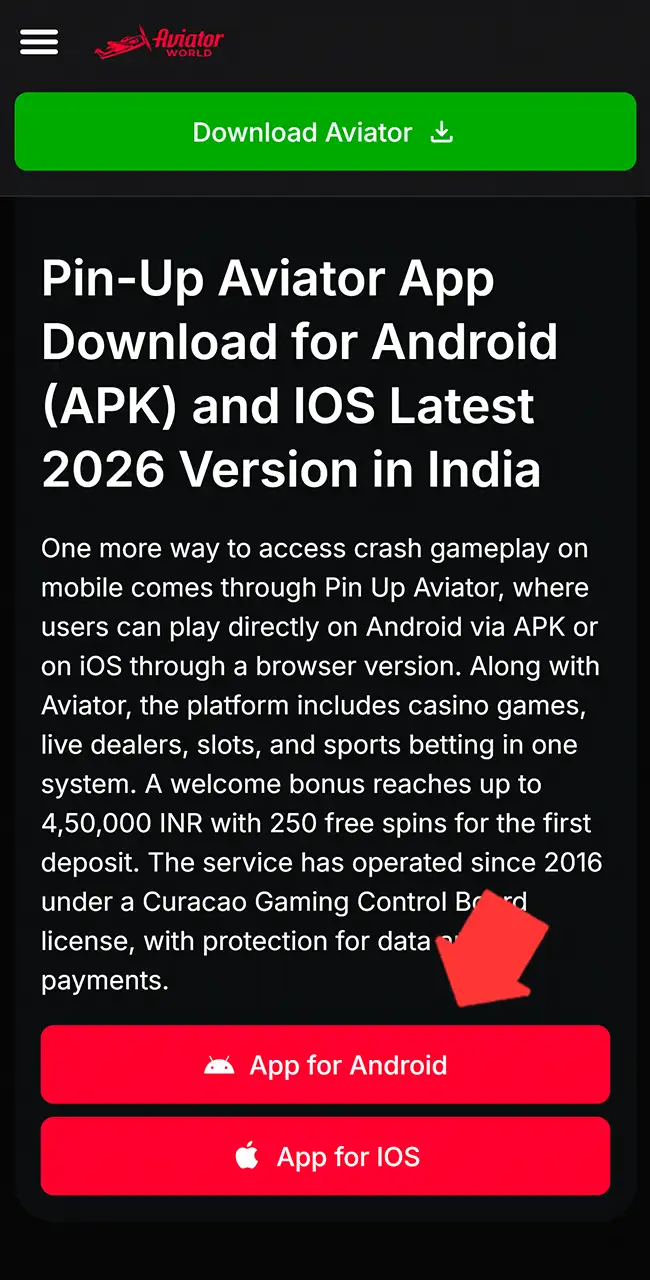
Use the Android button on this page, or open Pin-Up’s homepage in your phone’s browser.
Find the APK File
Scroll down and find the “Download .apk Android” button under “Our application” in the footer.
Allow Installation
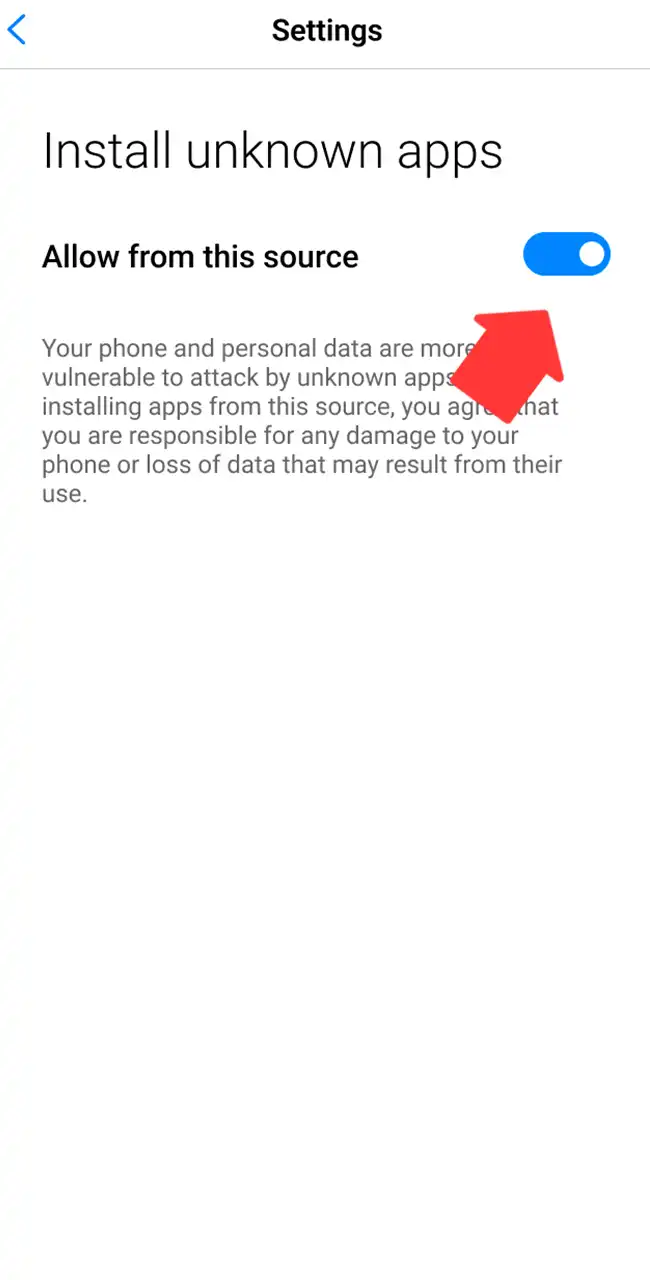
Open your device settings and allow installs from unknown sources for your browser.
Install the App
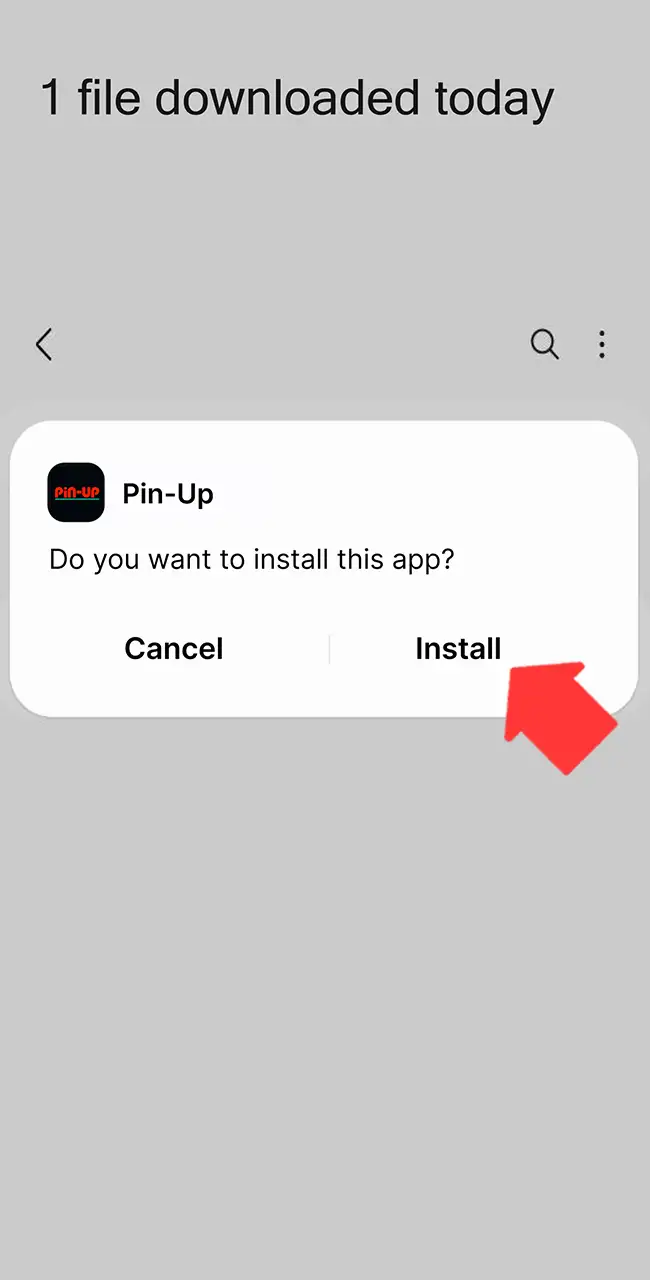
Open the downloaded file, confirm installation and wait until it finishes. Then switch the permission back off.
Log In and Start Playing
Log in, add funds, find Aviator in the casino lobby and place your first bet.
Pin-Up Aviator iOS App Review & Specs
On iPhone, Pin-Up runs through a browser version that you can save to the home screen. Some reviews mention a Pin-Up iOS app, but we found no official App Store page. Once saved, the site opens full screen and works close to a native app. Controls react quickly during bets and cash-outs, which matters in Aviator rounds.
Compatible Devices
Apple devices from recent years run the web version without issues:
- iPhone 13, 14, 15, 16, 17;
- iPhone 13 Pro, 14 Pro, 15 Pro, 16 Pro, 17 Pro;
- iPhone 13 Pro Max, 14 Pro Max, 15 Pro Max, 16 Pro Max, 17 Pro Max;
- iPad (10th, 11th generation);
- iPad Air (5th, 6th generation);
- iPad Pro (M2, M3, M4 models).
Stable play depends on the iOS version and free storage.
System Requirements
| App version | Web-based latest version |
|---|---|
| Last update | Automatic via the browser |
| Minimum RAM | 2 GB |
| App size | Cache-based |
| Required space | 50–120 MB |
| iOS version | iOS 13 and higher |
How to Update the Pin-Up Aviator App on iOS Devices
Updates load through Safari, so refreshing the site and re-adding the shortcut keeps the latest version.
- Open Safari and go to the official website.
- Refresh the page to load the updated version.
- Clear the browser cache if old data appears.
- Delete the saved shortcut from the home screen.
- Add the platform again with the Share option.
- Launch the updated version from the new icon.
It takes little time and needs no download.
How to Download and Play Aviator via the Pin-Up App on iOS
Setup works through Safari: you save the site to the home screen, and it opens like a standalone app.
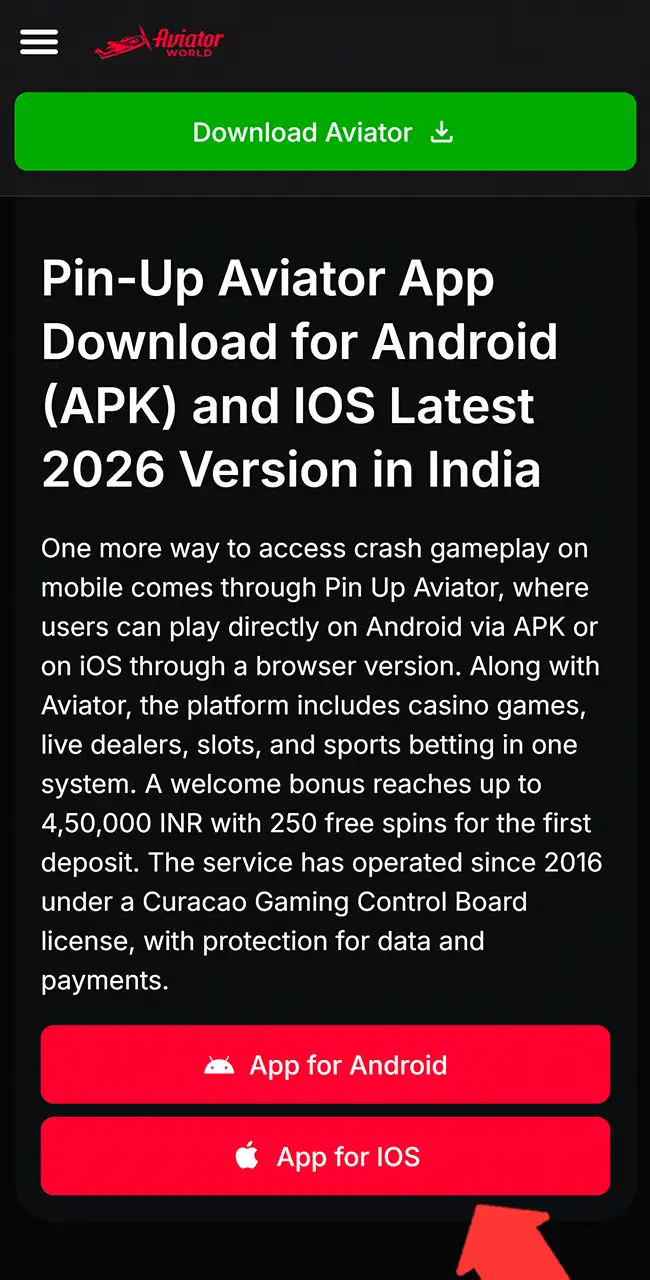
Visit the Official Website
Use the iOS button on this page and wait until the Pin-Up homepage fully loads.
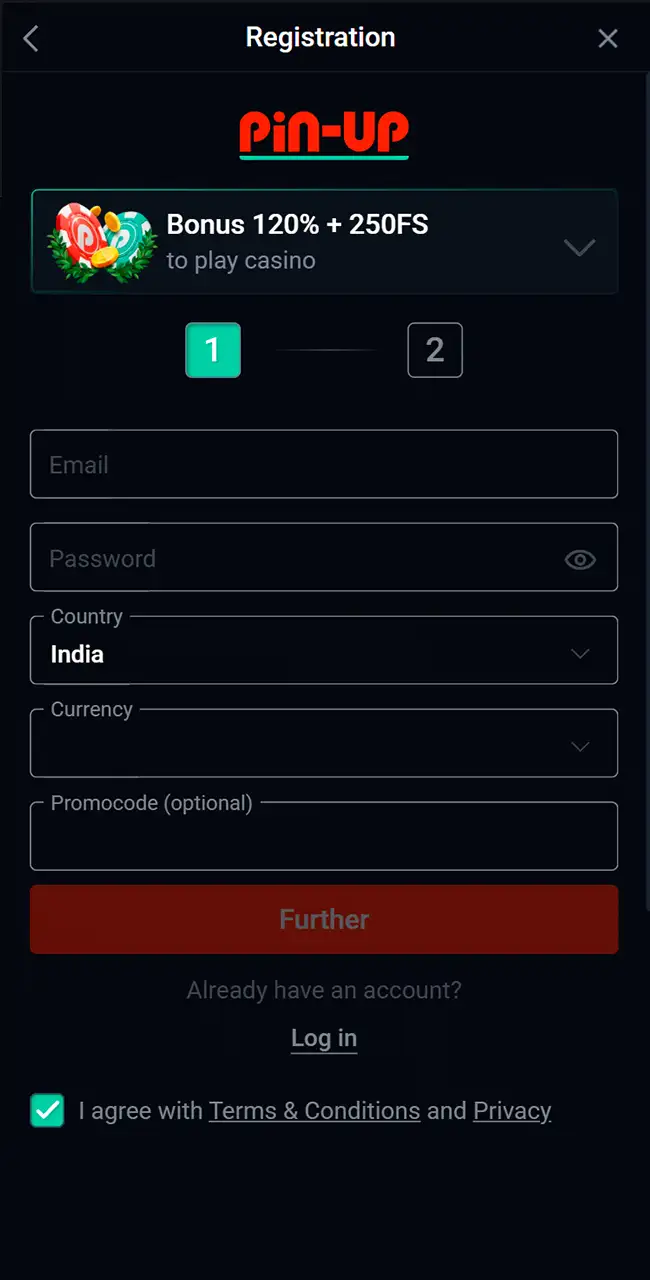
Log In or Create a New Account
Enter your details or register with email before you continue.
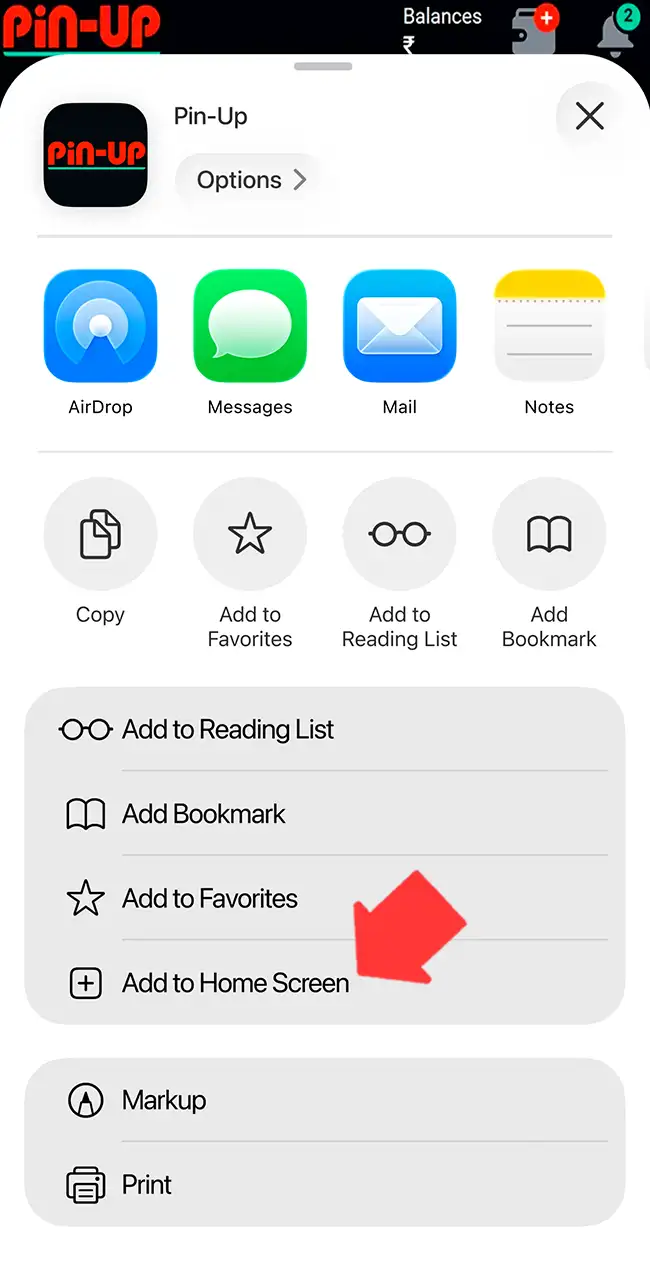
Add the Platform to the Home Screen
Tap the Share icon and choose Add to Home Screen.
Launch the Saved Version
Open the icon from your home screen to run Pin-Up without browser bars.
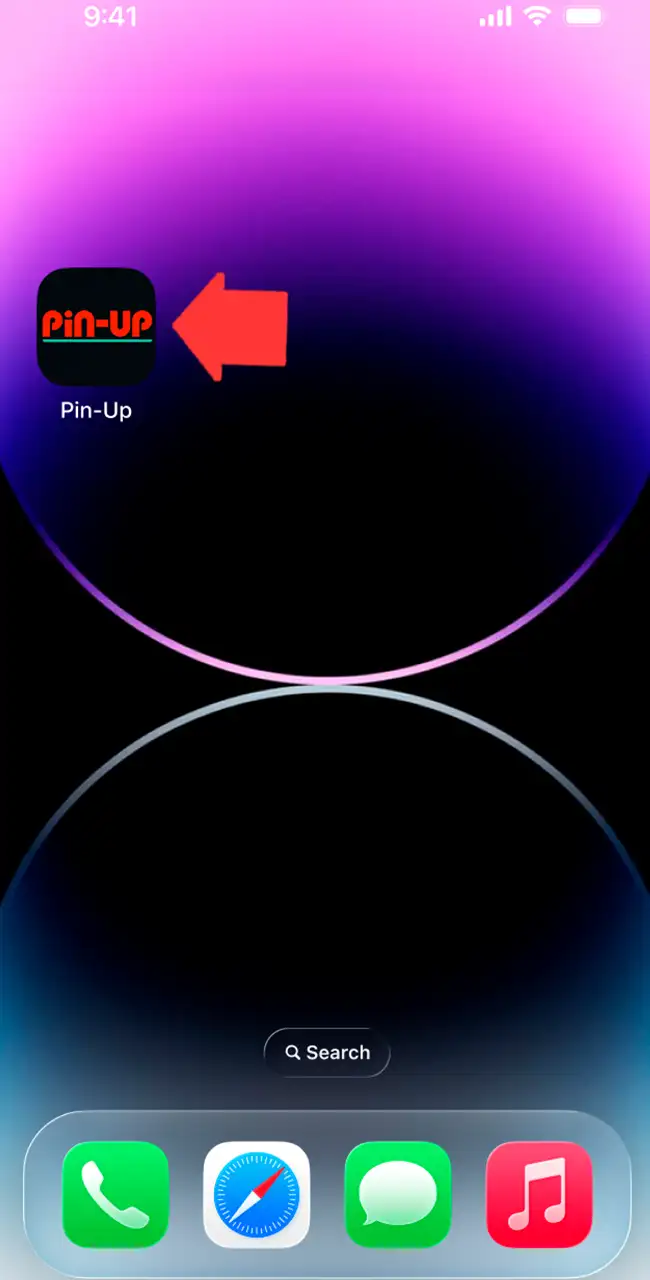
Find Aviator and Start Playing
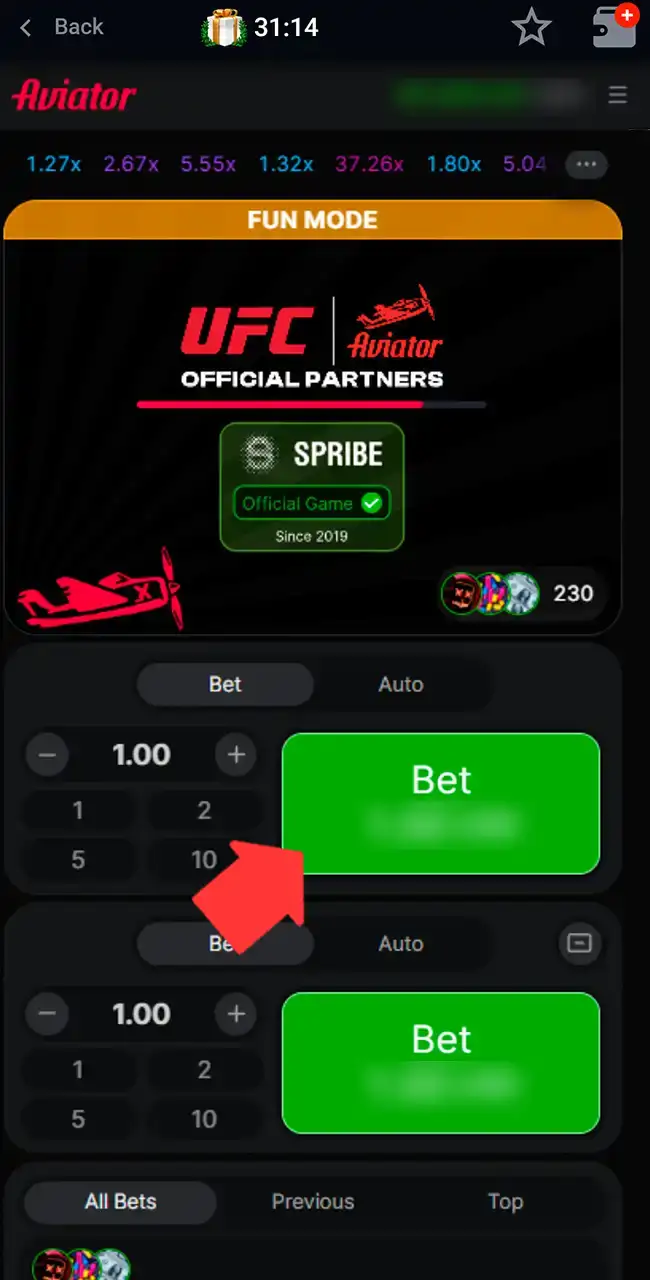
Go to the casino section, open Aviator, place a bet and follow the multiplier.
Registration & Login on Pin-Up via the App
Account setup takes a few minutes and gives you full access once the app is installed.
- Open the app and find the registration button on the main screen.
- Choose the sign-up method, phone number or email.
- Enter your details, create a password and select your currency.
- Pick a welcome bonus if you want one and confirm the account.
- Complete verification later, before your first withdrawal request.
Logging in takes a few steps too.
- Tap the login button to open the sign-in form.
- Enter your phone number or email together with your password.
- Tap Log in and wait for access.
- Use the password recovery option if you forget your details.
You must be 18 or older. Our registration guide explains the ID checks casinos usually ask for.
How to Play Aviator via the Pin-Up App
Your first round is a few steps away.
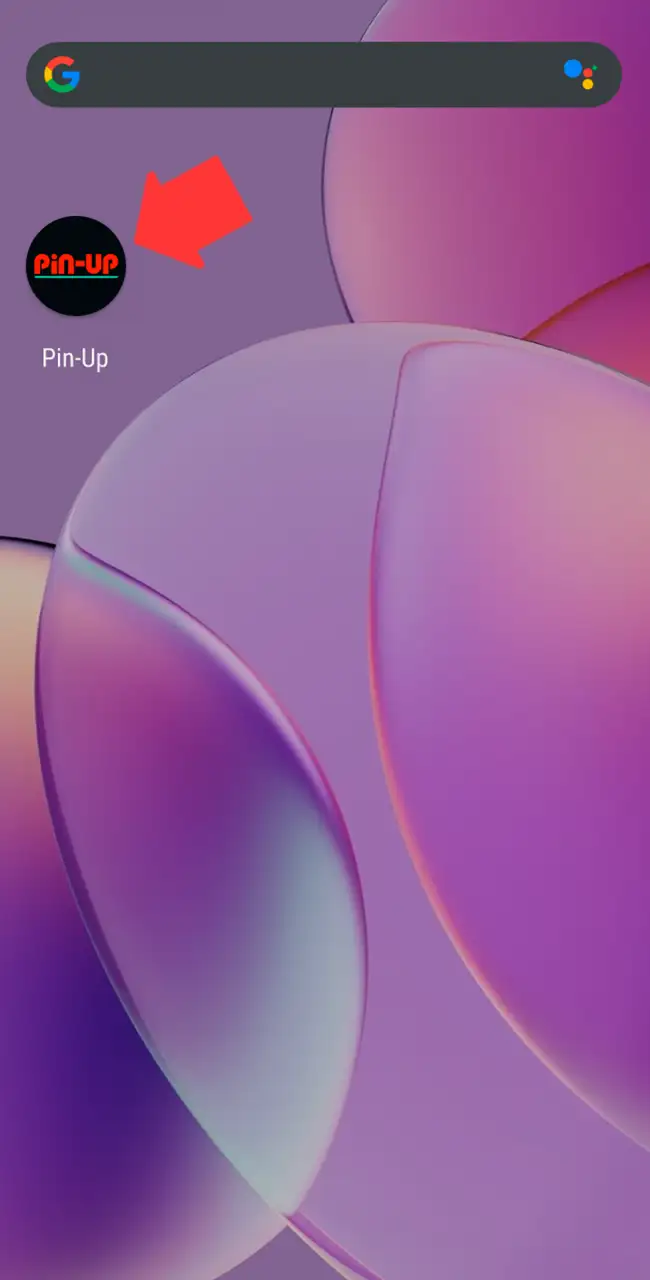
Open the Pin-Up App
Open the Pin-Up app you installed before.
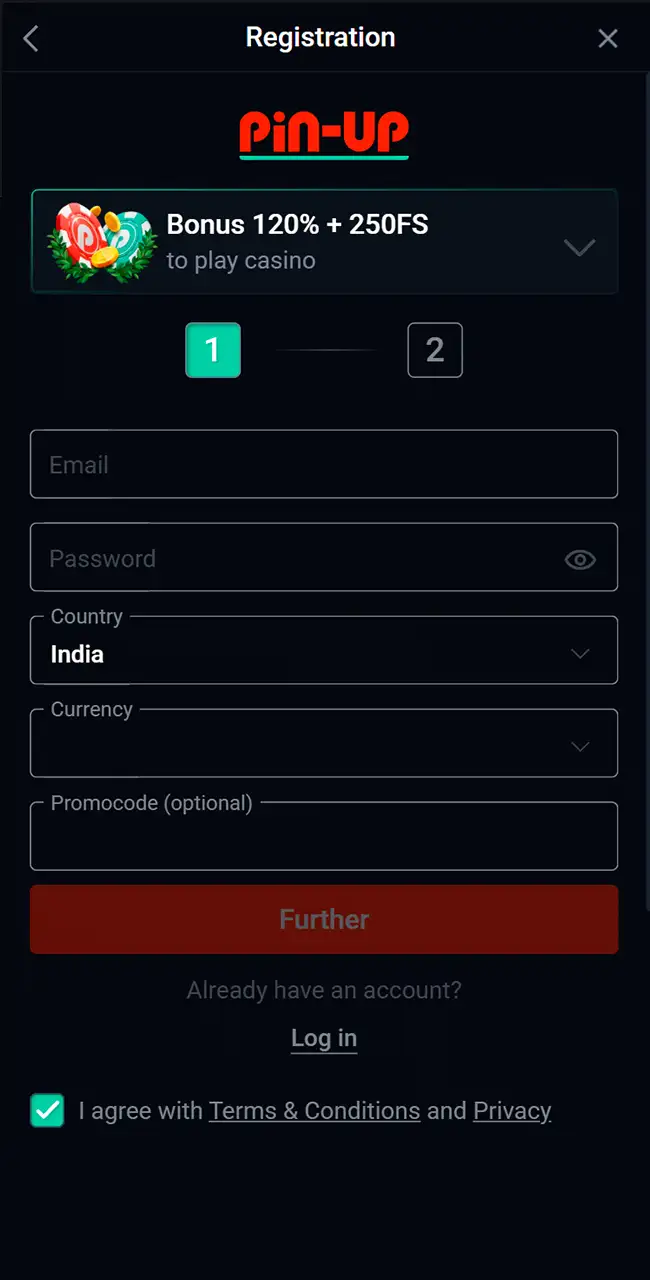
Register or Log In
Create a new profile with your details or enter your existing login.
Make a Deposit
Open the cashier with the wallet icon, pick a payment method and add funds. See our deposit guide first.
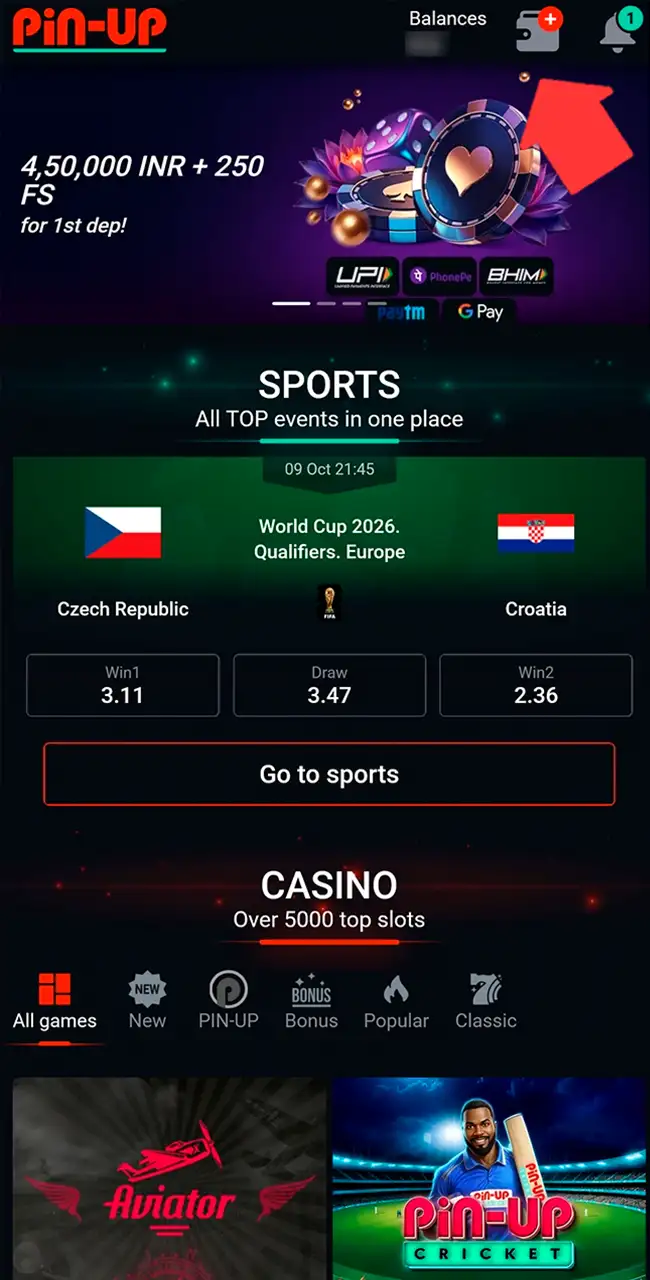
Find the Aviator Game
Check the homepage or the Crash section, where Aviator is listed first.
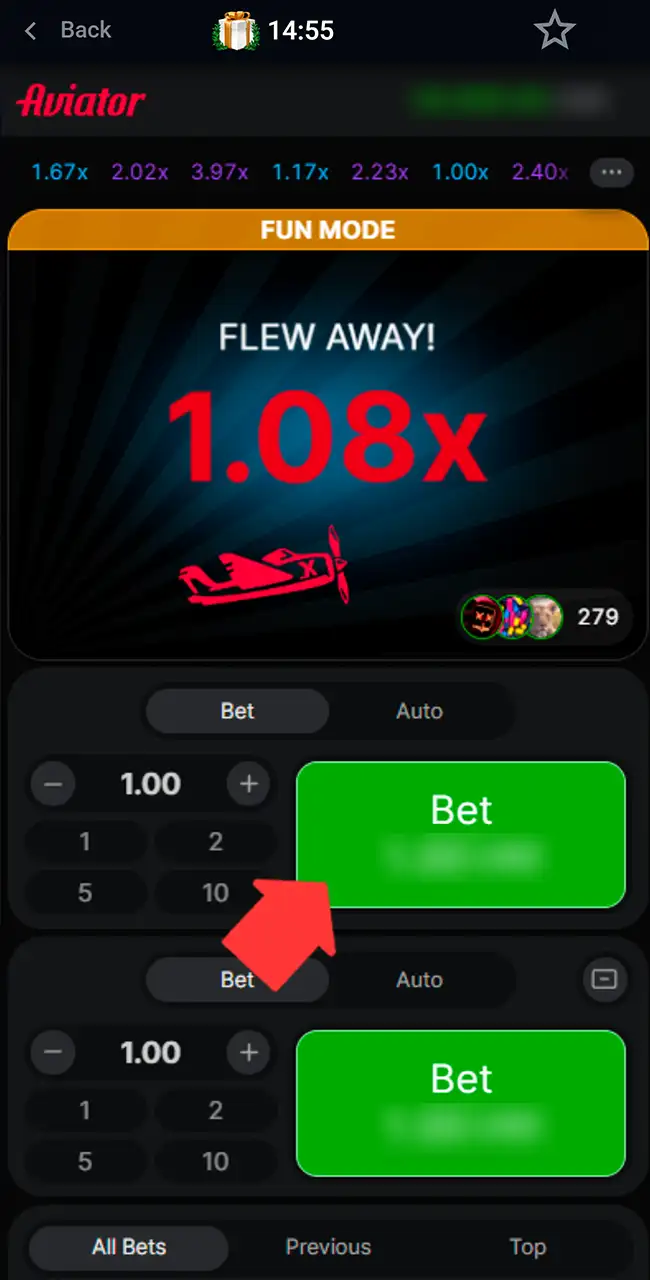
Start Playing
Choose your bet size, tap Bet before the round and cash out before the plane flies away. A $1 bet cashed out at 1.50x returns $1.50. If the plane leaves first, the bet is lost.
See how to play Aviator for the full rules, including Auto Cash Out.
Play the Aviator Demo via the Mobile App
The previous version of this page said Pin-Up had no free demo. Our April 2026 screenshots show otherwise: Aviator opens in Fun Mode, with an orange banner over the play area and a “Play for real money” button. From the screenshots alone, we can’t tell whether Fun Mode needs an account.
Fun Mode is a good place to try two bets and Auto Cash Out before real stakes. Demo rounds are random too, so they don’t predict a real session. Spribe also runs a free demo on spribe.co; see our Aviator demo guide.
Pin-Up Aviator Bonuses
Bonus offers add balance to your account, with wagering rules and time limits. None of them is tied to Aviator alone, so read which games count toward the wagering.
Bonuses as listed by each casino in April 2026, converted from Indian rupees at about ₹96 = $1 and rounded. Casinos credit bonuses in your account currency, and terms vary by country and change often, so check the casino’s site before you sign up. 18+
Welcome Bonus up to $4,690 + 250 Free Spins
New players get a bonus of up to $4,690 with 250 free spins after a first deposit from $3. The previous site listed it as 125%; the registration form on our April 2026 screenshot showed 120% + 250 FS. Wagering is x10, with minimum odds of 1.6 on accumulator bets. The bonus works across the casino and sports sections.

Weekly Cashback Bonus
A weekly cashback returns 10% of losses, up to $1,820. Cashback must be wagered x5 within 72 hours. It returns part of what you lost to your balance; it doesn’t make up the rest.

Deposit Bonus Package
The second to fifth deposits unlock more offers. You can choose 100% up to $470 with 65 free spins for the casino, or a sports bonus with a $5 free bet. The minimum deposit is $4. Only one bonus type works per deposit, so choose before you pay in.

Free Spins and Free Bets
Free spins and free bets come with deposit promotions. Free spins apply to selected slots, and free bets work in the sports section. They aren’t tied to Aviator.

Gift Box Rewards
Gift boxes reward turnover: every $49,480 wagered gives one box. A box can hold real money, bonus funds, pincoins or free spins. You can get up to 10 boxes a day and 100 in total. Each box stays active for 10 days.

Available Payment Methods in the Pin-Up App
Payment options include local services and digital wallets. Methods change with your country and currency; these are the ones listed on the India site.
| Payment method | Processing time | Minimum deposit | Maximum deposit |
|---|---|---|---|
| UPI | Instant | $3 | $4,170 |
| PhonePe | Instant | $3 | $4,170 |
| WhatsApp Pay | Instant | $3 | $4,170 |
| BHIM | Instant | $3 | $4,170 |
| AstroPay | Instant | $3 | $4,170 |
| Binance Pay | Instant | $3 | $4,170 |
As listed on the India site in April 2026, converted from Indian rupees at about ₹96 = $1 and rounded.
Withdrawals usually take from a few hours up to 24–72 hours, depending on the method and your verification status. Delays can appear during identity checks or busy periods, especially for larger amounts. Withdraw with the method you used to deposit, and read any bonus terms first, since they can block a payout.
Our guides to deposits and withdrawals cover the details.
How to Uninstall the App
How you remove Pin-Up depends on how you installed it: as an APK or as a browser shortcut.
- Open your device settings and go to the apps section.
- Find Pin-Up in the list.
- Tap it to open its settings.
- Choose Uninstall and confirm.
- Wait until the system removes the files.
- Clear any leftover cache if needed.
On Android, an APK install is removed like any other app. On iOS, deleting the saved shortcut removes the web version from the home screen.
Pin-Up Customer Support
Support is available through several channels for account, payment and access questions.
- Live chat: on the site and in the mobile version; replies usually come within minutes.
- Email: the support address listed on the site, for detailed requests; replies within 24 hours.
- Telegram: the official channel for messages and updates; response time varies.
Live chat handles most urgent questions, while email suits cases that need detailed checks.
Reviews on Pin-Up Aviator
Our team installed the app, registered, deposited and played Aviator at Pin-Up in April 2026. The APK came from the button in the site footer and installed after the usual Android prompts, and the iPhone shortcut opened from the home screen. Aviator loaded with Spribe’s Official Game badge, and Fun Mode was available.
The app itself worked as expected; the bigger questions are about the brand. Ukrainian sanctions, a revoked Ukrainian license and a block in Sri Lanka are reasons to check the terms and the license in the footer before you deposit.
Play responsibly
Every Aviator round is random, and no app or pattern can predict when the plane flies away. Set a budget before you start, use your casino’s deposit and time limits, and never chase losses.
Pin-Up Aviator App FAQ
Is there an official Pin-Up Aviator app?
Aviator runs inside Pin-Up’s casino app. Android uses an APK file from the site footer, while iOS access works through a saved browser version. Spribe itself has no standalone Aviator app.
Is the Pin-Up Aviator app free to download?
Yes. Installation and access are free; you need a deposit only for real bets.
How do I withdraw money from Pin-Up Aviator?
Open the account menu, go to the cashier, choose a payout method, enter the amount and confirm. Pin-Up may ask for an identity check first.
How do I download the latest version of the Pin-Up app?
Open the official site and download the current APK from the footer, or save the web version to your iPhone home screen through Safari.
Can I use my existing Pin-Up account?
Yes. Your login works on any device, so there’s no need for a new profile.
Do I need an internet connection to play Aviator?
Yes. All rounds run online and depend on real-time updates.
Is there a Pin-Up Aviator demo?
Yes, our April 2026 screenshots show Aviator in Fun Mode at Pin-Up. Spribe’s free demo is on spribe.co as well.