
Batery · Aviator app review
Batery Aviator App Download for Android (APK) and iOS, 2026 Version
Whether you play Aviator on Android or iOS, the Batery mobile platform gives quick entry through an APK file or a browser-based version. The game runs next to casino titles, live tables and sports betting. A first-deposit welcome bonus works only in Aviator, and Batery operates under a Curaçao license.
Searching for “Battery Aviator”? It’s the same brand. The casino spells its name with one t: Batery.
- Aviator by Spribe
- Yes
- Seen in the lobby, April 2026
- Android
- APK
- Not on Google Play; Android 5.0 or newer
- iOS
- Web app
- Home-screen shortcut via Safari
- License
- Curaçao
- OGL/2024/107/0914
Batery App Key Information
Knowing the core settings helps you avoid confusion with deposits, play and withdrawals. These details cover limits, supported options and the main features before you start. Our team installed the app, registered, deposited and played Aviator at Batery in April 2026; the screenshots on this page come from that session.
| Company established | 2021 per the brand; 2024 per independent reviews |
|---|---|
| License | Curaçao (OGL/2024/107/0914) |
| Price | Free |
| Operating system | Android (APK), iOS (web app) |
| Latest version | Latest available on Batery’s site |
| Application size | About 50 MB |
| Casino | Available |
| Sports | Available |
| Welcome bonus | 100% up to $310 (Aviator bonus) |
| Supported languages | English, Hindi and others |
| Currencies | Depend on your country; INR and crypto on the India site |
| Min deposit | $3 |
| Max deposit | $1,040 |
| Support | Live chat, email, social media |
Bonuses as listed by each casino in April 2026, converted from Indian rupees at about ₹96 = $1 and rounded. Casinos credit bonuses in your account currency, and terms vary by country and change often, so check the casino’s site before you sign up. 18+
Pros
- Spribe’s Aviator, labeled Spribe in the lobby, with a Fun Mode for practice.
- A welcome bonus that works only in Aviator.
- Hindi interface available for easier navigation.
- Passkey sign-in, which uses your phone’s fingerprint or face unlock.
- Free to install and use.
- Casino, sports and live games in one app.
- Works on most modern Android devices.
- Several payment methods, including UPI and crypto on the India site.
Cons
- Withdrawals can take 24–72 hours.
- KYC is required before the first withdrawal.
- No native iOS app, only a home-screen web app.
- A young offshore casino with no published list of accepted countries.
Interface Review of Batery Aviator App
The design uses large tiles for casino, sport, live casino and Aviator, and each section opens from the main screen. A banner at the top shows the Aviator welcome bonus. Menu categories sit in the header, so switching sections takes little time. Balance, profile and deposit controls stay at the top during play.
In the casino lobby, the Aviator tile in Top games is labeled Spribe, and the game loads with Spribe’s “Official Game, Since 2019” badge. It opened in Fun Mode, shown by an orange bar, with a “Play for money” button at the top. Open Game Limits from the game menu before your first bet: in our screenshot, bets ran from about $0.10 to $80, with a maximum win of about $8,330 for one bet. Batery sets these limits for your currency.
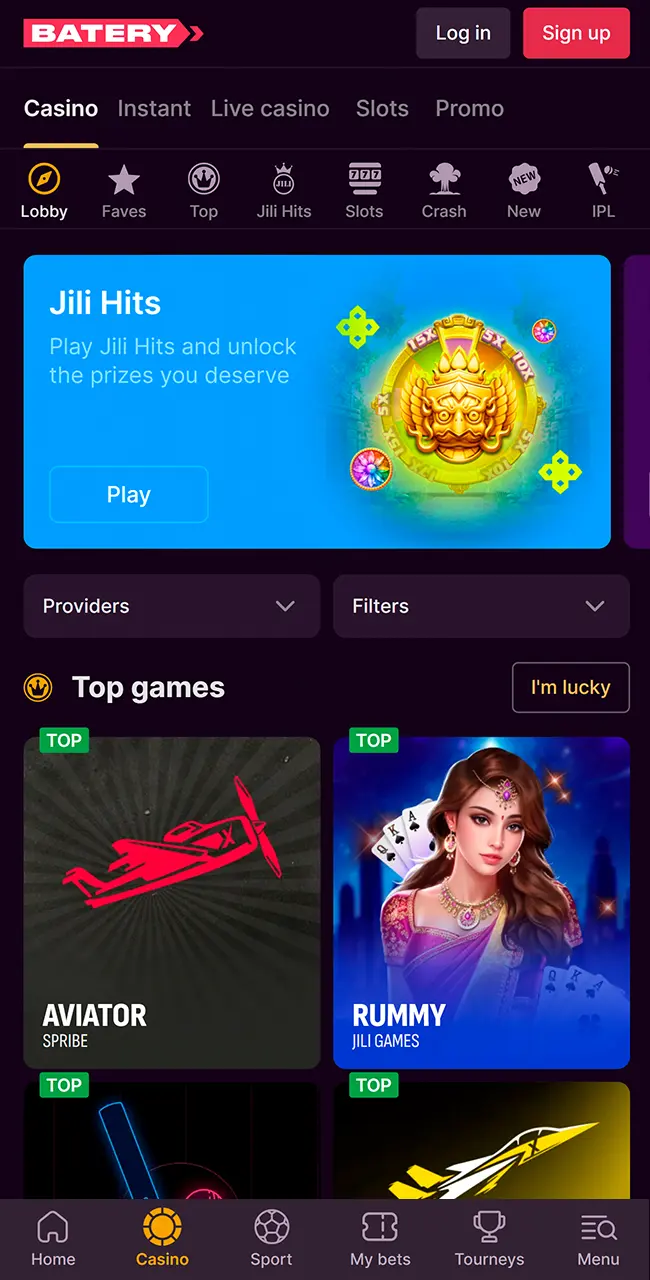
Casino lobby 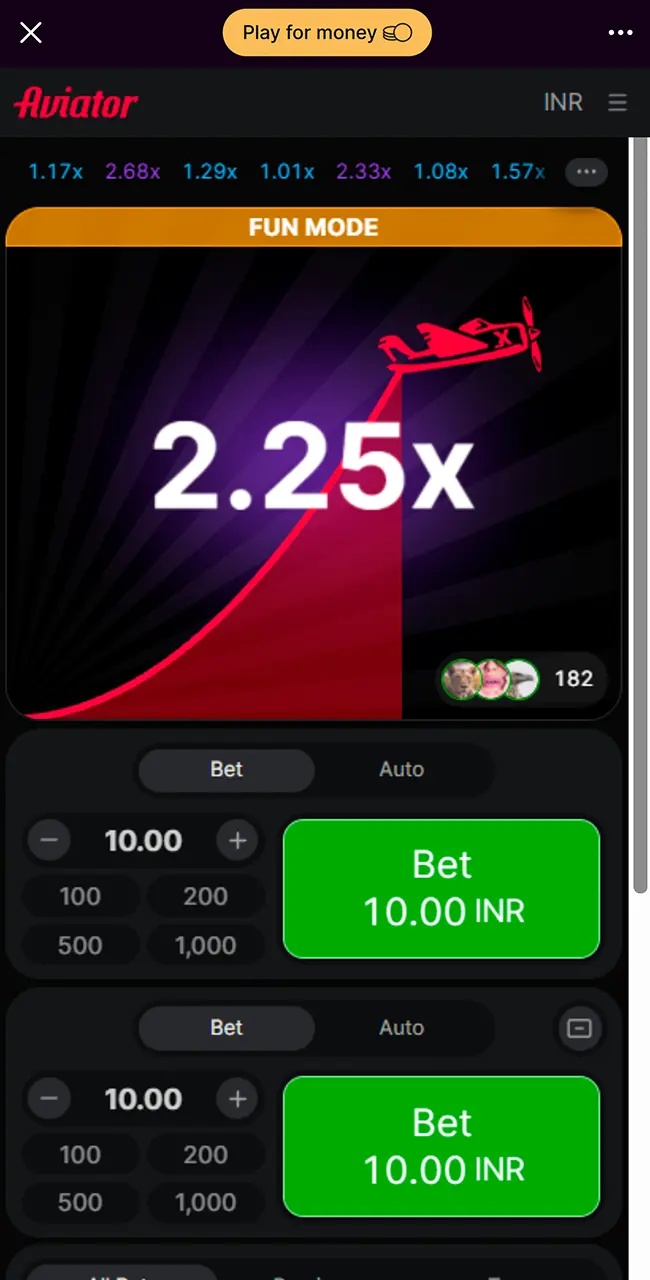
Aviator in Fun Mode 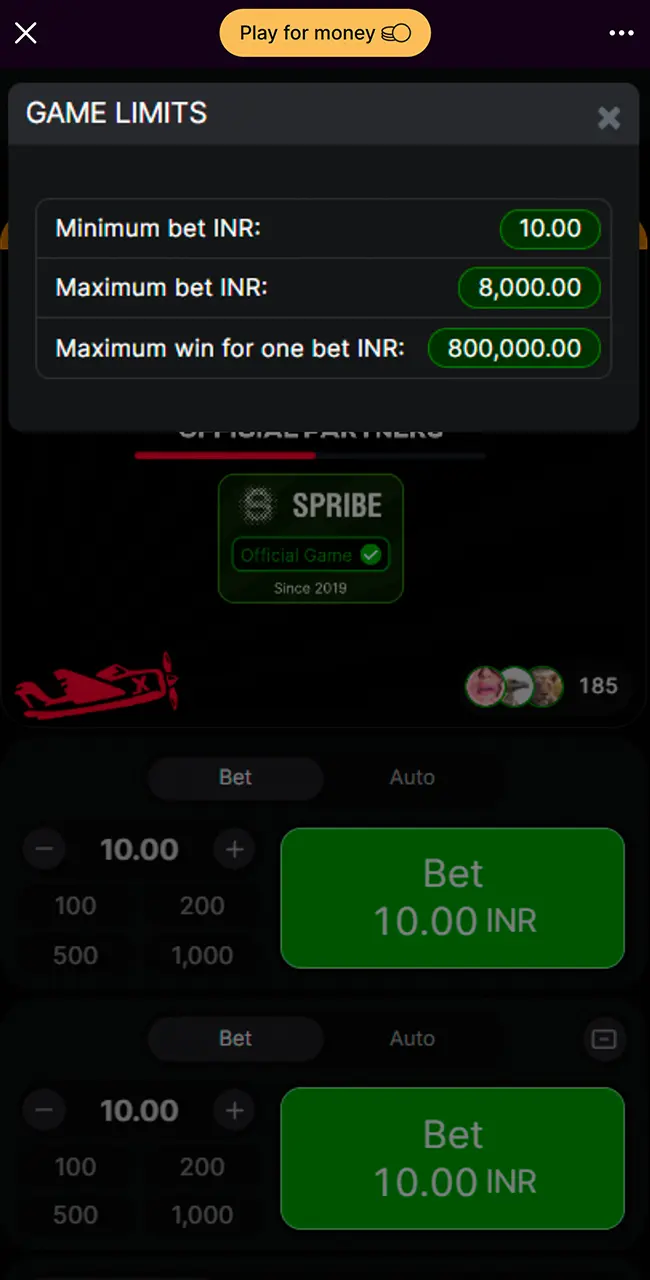
Game Limits 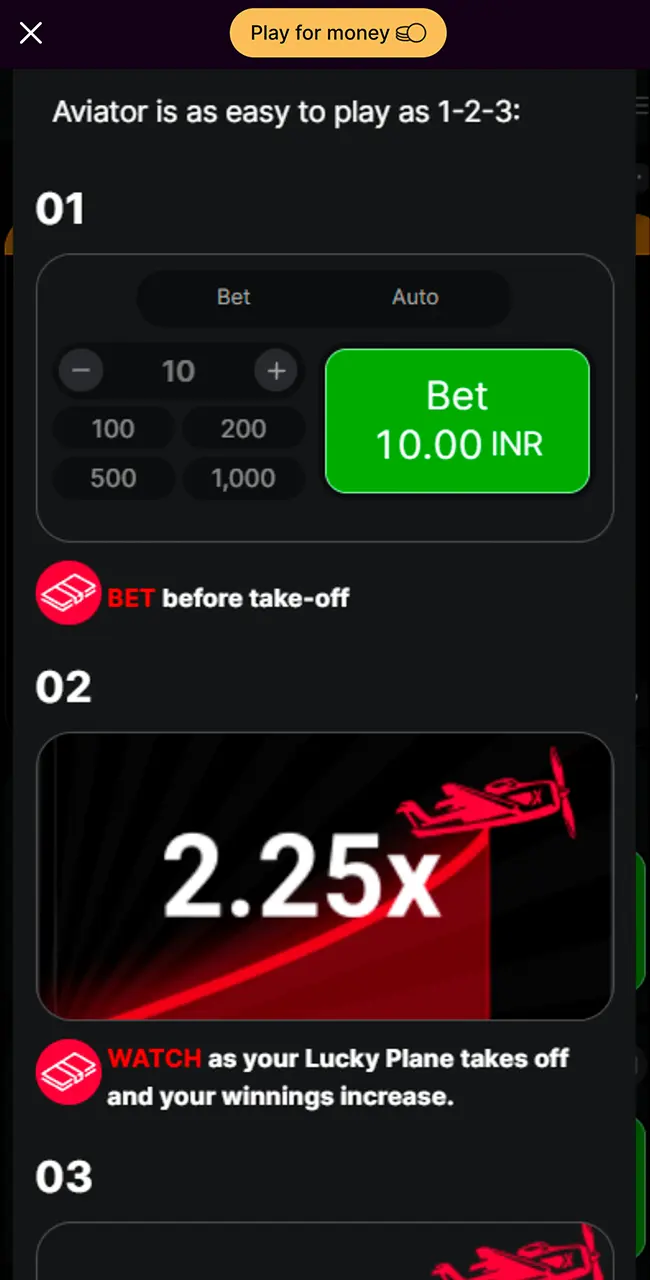
How to Play 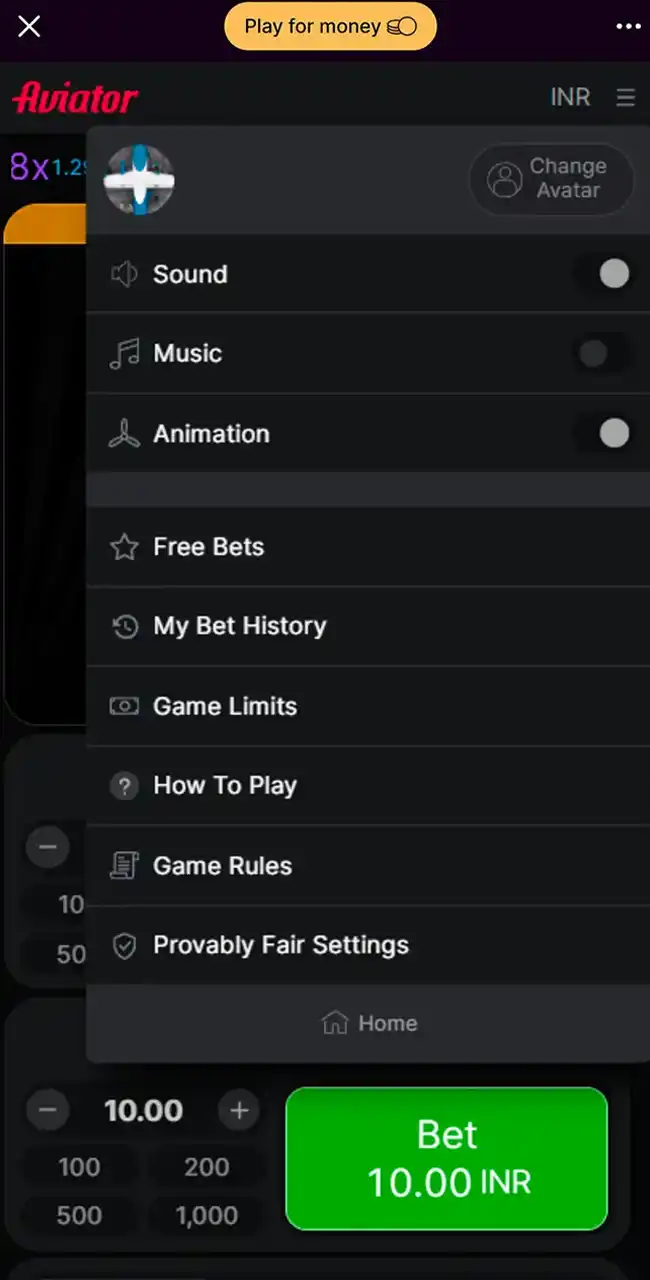
Game menu
Batery Aviator Android App Review & Specs
Android players run Batery’s Aviator through an APK file, and the game loaded steadily during our rounds. Controls react quickly, which matters when you cash out. Casino games, live tables and sports betting sit in the same app.
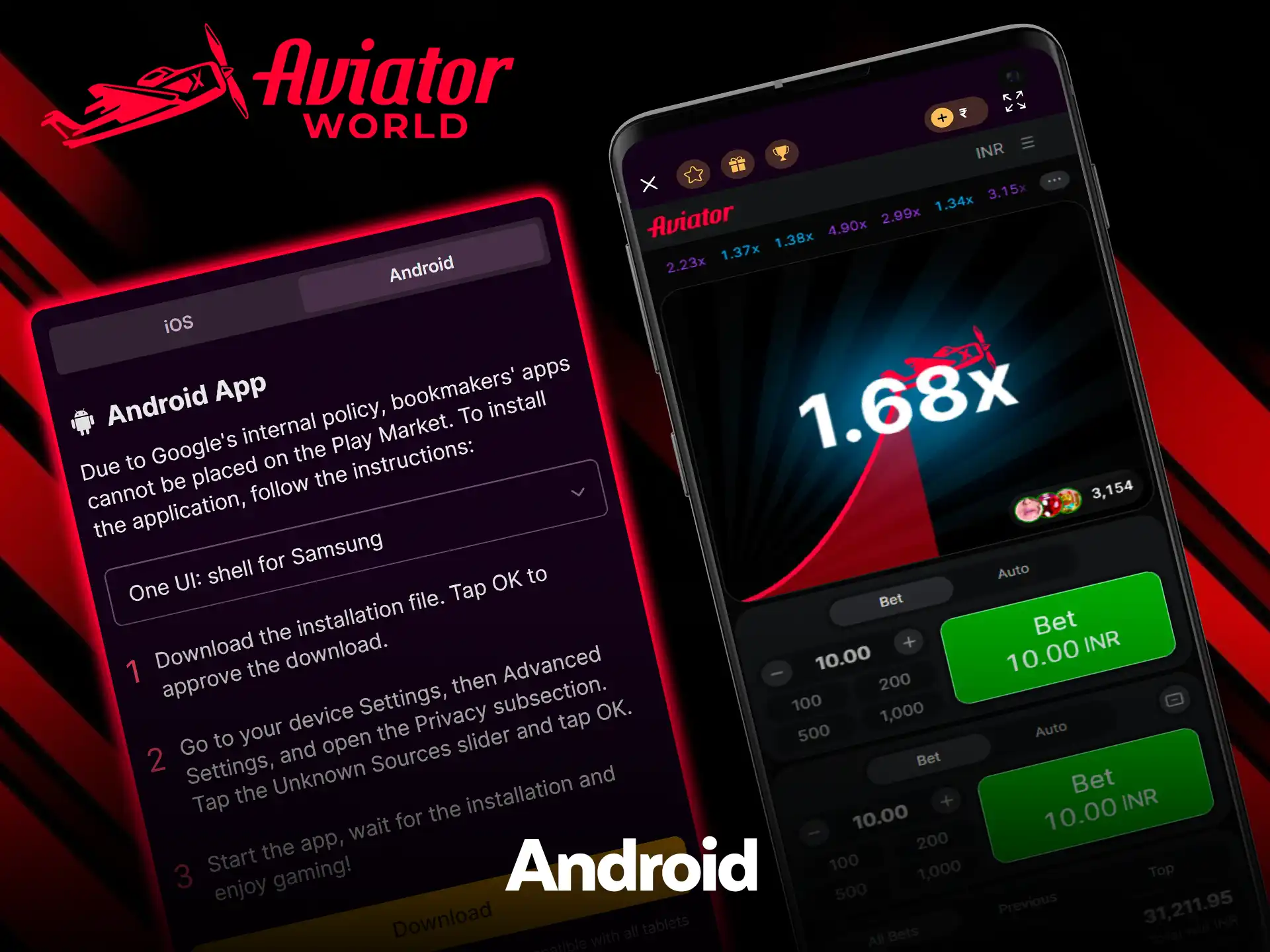
Batery’s Mobile apps page says that, due to Google’s policy, bookmakers’ apps can’t be placed on Google Play. So installation takes a few manual steps, and the app needs Android 5.0 or newer. Because the brand is often misspelled, check that you are on Batery’s real site before you download anything.
Compatible Devices
Most recent Android smartphones and tablets run the app without issues. Examples:
- Samsung Galaxy S22, S23, S24 series
- Xiaomi 12, 13, 14
- OnePlus 10, 11, 12
- Vivo V27, V29, X100
- Oppo Reno 8, 9, 10
- Realme GT3, GT5, GT6
- Google Pixel 6, 7, 8
Performance depends on the system version and the free memory on the device.
System Requirements
| App version | Latest APK version |
|---|---|
| Last update | Regular updates |
| Minimum RAM | 2 GB |
| APK size | About 50 MB |
| Required space | 100–150 MB |
| Android version | 5.0 or newer (stated by Batery) |
How to Update Batery Aviator App on Android Devices
New versions replace the old file by manual install, since Google Play doesn’t deliver the updates.
- Open Batery’s website on your device.
- Open the menu and go to Mobile apps.
- Download the latest APK file.
- Allow installs from unknown sources for your browser, if you haven’t already.
- Open the downloaded file and confirm the installation.
- Wait until it finishes and launch the updated version.
The update takes a few minutes and needs no extra tools.
How to Download and Play Aviator Game via Batery App on Android
You download the APK from Batery’s site, allow the install and then open Aviator in the app. Android warns about every APK from outside Google Play, so the prompts below are normal.
Open the Official Website on Your Device
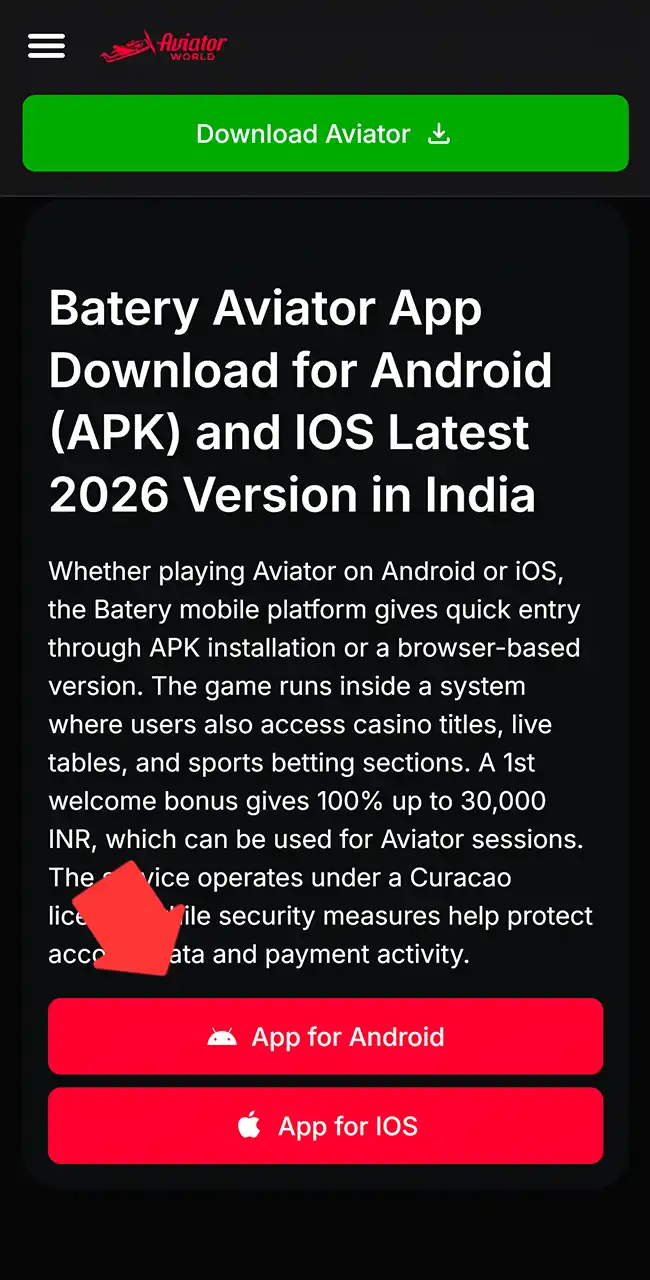
Use the button below to go to Batery’s homepage, then check the spelling with one t in the address.
Go to the Applications Section
Open the menu, choose Mobile apps and switch to the Android tab. The page has step-by-step notes for Samsung’s One UI and other Android versions.
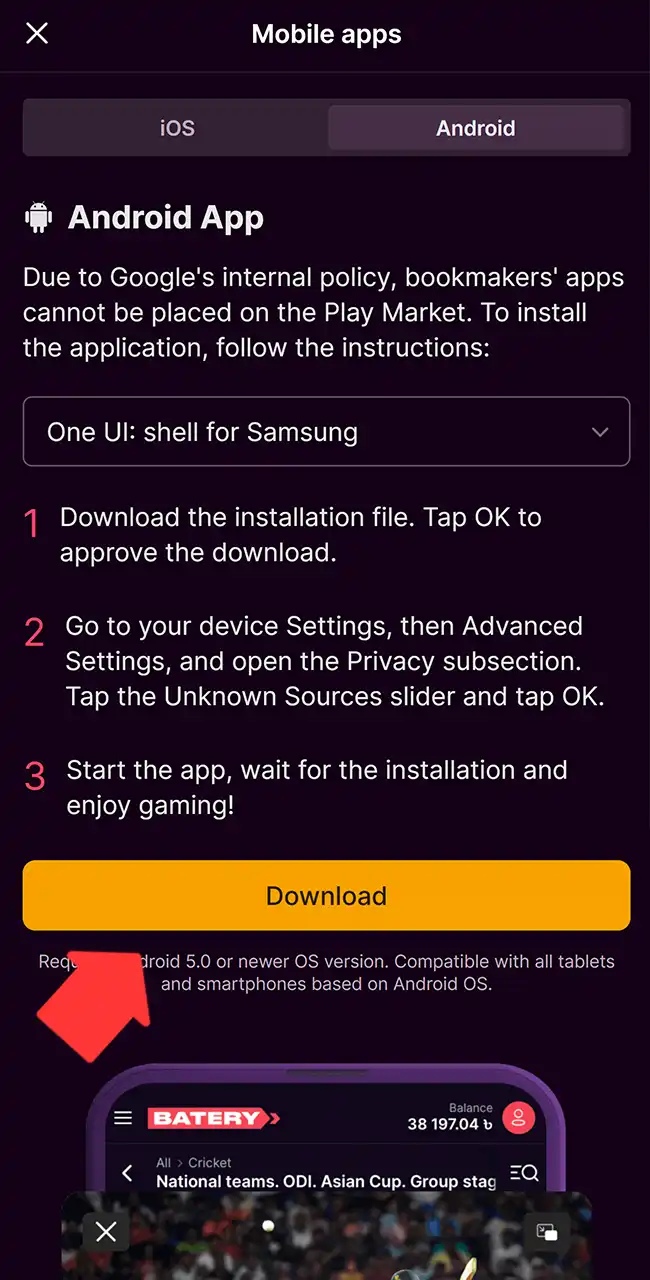
Download the Installation File
Tap Download and confirm when Android warns that this type of file may harm your phone.
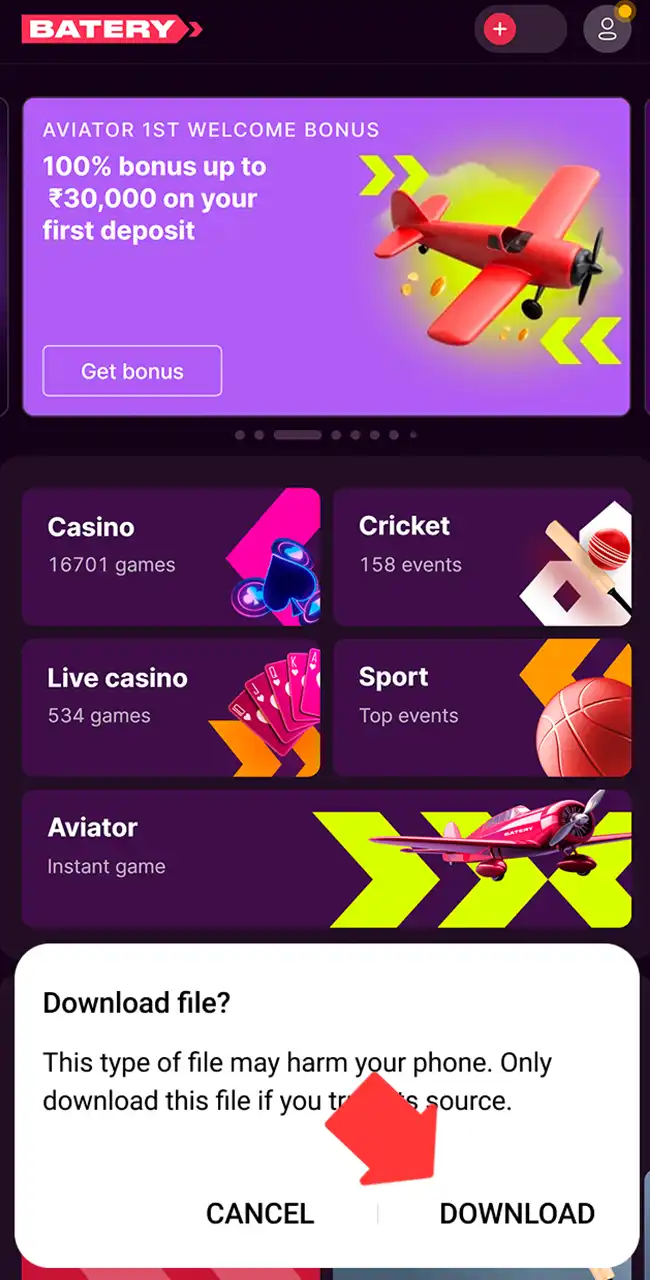
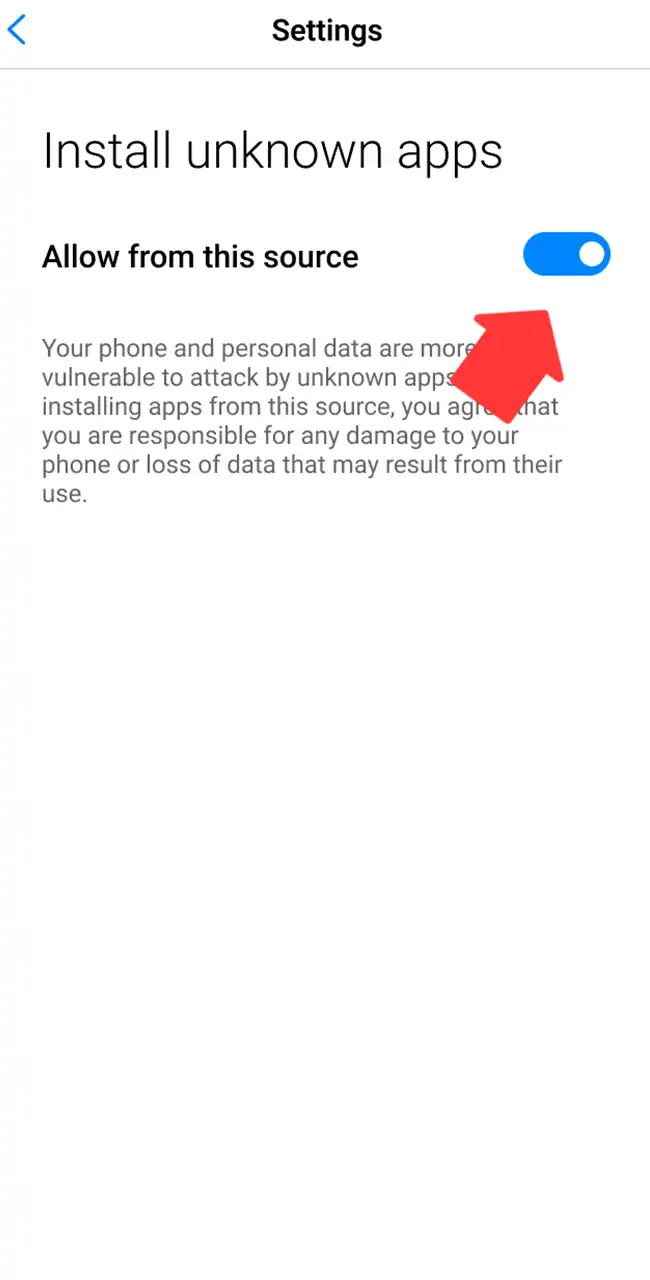
Enable Unknown Sources in Settings
Allow installs from this source for your browser. On Samsung phones, Batery points to Settings, Advanced Settings, Privacy.
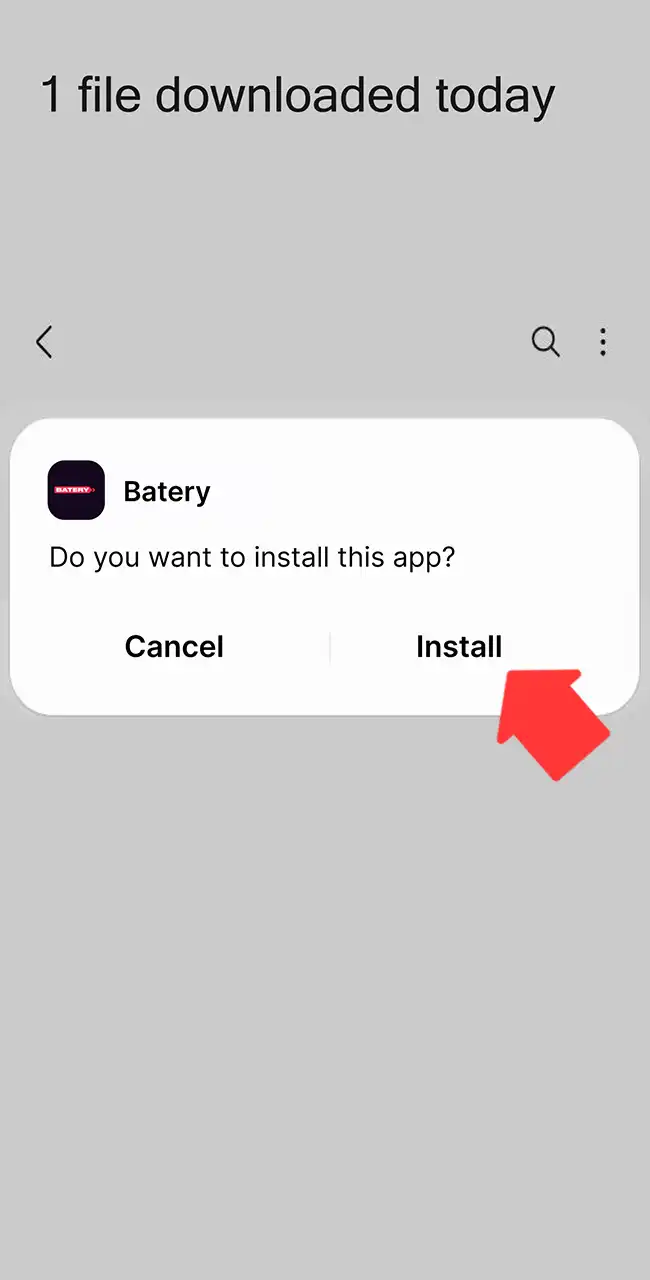
Install and Launch the Platform
Open the APK file, tap Install, then log in and open Aviator.
Batery Aviator iOS App Review & Specs
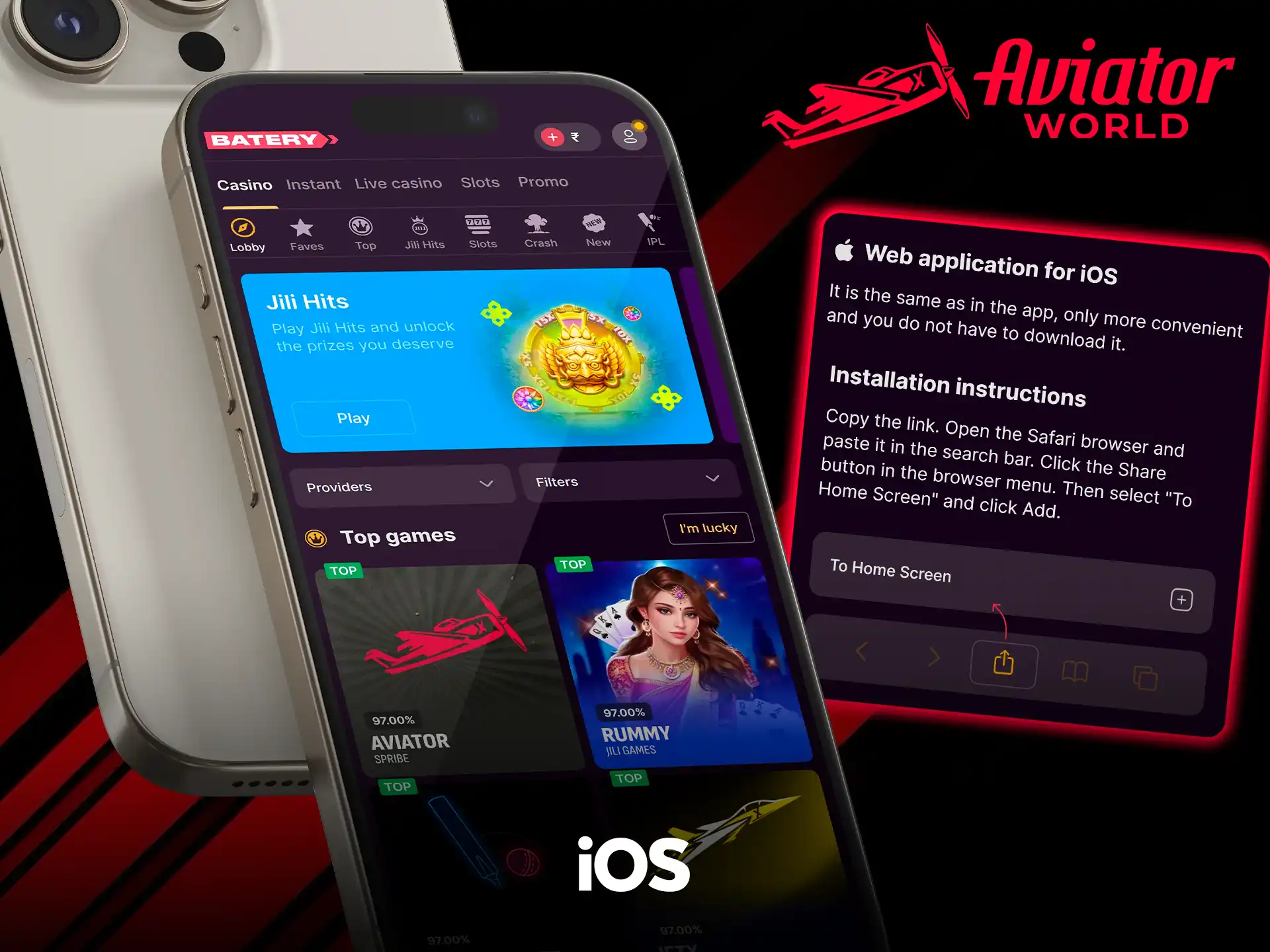
Batery has no native iOS app. Its Mobile apps page offers a web application for iOS instead: you open the site in Safari, tap Share and choose Add to Home Screen. The saved version opens full screen, so it feels close to an app. Bets, multipliers and Cash Out respond as on Android.
The details below cover supported devices, system limits and the setup steps.
Compatible Devices
Modern Apple devices run the web version without issues. Examples:
- iPhone 13, 14, 15, 16, 17
- iPhone 13 Pro to 17 Pro
- iPhone 13 Pro Max to 17 Pro Max
- iPad (10th and 11th generation)
- iPad Air (5th and 6th generation)
- iPad Pro (M2 and M4 models)
Performance depends on the iOS version and the free storage.
System Requirements
| App version | Web-based, always the latest |
|---|---|
| Last update | Automatic via the browser |
| Minimum RAM | 2 GB |
| App size | Cache-based, no fixed size |
| Required space | 50–120 MB |
| iOS version | iOS 13 or newer |
How to Update Batery Aviator App on iOS Devices
The web app updates through Safari, since there is no file to download.
- Open Safari and go to Batery’s website.
- Refresh the page to load the newest version.
- Clear the browser cache if old data still appears.
- Remove the saved shortcut from the home screen.
- Add the site again with the Share option.
- Launch the updated version from the new icon.
These steps take a short time and need no downloads.
How to Download and Play Aviator Game via Batery App on iOS
Setup works through Safari: you save the site to the home screen, and it opens without the browser panels.
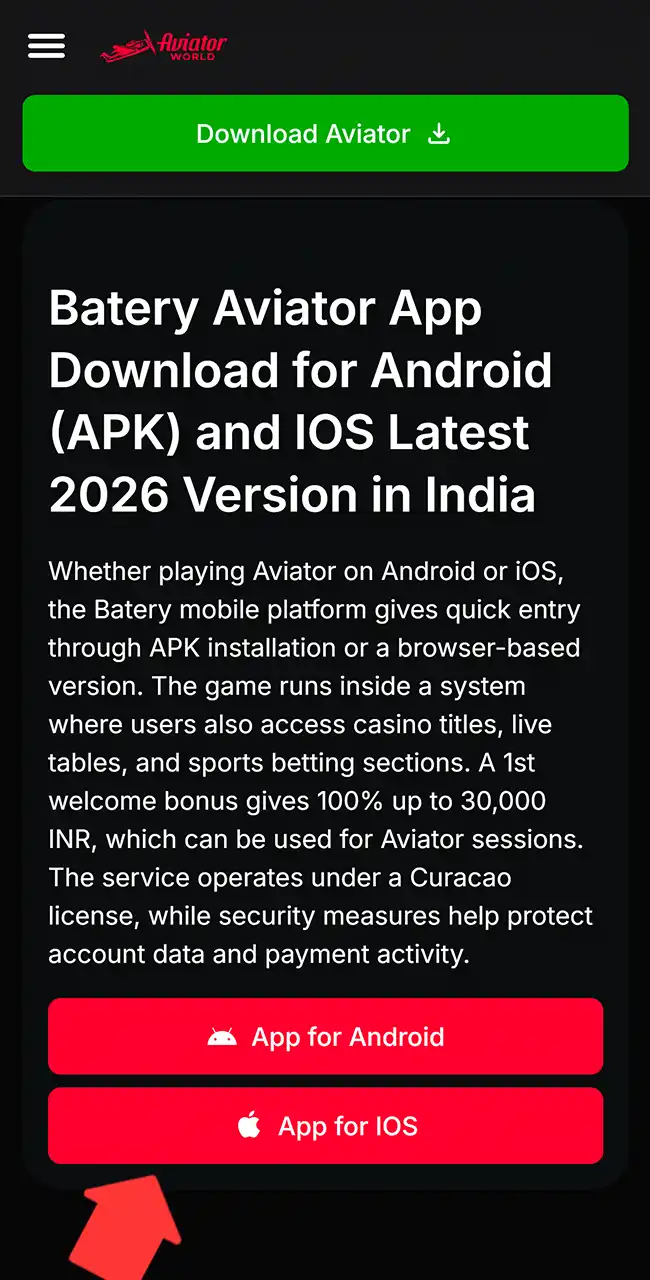
Open the Official Website
Use the button below and wait until all sections load.
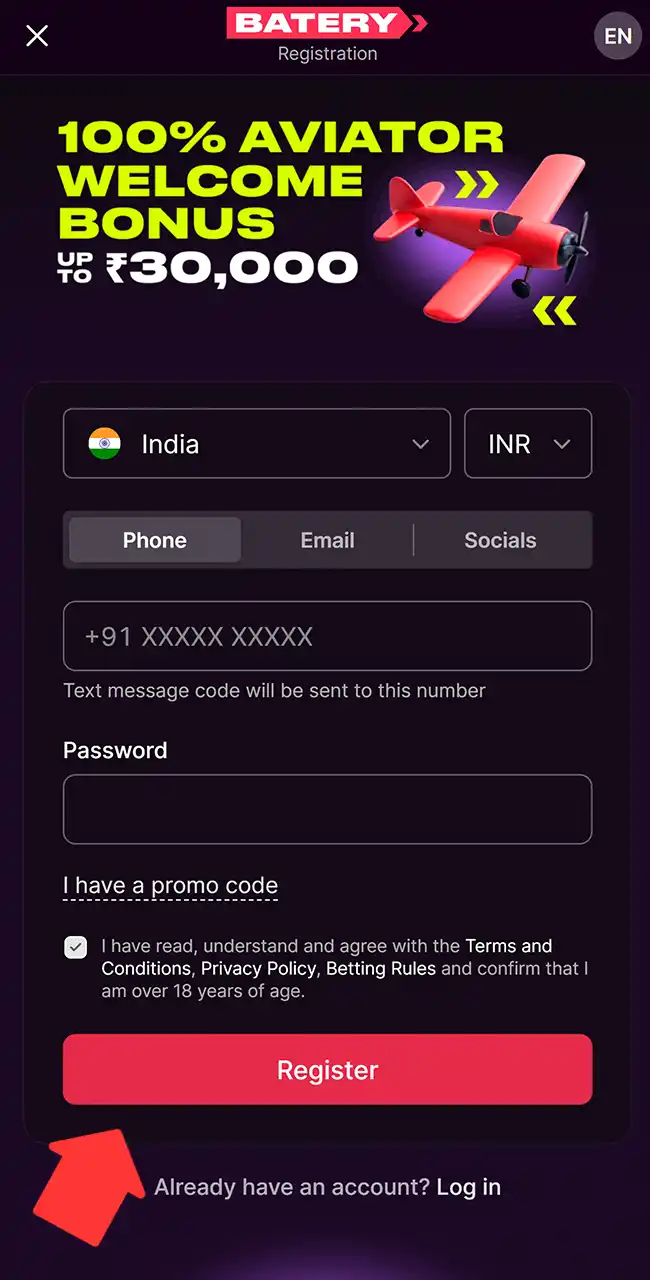
Log In or Create a New Account
Log in, or register by phone, email or a social account before you start.
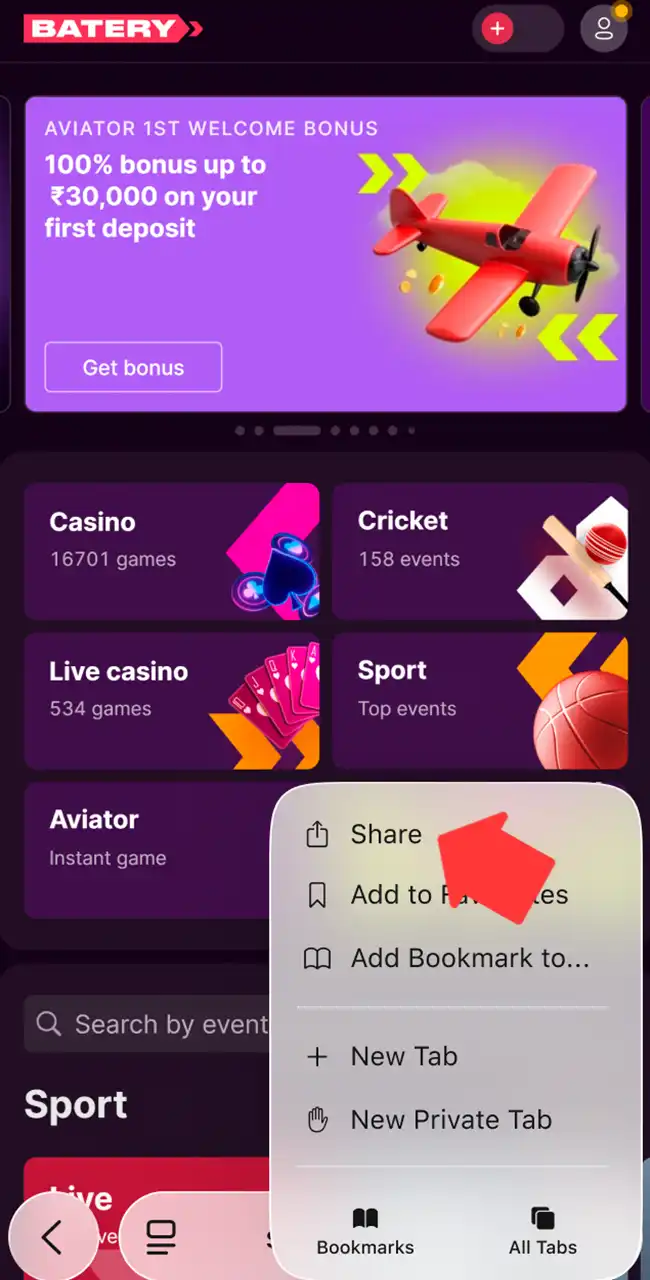
Add the Platform to the Home Screen
Open Safari’s menu, tap Share and choose Add to Home Screen.
Launch the Saved Version from the Screen
Tap the new Batery icon. The site opens full screen, without Safari’s tabs.
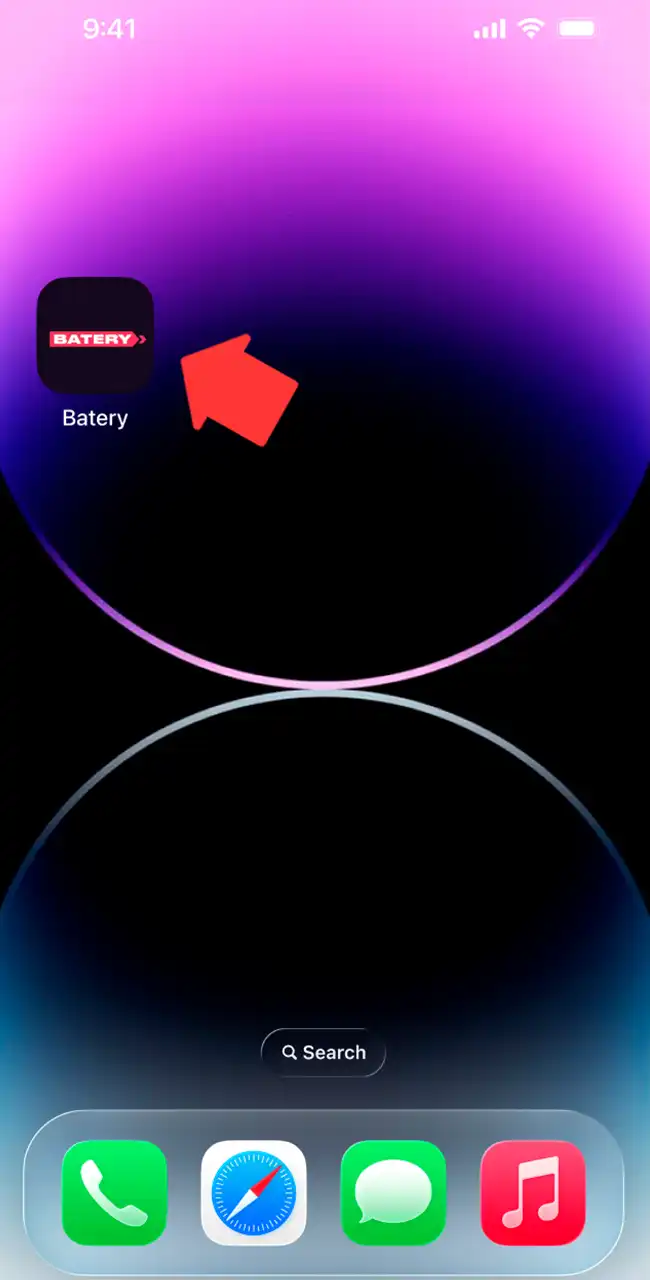
Find Aviator and Start Playing
Open Casino, tap Aviator by Spribe, place a bet and follow the multiplier.
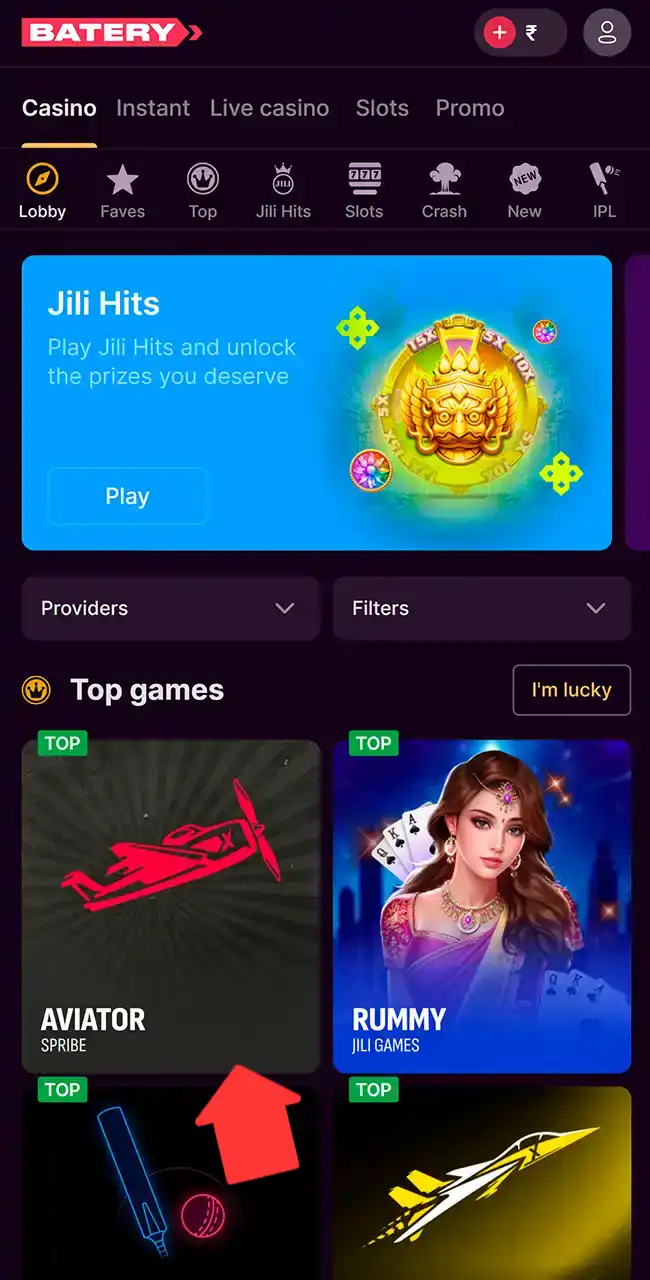
Registration & Login on Batery via App
Creating an account and logging in take a few steps, with clear options on screen.
- Open the app and find the sign-up button on the main page.
- Tap it to open the registration screen with country and currency selection.
- Choose a registration method: phone, email or a social account.
- Enter your phone number or email, then create a secure password.
- Confirm that you agree with the terms and are over 18, and complete the registration.
Login works through a separate screen.
- Find the Log in button on the main screen.
- Choose a login method: phone, email or account ID.
- Enter your details and confirm to open your account.
Google, Telegram and Passkey sign-in are also offered. Batery may ask you to verify your identity before withdrawals. Our registration guide explains sign-up and verification in general.
How to Play Aviator Game via Batery Application
A few steps get you into Aviator. The rules of a round are in how to play Aviator.
Open the App and Log In to Your Account
Open the Batery app, enter your details and go to your account.
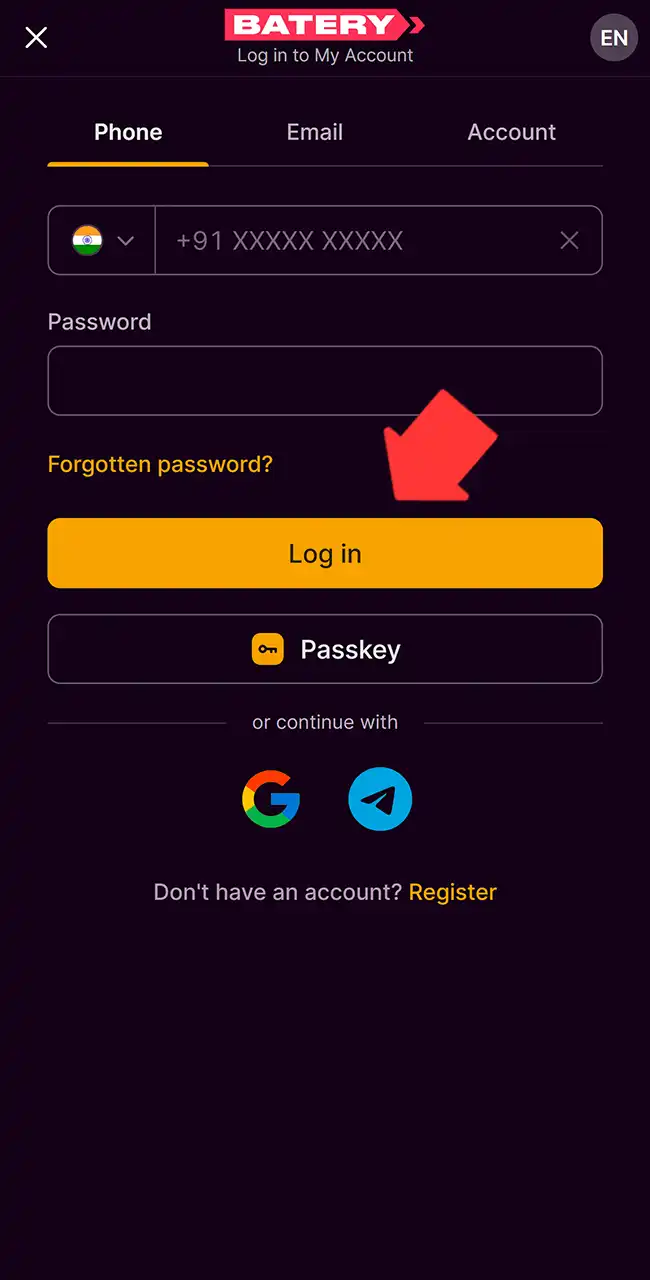
Find Aviator on the Homepage or in the Casino Section
Tap the Aviator banner on the main screen, or open Casino and find the Aviator tile labeled Spribe.
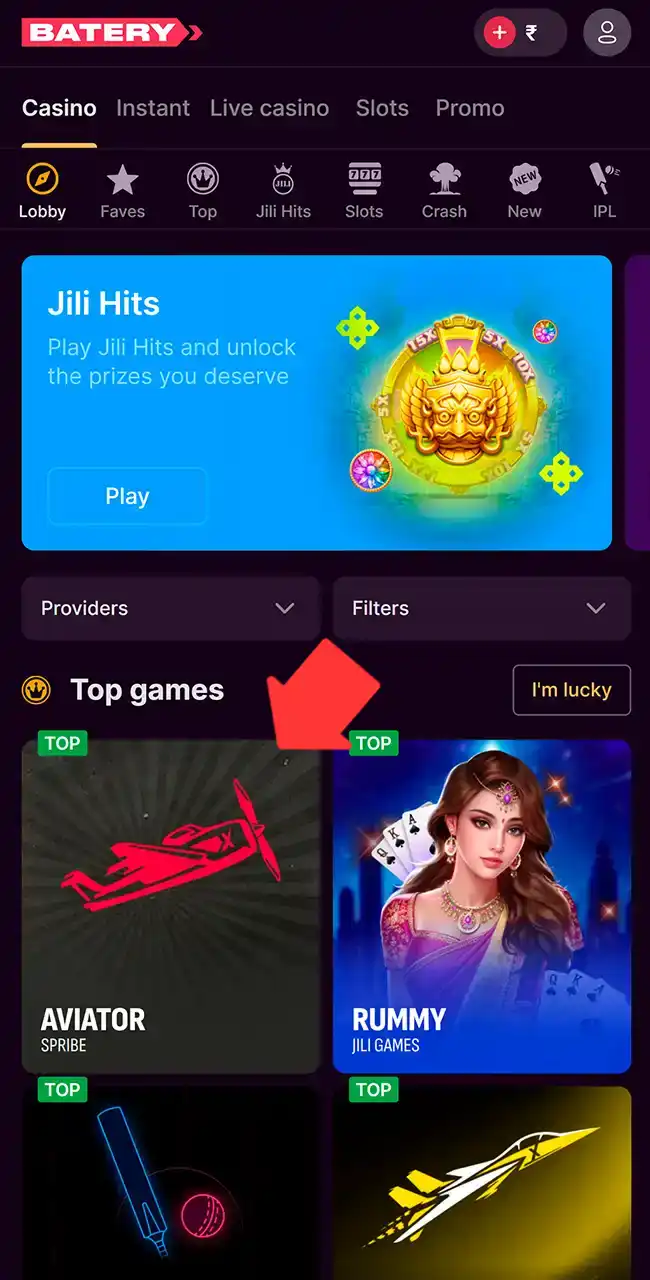
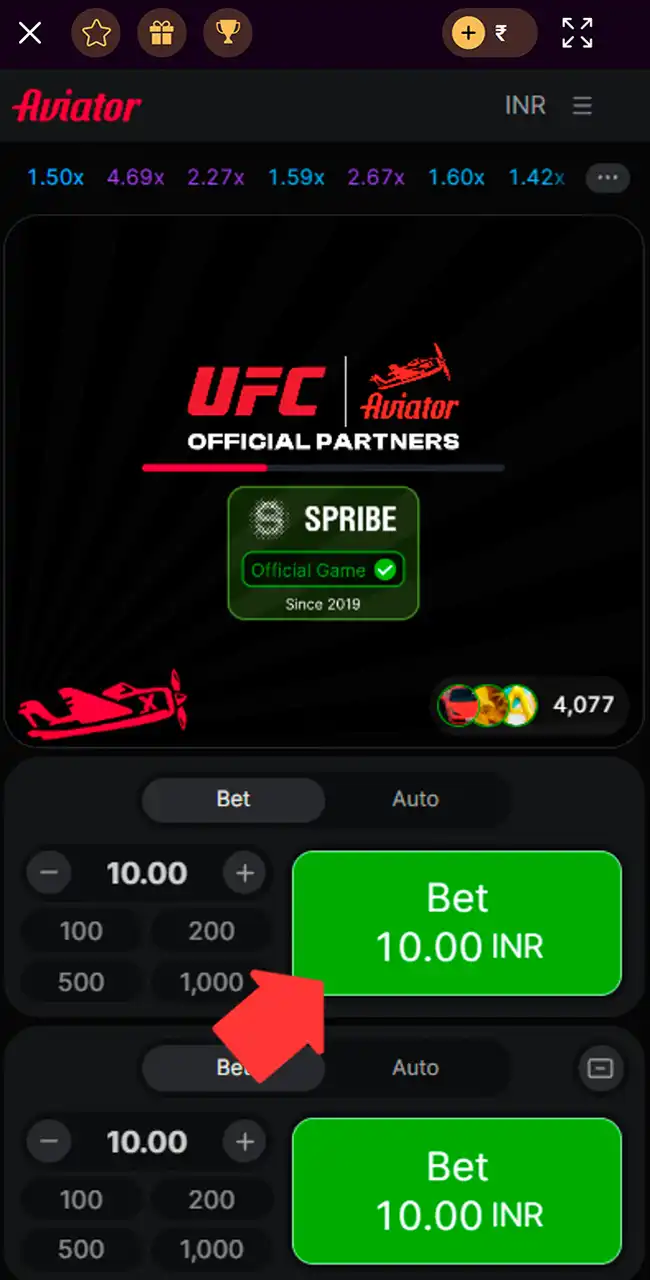
Set Your Bet Amount Before the Round
Choose the amount with plus and minus or a preset, then press Bet before takeoff. The lower panel takes a second bet.
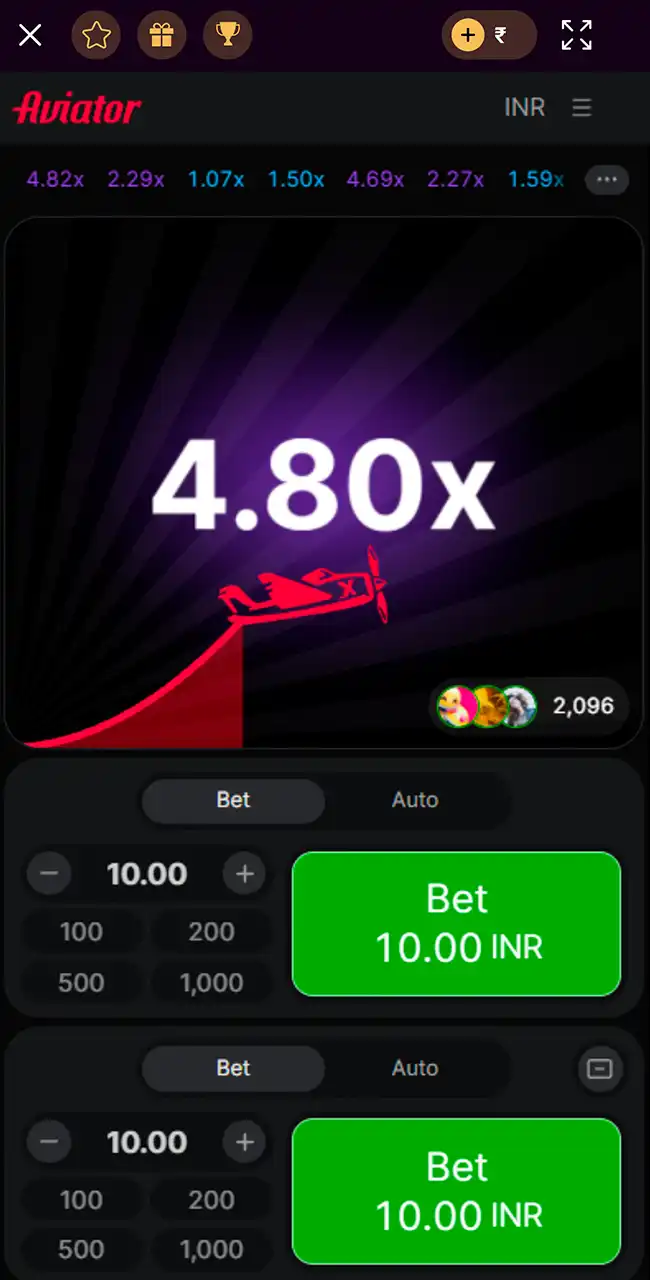
Watch the Multiplier Growth During the Round
The multiplier climbs from 1.00x as the plane rises. Nothing on screen tells you when it will stop.
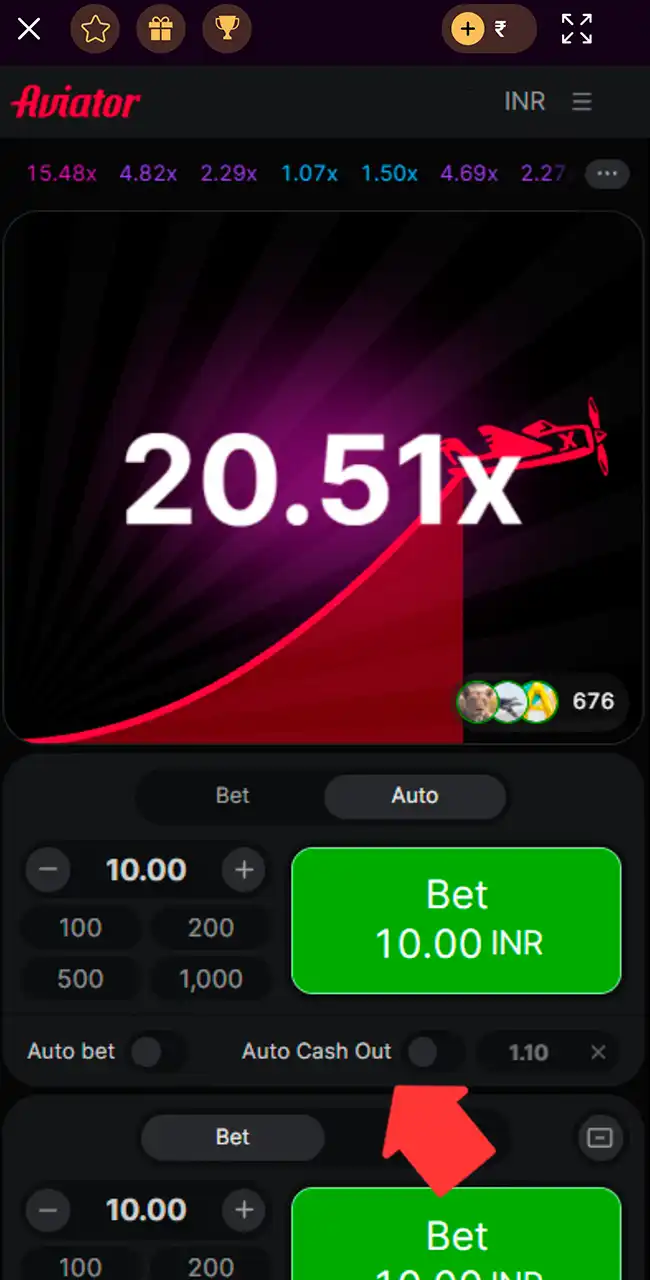
Cash Out Before the Round Ends
Press Cash Out before the plane flies away, or set Auto Cash Out in the Auto tab. If the plane leaves first, the bet is lost.
Play Aviator Demo via Mobile App
Batery opens Aviator in Fun Mode, with an orange bar over the flight area and a virtual balance. A “Play for money” button at the top switches to real bets. Our screenshots don’t show whether Fun Mode opens without logging in.
Fun Mode helps you learn how the multiplier moves and when to cash out, without using your balance. The rounds follow the same rules as real ones, though demo results say nothing about a real-money session. Our Aviator demo guide has more.
Batery Aviator Bonuses
Batery’s bonuses add extra balance for Aviator and other casino games. Read the wagering terms first.
Bonuses as listed by each casino in April 2026, converted from Indian rupees at about ₹96 = $1 and rounded. Casinos credit bonuses in your account currency, and terms vary by country and change often, so check the casino’s site before you sign up. 18+
Aviator 1st Welcome Bonus
New players get a 100% bonus up to $310 on a first deposit from $3. It works only in Aviator, with x40 wagering within 7 days. The maximum payout equals the bonus amount (x1). The bonus focuses on the crash game, so it suits players who mainly play Aviator.

Slots 1st Welcome Bonus
A separate casino bonus gives 150% on the deposit plus 200 free spins in Wild Tiger, from a $3 deposit. Wagering is x40 on slots, and sports bets at odds of 2.00 also count. The bonus is active for 30 days.

Aviator Deposit Bonus Levels
Four tiers depend on the deposit size, each with extra funds and free bets for Aviator. Rewards range from 10% to 25%, with bonuses up to $260, and free bets grow with larger deposits. Wagering is x20 within 2 days, in Aviator only.

Weekly Cashback Program
Weekly cashback depends on your activity. Tiers such as Pro, Premier and Super reach up to 20%, counted from your total bets during the week. Cashback returns part of what you wager; it doesn’t change the odds of a round.

VIP Cashback Rewards
VIP players get extra cashback in cash, at rates from 15% to 20% depending on weekly bets. Entry depends on activity thresholds that rise step by step. Set a budget first: chasing a VIP tier means wagering more.

Available Payment Methods on Batery App
The app uses the same cashier as the website. Methods depend on your country and the account currency you choose at sign-up. These are the methods on Batery’s India site, where our team played.
| Payment method | Processing time | Minimum deposit | Maximum deposit |
|---|---|---|---|
| UPI (Google Pay) | Instant | $3 | $1,040 |
| PhonePe | Instant | $3 | $1,040 |
| Paytm | Instant | $3 | $1,040 |
| iCash One | Instant | $3 | $1,040 |
Limits converted from Indian rupees at about ₹96 = $1 and rounded.
Withdrawals usually take from a few hours to 24–72 hours, depending on the method and your account status. Batery doesn’t publish official processing times, and checks or high load can add delays. Verify your identity before you withdraw, and use the method you deposited with. Our deposit guide and withdrawal guide cover both sides.
How to Uninstall the App
Removing the app depends on how you installed it: an APK on Android or a saved web shortcut on iOS.
- Open your device settings and go to Apps.
- Find Batery in the list of installed apps.
- Tap it to open the app details.
- Tap Uninstall and confirm.
- Wait until the files are removed.
- Clear any remaining data or cache if needed.
On iOS, deleting the home-screen icon removes the web version.
Batery Customer Support
Support handles account, payment and access questions.
- Live chat inside the app is the fastest option; most questions get a reply within minutes.
- Email suits detailed issues such as verification or payment requests; the address is in the app’s contacts, and replies take longer.
- Social media channels such as Instagram and Telegram post updates and take messages.
Reviews on Batery Aviator
Our team installed the app, registered, deposited and played Aviator at Batery in April 2026. The APK installed after the usual Android prompts, and the iPhone web app worked from the home-screen icon. Aviator in the lobby is Spribe’s game, with Fun Mode and the standard Game Limits and Provably Fair windows.
Outside reviews are mixed. Casino.guru lists 76 player complaints, and an Indian media outlet, Storyboard18, cited “Batery Bet” as an example of surrogate advertising in India. Batery is young, so its track record is short. Read recent player reviews and the terms before you deposit.
Batery Aviator App FAQ
Does Batery have an Aviator app?
Aviator runs inside Batery’s mobile app. Android users install an APK file from Batery’s site, and iOS users save the site to the home screen as a web app. Spribe itself has no standalone Aviator app.
Is the Batery Aviator app free to download?
Yes. Installing the app costs nothing; you only need funds to place real bets.
How do I withdraw money from Batery?
Open your profile, go to the withdrawal section, choose a method, enter the amount and confirm. Batery may ask you to verify your identity first.
How do I download the latest version of the Batery app?
Download the current APK from Mobile apps on Batery’s site for Android. On iOS, open the site in Safari and save it to your home screen.
Can I use my existing Batery account?
Yes. One account works on all devices, with the same login details.
Do I need an internet connection to play Aviator?
Yes. Aviator runs online and updates every round in real time, so you need a stable connection.
Is Battery Aviator the same as Batery?
Yes. “Battery Aviator” is a common misspelling. The casino is Batery, with one t, so check that spelling in the address bar before you log in or download the APK.
Is Aviator at Batery the real Spribe game?
Yes. In our April 2026 screenshots, the lobby tile is labeled Spribe and the game shows Spribe’s “Official Game” badge.
Play responsibly
Every Aviator round is random, and no app or pattern can predict when the plane flies away. Set a budget before you start, use your casino’s deposit and time limits, and never chase losses.